Walk-throughs · NGO finance and programme teams · about 7 min
An NGO grant, from award to donor report
Here's WaterAid Nigeria's ₦25m grant to the Hope Foundation demo for clean water in Kano, from the award letter to the donor report. The key habit: every naira received or spent on the grant carries the grant on its line - then every report comes straight from the books.
1. 1. Set up the fund and the grant
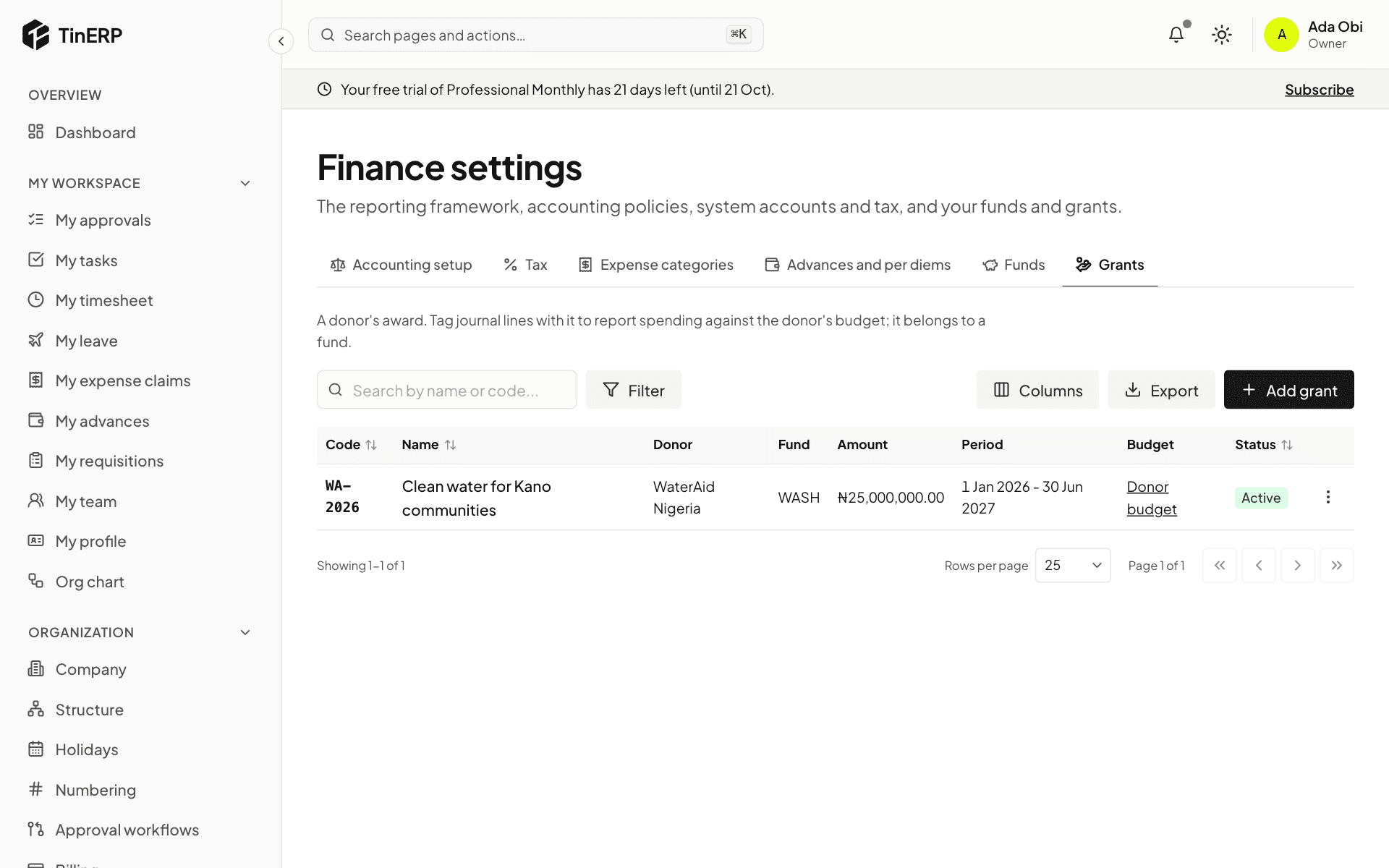
The award is restricted to clean water, so Ifeoma, the finance officer, adds a restricted fund - Water, sanitation and hygiene - in Finance → Finance settings → Funds, then the grant under Grants: donor, reference, the fund, ₦25,000,000, and its dates.
2. 2. Enter the donor's budget
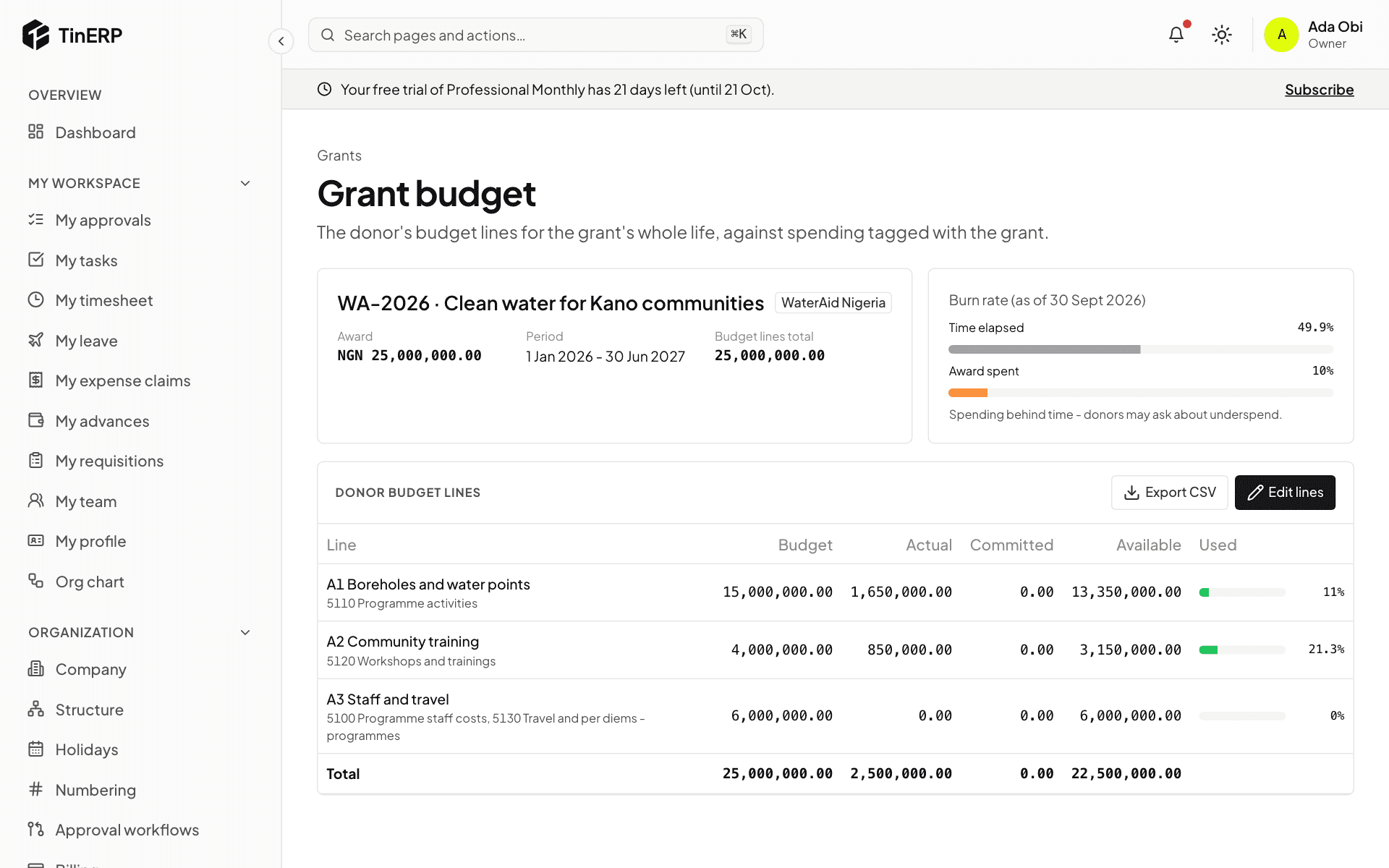
From the grant, she opens its Donor budget and enters the donor's own lines - boreholes, community training, staff and travel - with the accounts that count against each. That's the budget the donor will report against, for the grant's whole life.
3. 3. Tag the money in
When the first ₦6,000,000 tranche arrives, it's recorded to Grants - restricted income with the grant on the line - by a receipt against an invoice to the donor, or a journal. In the NGO chart, restricted grant income can't be posted without a grant.
4. 4. Tag every cost
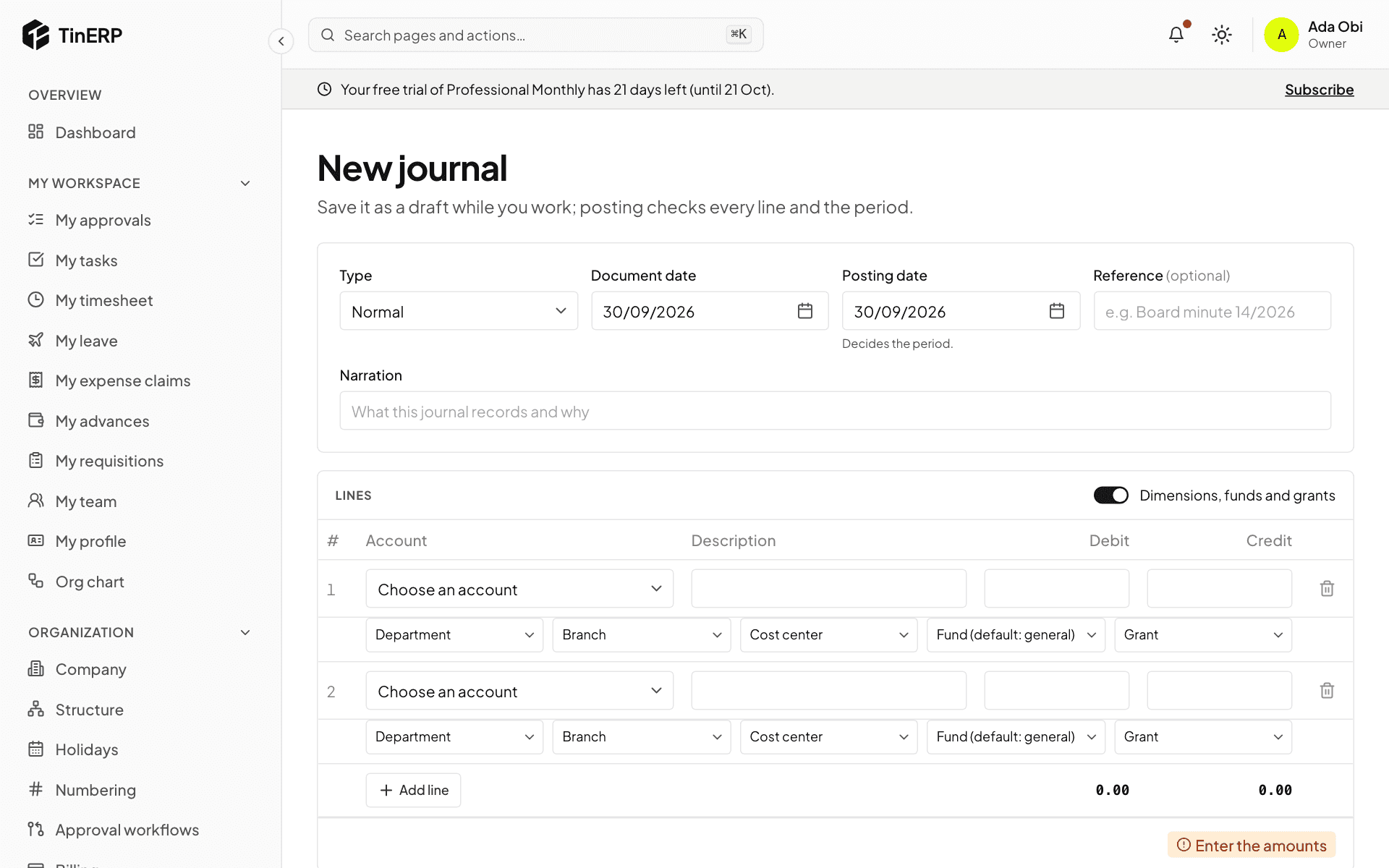
Every cost of the programme carries the grant: journal lines (turn on Dimensions, funds and grants), and the fund and grant on bills, expense claims and advances. Where the money comes from the general bank account, TinERP adds the interfund lines itself.
5. 5. Follow the burn rate
The donor budget now shows each line's actual, committed and available, and the burn rate: time elapsed against the award spent. Here, half the grant's time has gone but only 10% of the money - spending behind time, which donors ask about. The programme team knows early.
6. 6. Report to the donor
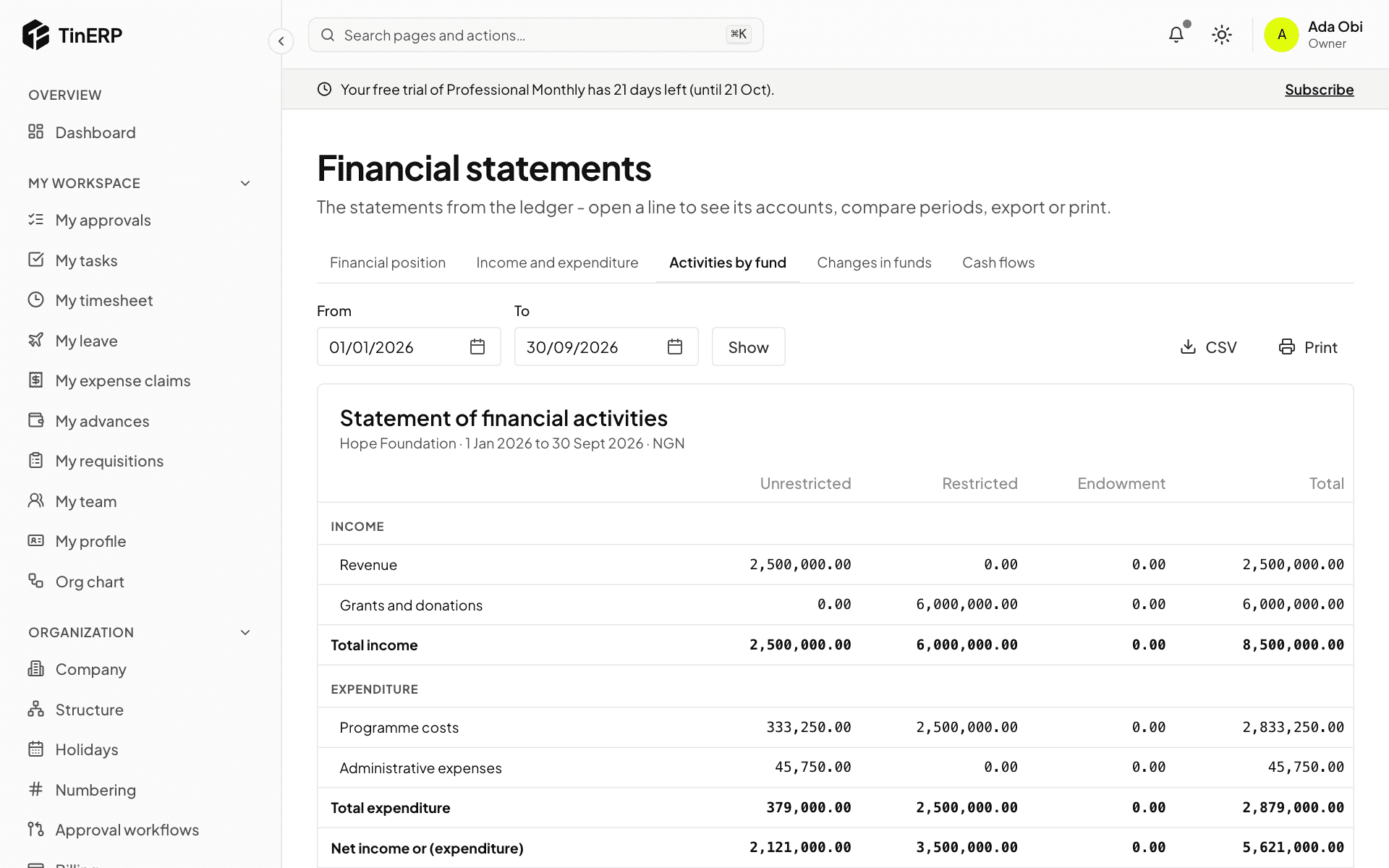
For the report, Ifeoma exports the grant budget as CSV (Export CSV), and prints Financial statements → Activities by fund, which separates restricted and unrestricted money. The Trial balance, filtered by the grant, lists every account it touched; each line opens its entries.
Tip: When the grant closes, its fund's balance should be what's left to return or reallocate - the donor's agreement says which.