Procurement · Buyers and procurement teams · about 4 min
How Procurement works
Procurement follows one chain: requisition → (quotations) → purchase order → receiving → vendor invoice → payment. Each step is done by a different person, so no one can buy, receive and pay on their own.
1. Who does what
Anyone raises a requisition in My requisitions; their line manager approves it. Buyers turn approved requisitions into orders - after getting quotations when it's worth it - and send them. Store keepers record what arrives. Accounts enter the vendor's invoice, which is matched to the order and the delivery and approved for payment. Finance pays it.
The Admin role can do all of it. Most organizations give buyers, store keepers and approvers their own roles, and TinERP keeps them apart: whoever raised an order doesn't receive it, and whoever submitted or received doesn't approve the invoice.
2. The dashboard
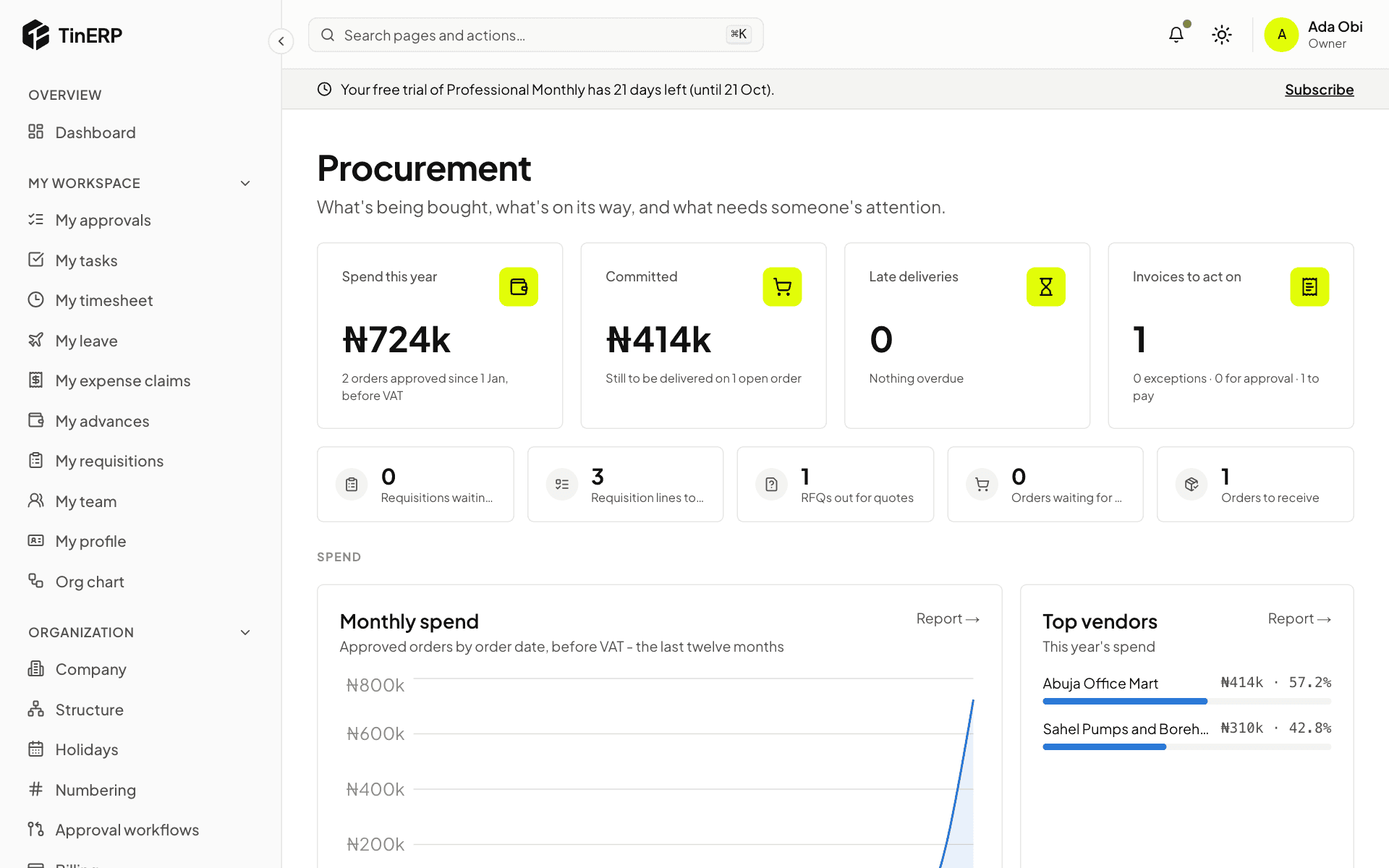
Procurement → Dashboard shows this year's spend, what's committed on open orders, late deliveries and invoices to act on, then the pipeline - requisitions waiting, lines to order, quotations out, orders to approve and to receive. Select any figure for its list.
Questions
Staff can't see the Procurement menu.
That's by design: everyone raises requisitions from My workspace → My requisitions. The Procurement menu is for the people who run buying.