Finance · Accountants · about 6 min
Journals
Most journals are made for you by invoices, bills, payments, claims and advances. You write your own for adjustments - accruals, depreciation, corrections, reclassifications.
1. Write a journal
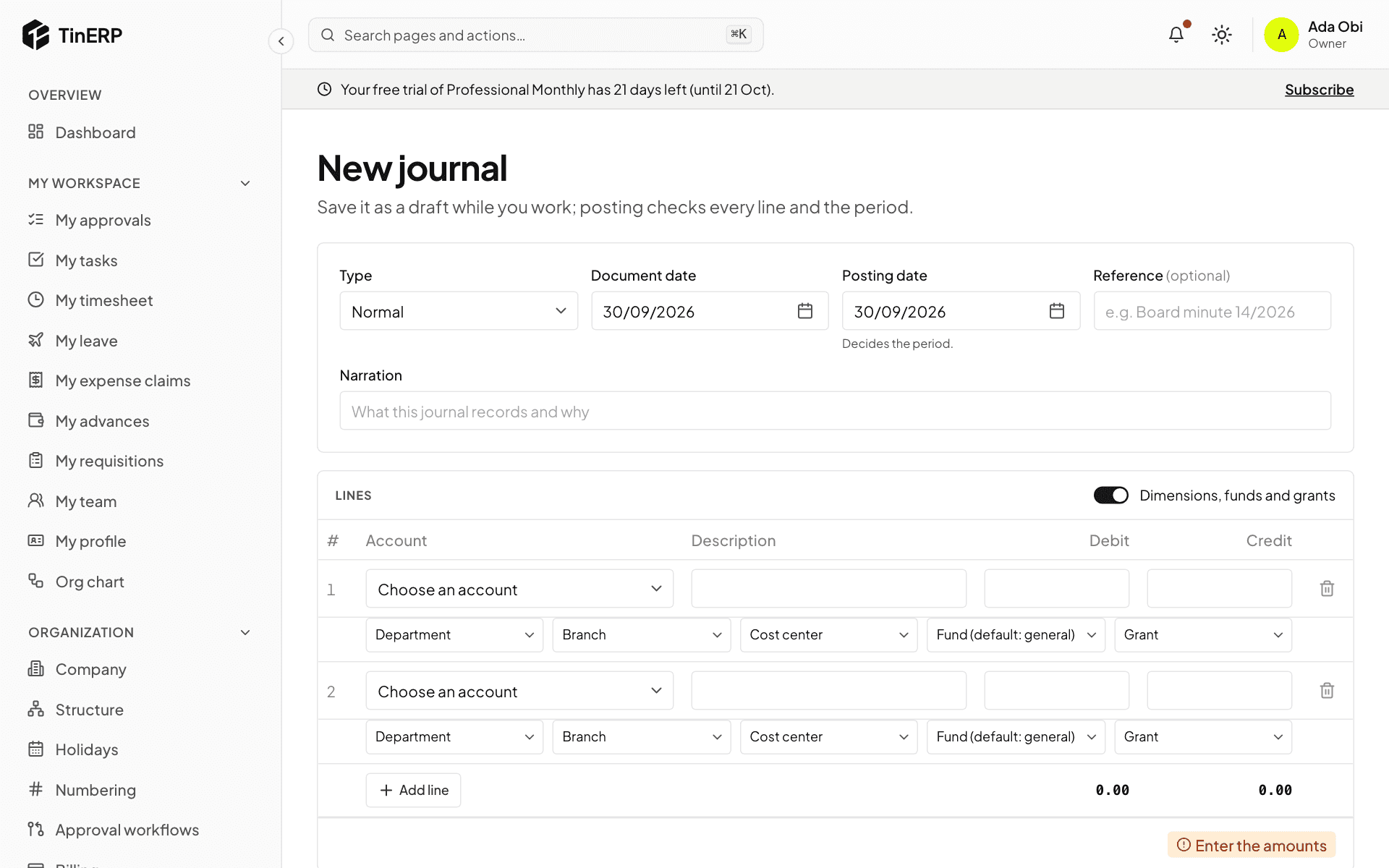
Go to Finance → Journals and select New journal. Choose the Type - usually Normal; Accrual for a cost used but not yet billed, Correction, Reclassification, Adjustment, or for NGOs a transfer between funds.
The Document date is on the paperwork; the Posting date decides the month it counts in. Add a Reference and a Narration someone can understand in two years, then the lines: an account, and a debit or a credit on each.
Turn on Dimensions, funds and grants to tag lines; required ones are marked. Control accounts aren't offered - they change only through their own documents.
2. Save or post it
Save draft keeps it to finish later - a draft may not balance yet. Save and post checks every line and that the month is open, then posts it.
By default journals post at once. Your organization can require approval - for example over ₦1,000,000, or any journal touching fund balances - in Organization → Approval workflows → Manual journal. Nobody approves their own.
3. Reverse a mistake
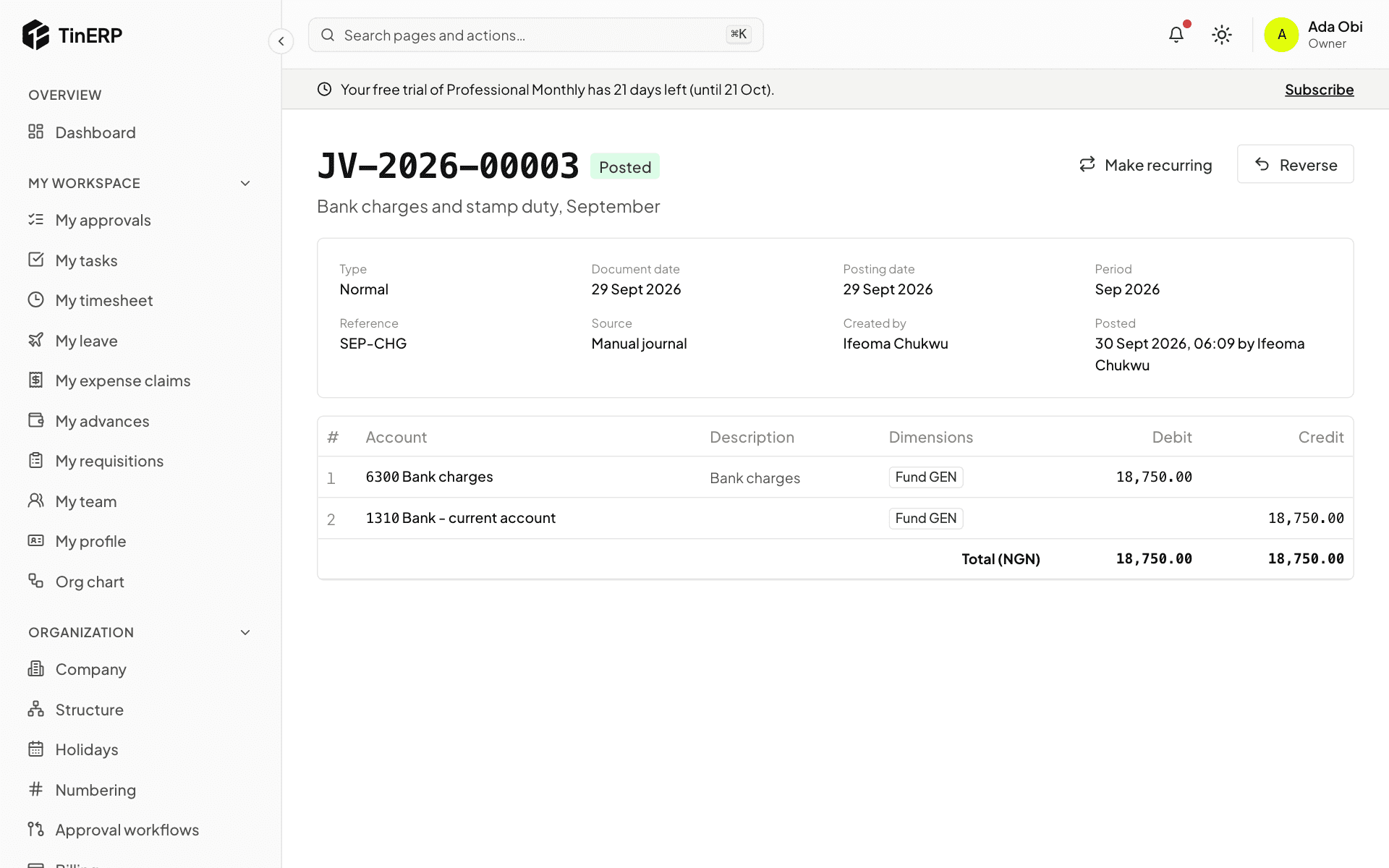
Open the posted journal and select Reverse. Choose the reversal date and give a reason: a new journal is posted with every line on the other side, and both are linked. Then post the correct one.
Journals made by invoices, bills and other documents are corrected in those documents instead - a credit note, a void, a retirement.
4. Journals that repeat
For rent, depreciation or standing charges, open a journal and select Make recurring: every month, quarter or year, on a day you choose, from a start date until an end date if there is one. Tick Post each one automatically, or leave each as a draft for someone to check.
Finance → Recurring journals lists them; pause, resume or end them there.
Tip: An Accrual can reverse itself on the first day of next month - so when the real bill arrives, the cost isn't counted twice.