Everyday tasks · Everyone · about 3 min
Book leave
Leave requests go to your manager (or whoever your organization's rules say). You're notified when they decide.
1. Check your balances
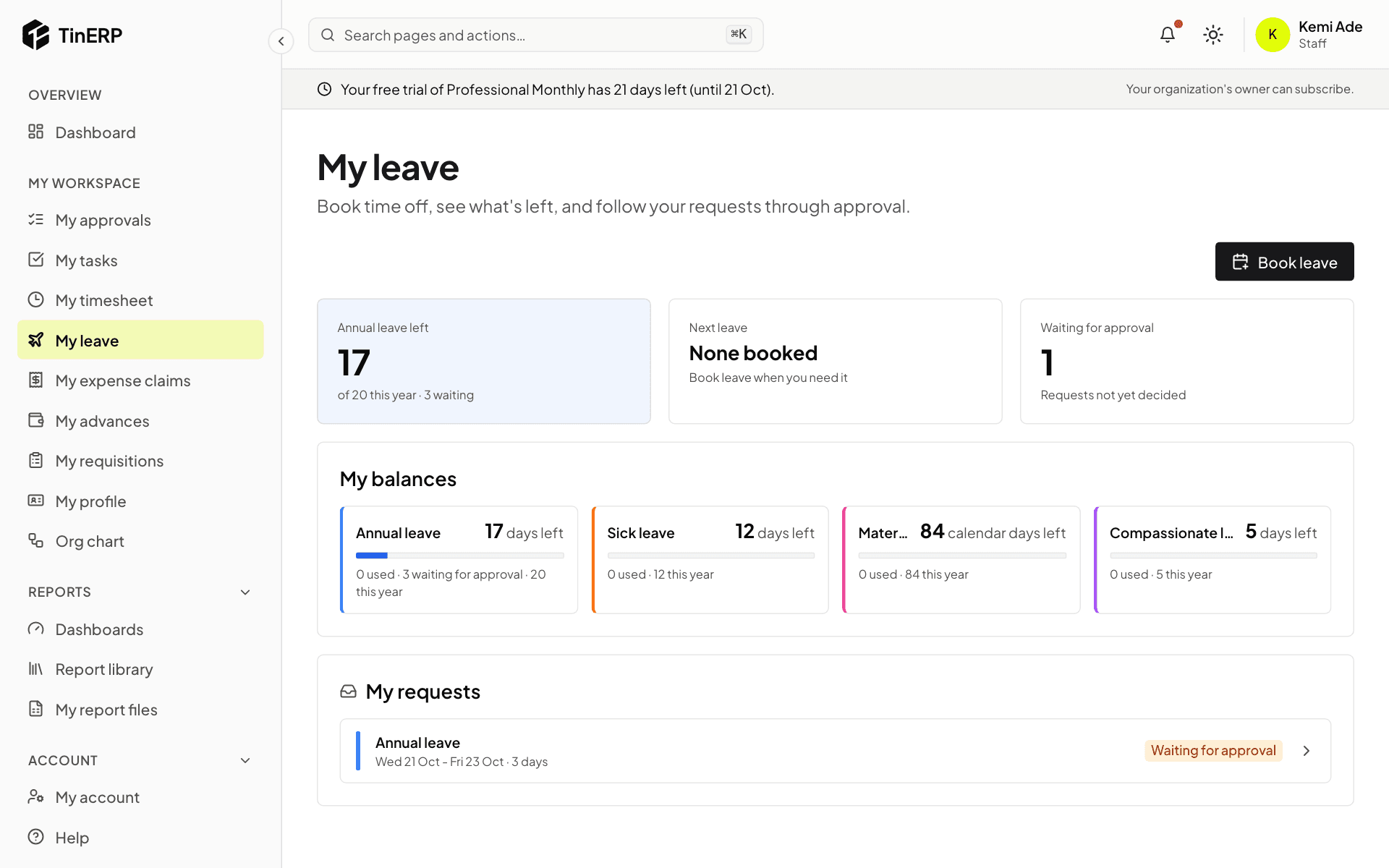
Go to My workspace → My leave. You'll see how many days you have left of each type, your next booked leave, and your requests.
2. Ask for leave
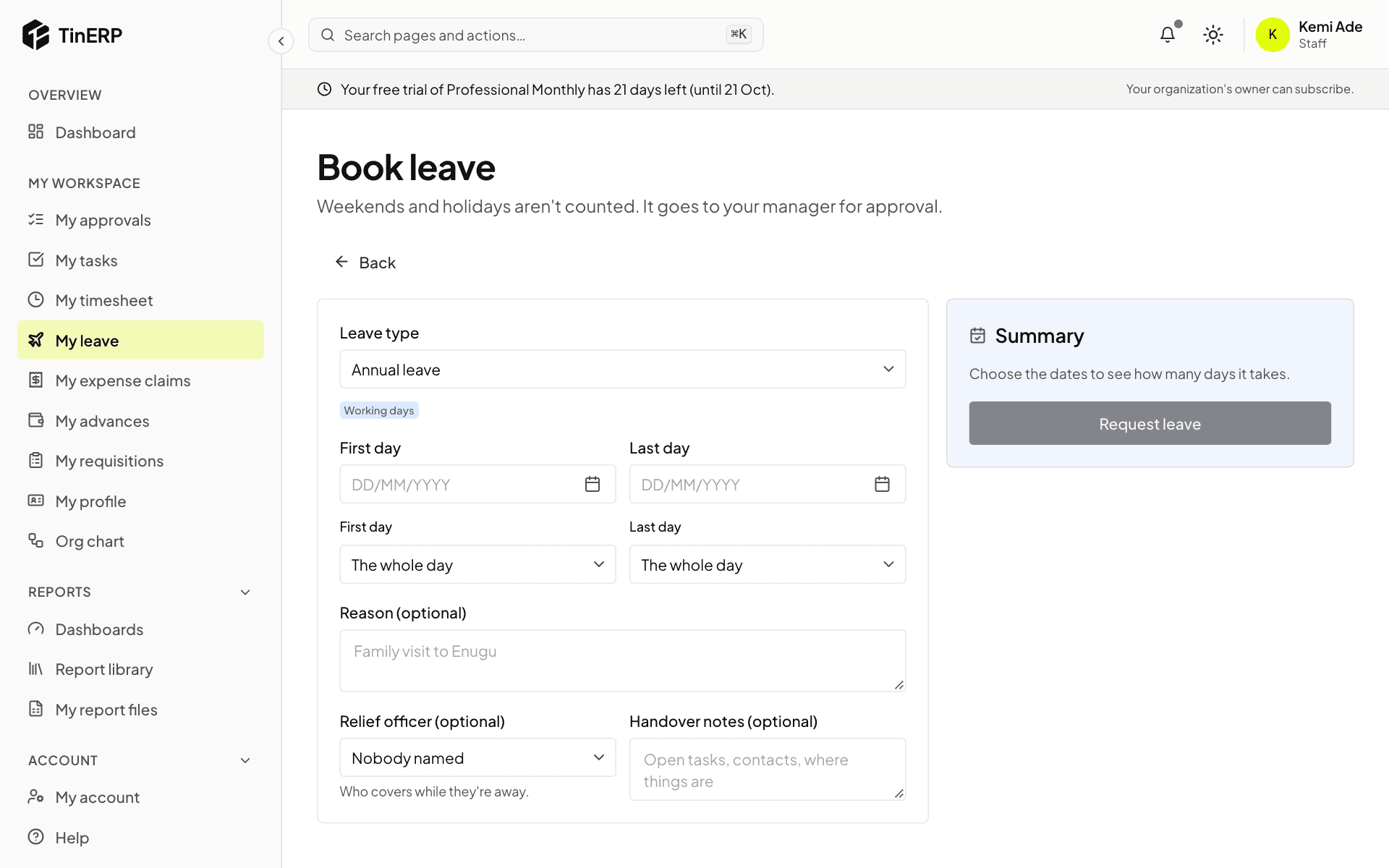
Select Book leave. Choose the leave type, your first and last day, and whether either is a half day. Add a reason, and - if your organization uses them - a relief officer and handover notes.
The Summary shows how many days it takes. Weekends and public holidays aren't counted. Select Request leave to send it.
Tip: Changed your plans? Open the request from My leave to cancel it - before it's approved, or ask to cancel it afterwards.