Finance · Finance managers and accountants · about 5 min
Opening balances
If your organization existed before TinERP, start from your last trial balance in the old system - and the invoices, bills and advances still open.
1. Enter the balances
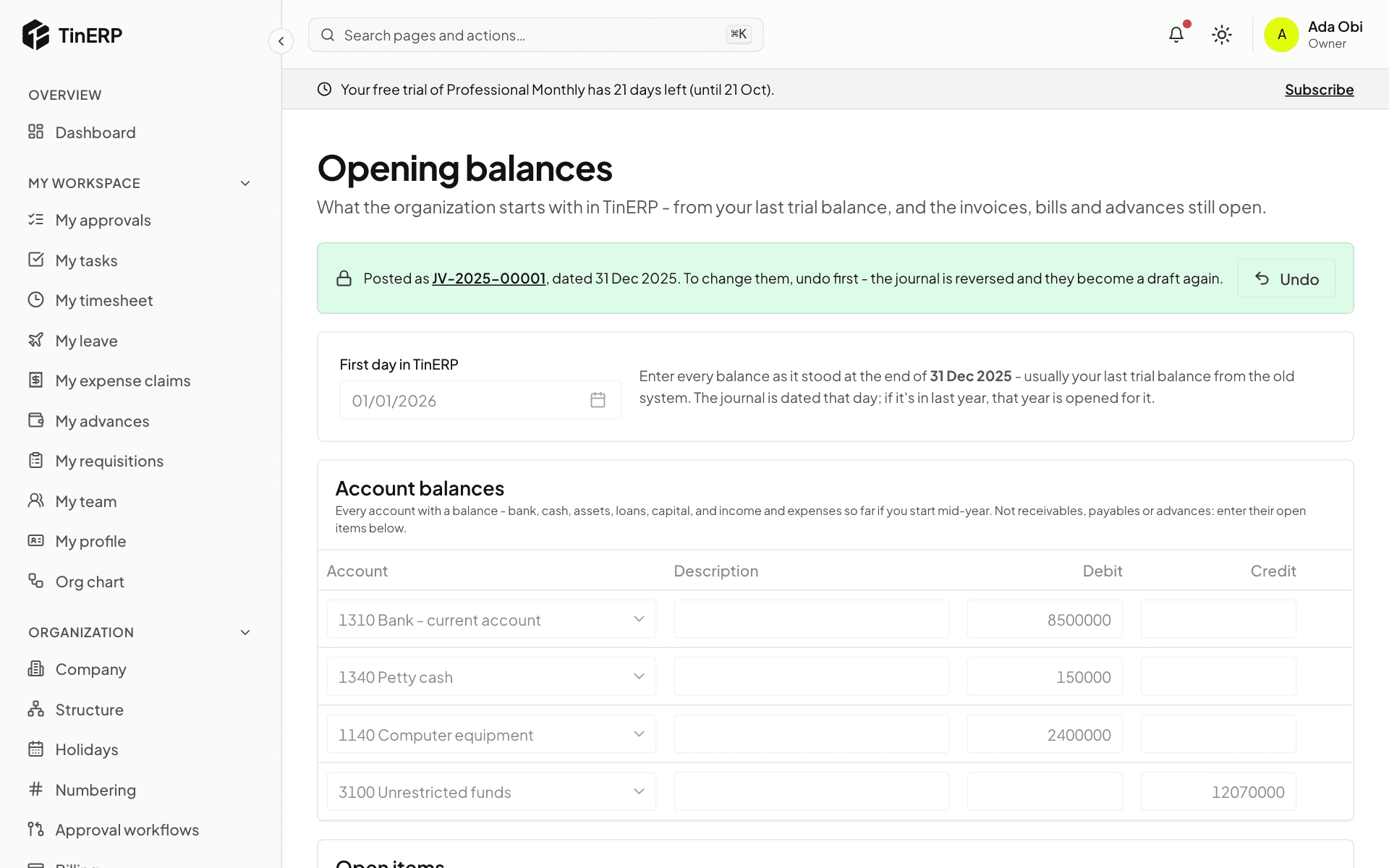
Go to Finance → Opening balances. Choose your First day in TinERP - usually the start of the financial year. Balances are as they stood the day before.
Under Account balances, enter every account with a balance - bank and cash, equipment, loans, funds or capital, and income and expenses so far if you start mid-year. Debits on the left, credits on the right.
2. Add the open items
Receivables, payables and advances aren't one figure: under Open items, enter each unpaid customer invoice, unpaid vendor bill and unretired advance, with its number, date and what's outstanding. TinERP adds them up into the control accounts, and later each one can be paid or received against.
Both parts can be imported from CSV: Template gives you the columns, Import CSV reads them back.
3. Post them
The footer shows whether debits equal credits. Save draft as you go, and Save and post when it balances. It posts one journal dated the day before your first day.
Found a mistake later? Undo (with a reason) reverses the journal and makes the balances a draft again.