Administrators · Owners and admins · about 4 min
Manage users
A user is someone who can sign in to TinERP. That isn't the same as an employee record in HR: a driver can be an employee who never signs in, and an outside accountant can sign in without being an employee. To invite someone, see Set up your organization.
1. See who can sign in
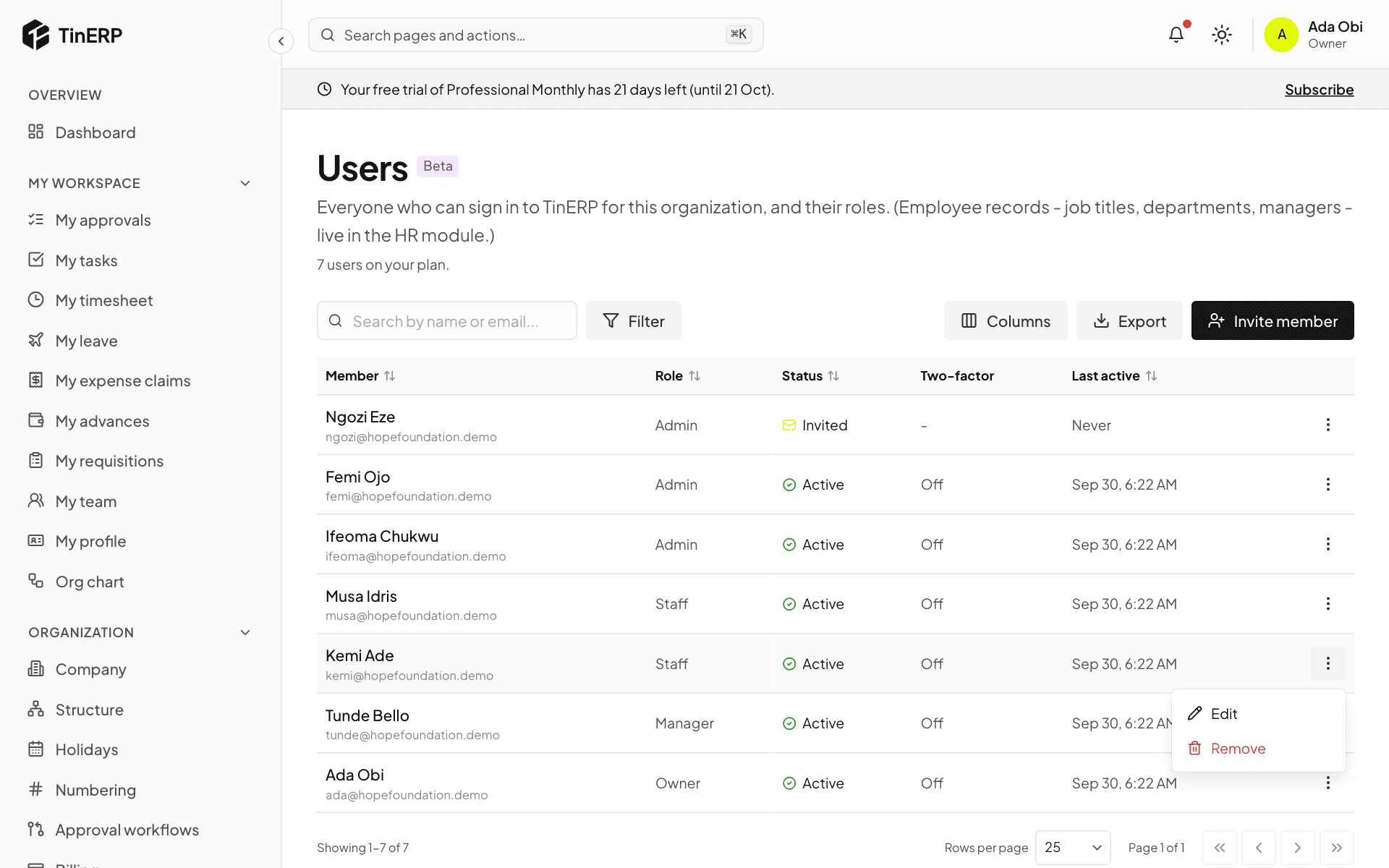
Go to Access & security → Users. The table shows each person's role, their status (Active, Invited or Suspended), whether they use two-factor sign-in, and when they were last active. The line under the title shows how many users your plan includes.
Open the menu at the end of a row for what you can do: Edit and Remove for everyone; Resend invite for someone who hasn't joined yet; Reset two-factor for someone who uses it.
2. Change a role, or suspend someone
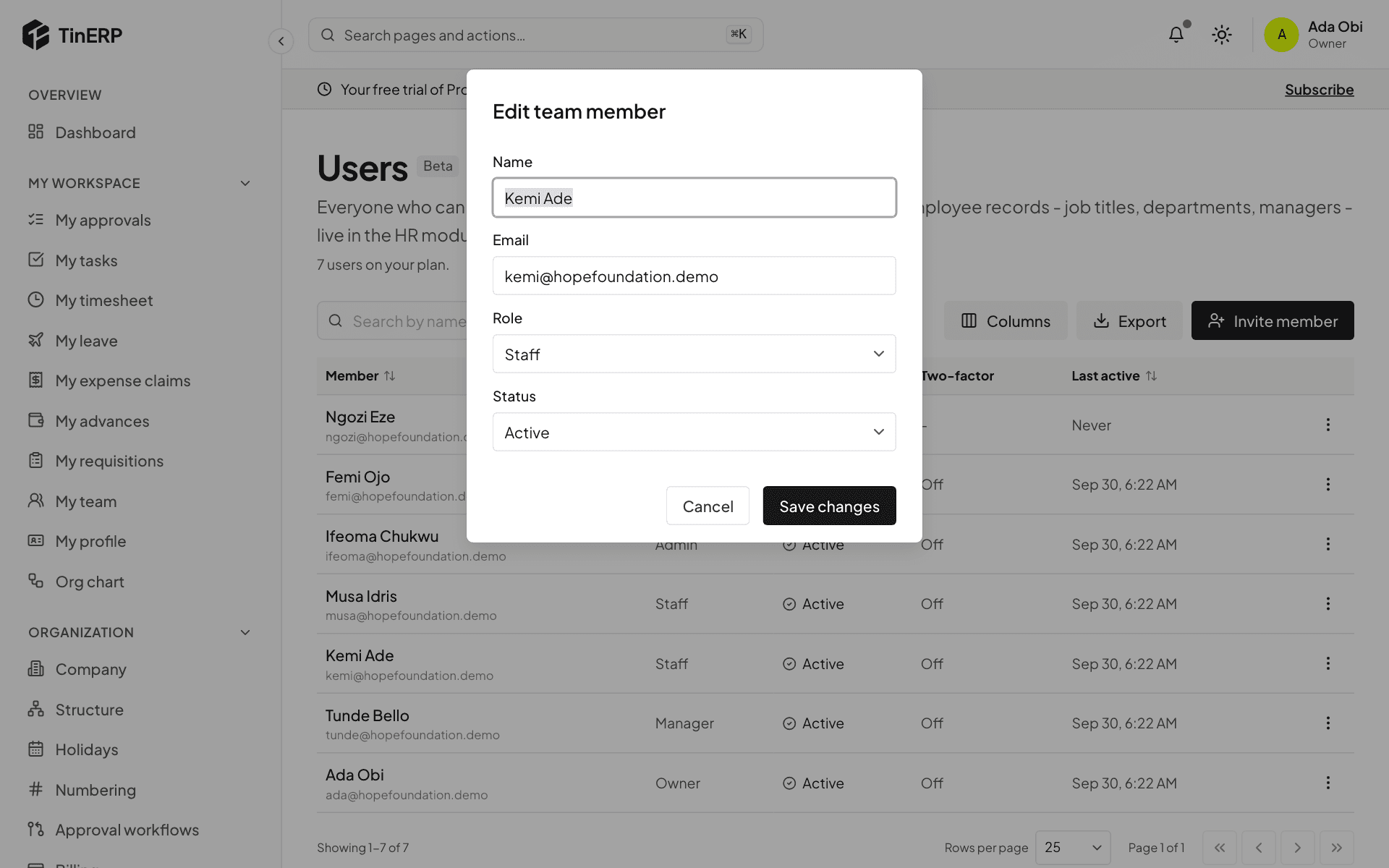
Choose Edit. Pick their new Role - it applies straight away, and they're told.
To stop someone signing in without removing them, set Status to Suspended; set it back to Active to let them in again. Select Save changes.
3. Help someone who lost their phone
If someone can't sign in because they've lost the phone with their authenticator app, choose Reset two-factor. It turns their two-factor sign-in off and signs them out. They then sign in with their password and set it up again on their new phone - straight away, if your organization requires it.
You can't reset your own, and only an owner can reset another owner's.
4. Remove someone
Choose Remove to take away their access for good. The audit log keeps what they did. If they might come back, suspend them instead.
Questions
Do I need to remove people who leave?
Not if HR records their exit: on their last day, their login is suspended and they're signed out everywhere.
Why can't I give someone a particular role?
Nobody can give more than they have. You can only give roles whose permissions you have yourself.