1 guide ready to print - choose Save as PDF in the print window for a handout. Back to the help centre

TinERP user guide · printed 3 October 2026 · the latest version is always in the help centre online

Everyday tasks · Everyone on a project · about 3 min

Your tasks

My tasks gathers every task assigned to you, across all your projects.

1. See what's due

Go to My workspace → My tasks. Tasks are grouped by when they're due. Select a task to open it.
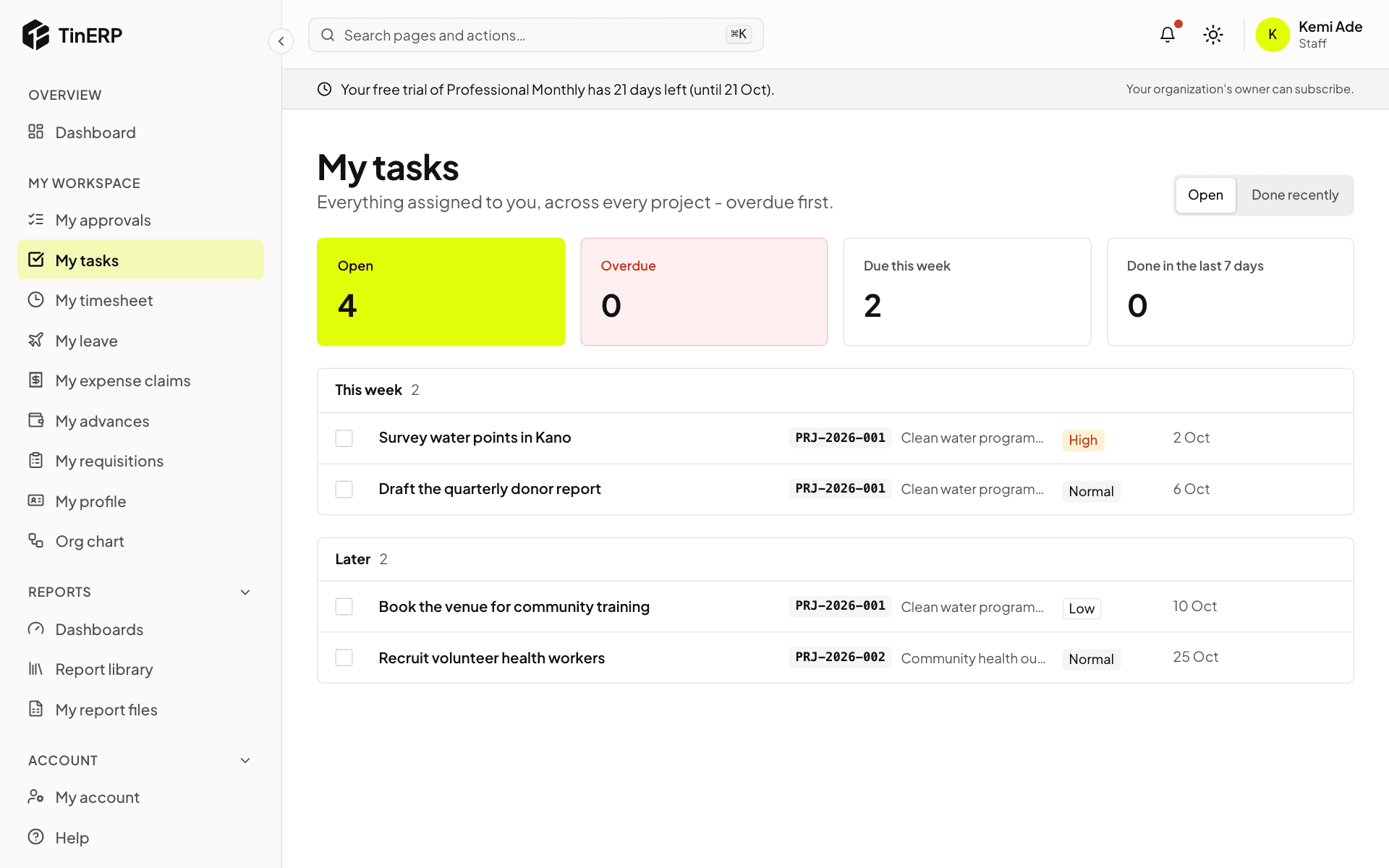
My tasks: open, overdue and due this week, with tasks grouped by week

2. Update a task

In the task panel, change its status as you work (to do, in progress, done), its due date or priority. Changes save as you make them.

Add files, and write a comment - type @ to mention someone on the project; they're notified.
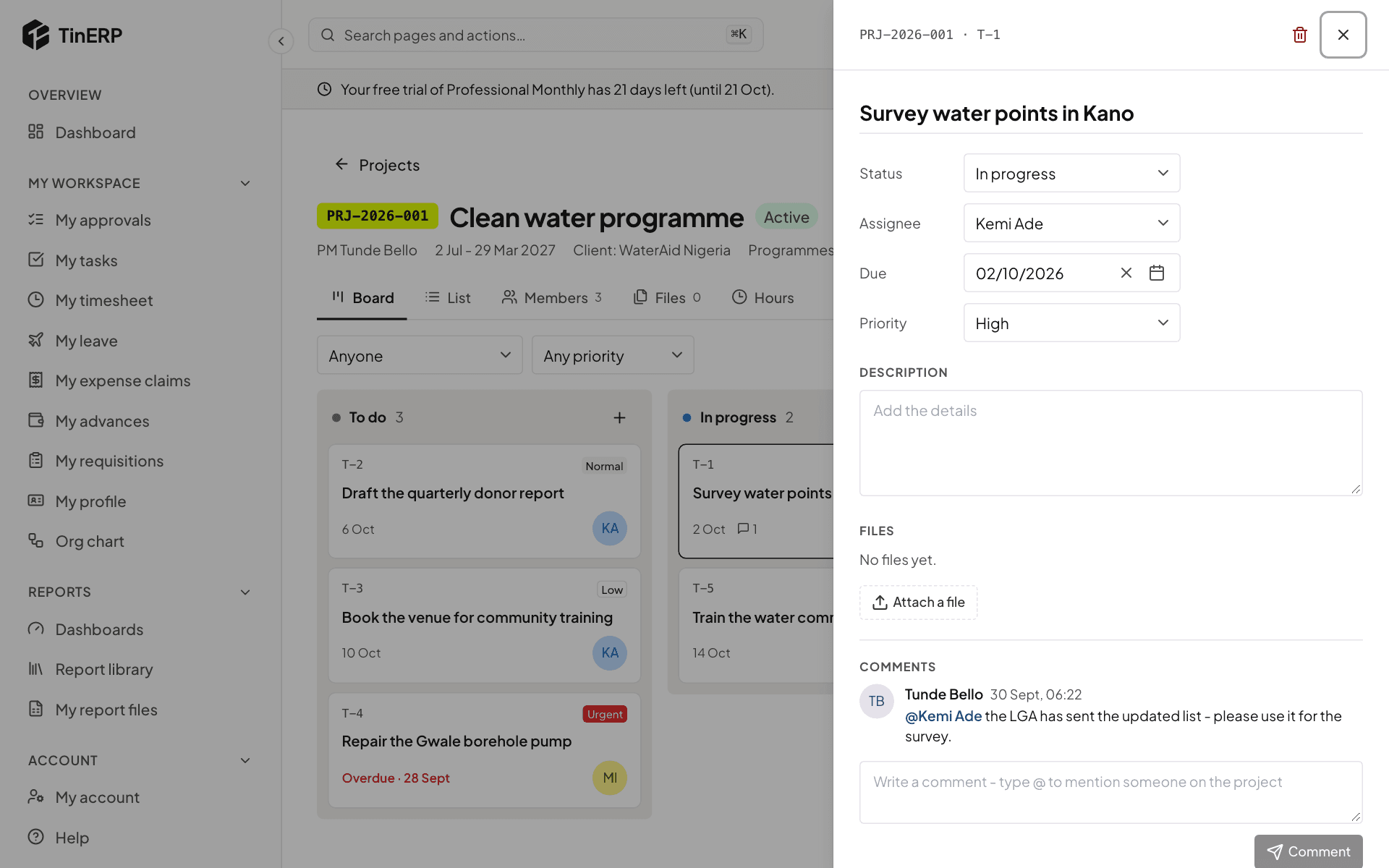
A task open in its panel: status, assignee, due date, priority, files and comments