Your tasks
My tasks gathers every task assigned to you, across all your projects.
- 1
See what's due
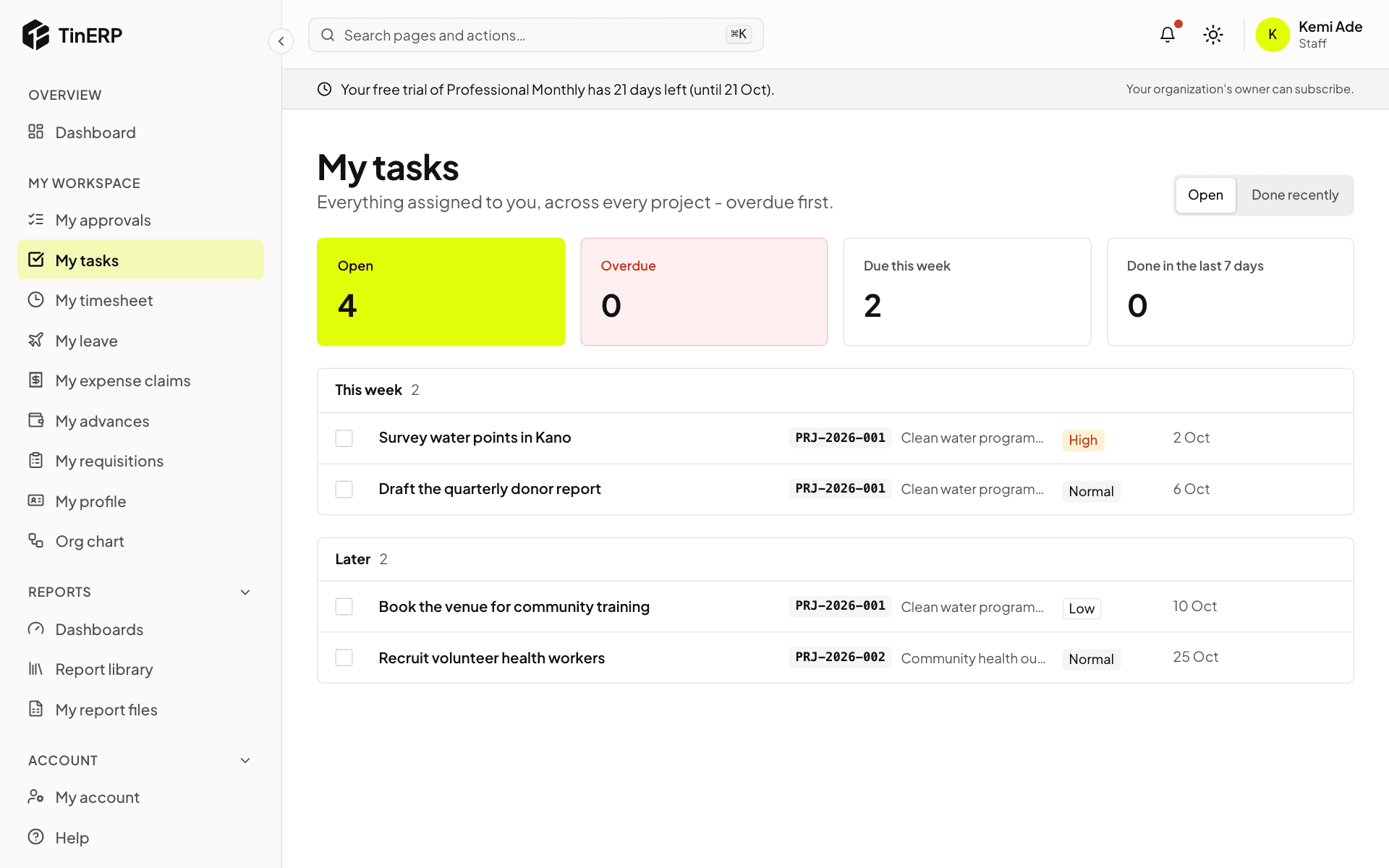
Go to My workspace → My tasks. Tasks are grouped by when they're due. Select a task to open it.
Full size
My tasks: open, overdue and due this week, with tasks grouped by week - 2
Update a task
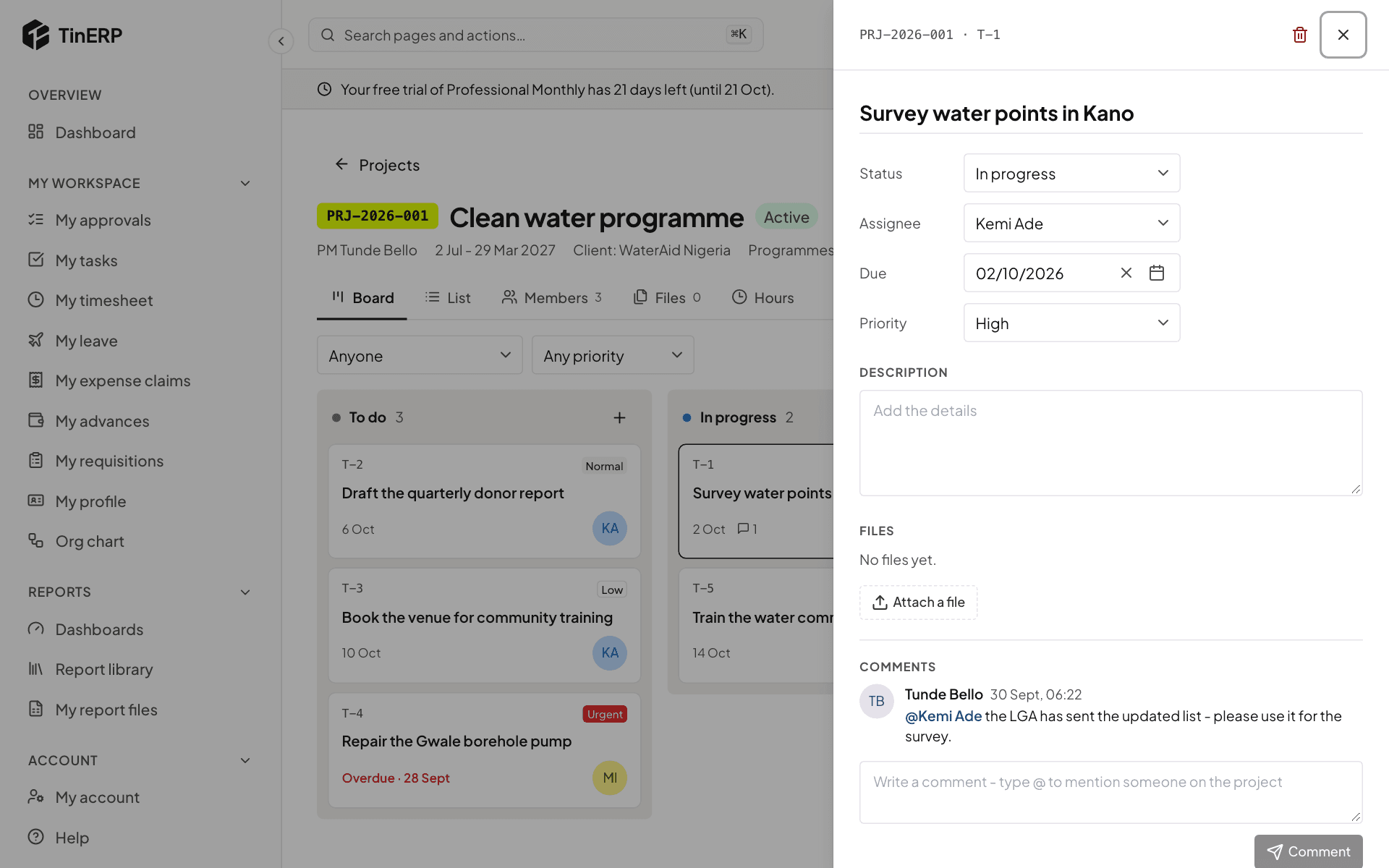
In the task panel, change its status as you work (to do, in progress, done), its due date or priority. Changes save as you make them.
Add files, and write a comment - type @ to mention someone on the project; they're notified.
Full size
A task open in its panel: status, assignee, due date, priority, files and comments