
Set who approves what
Every kind of request - leave, timesheets, expense claims, advances, purchases, payments and more - has its own approval rules. TinERP's defaults work from day one; change them when your policy is different.
- 1
Choose a kind of request
Go to Organization → Approval workflows and pick a kind of request on the left. Kinds that belong to modules outside your plan are listed separately.
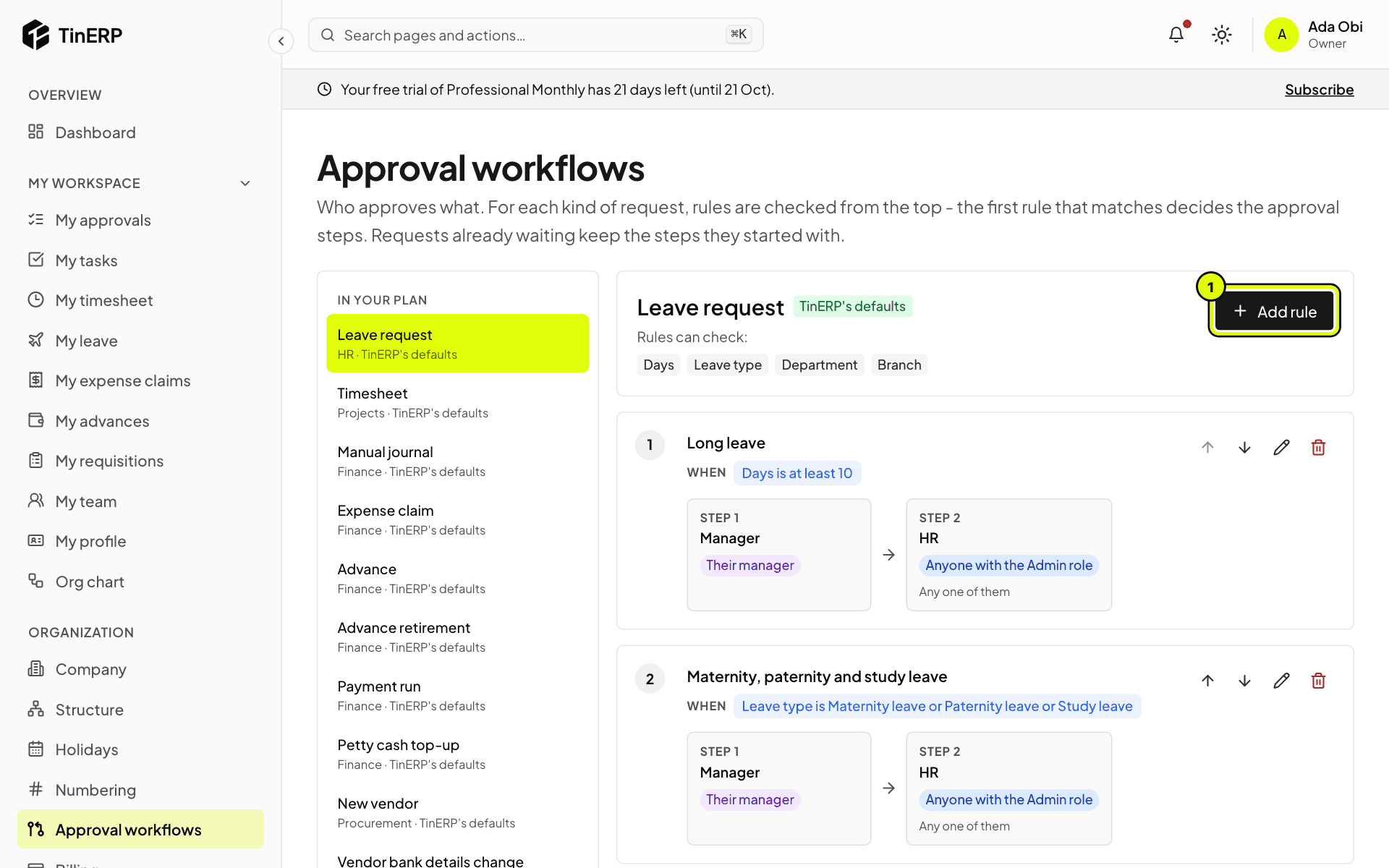
Rules are checked from the top: the first rule whose conditions match a request decides who approves it. The chips under the title show what rules can check - for leave, the days, the leave type, the department and the branch; for money, the amount.
Full size
Approval workflows for leave requests: the Long leave and Maternity, paternity and study leave rules, with Add rule marked 1 - 2
Add or change a rule
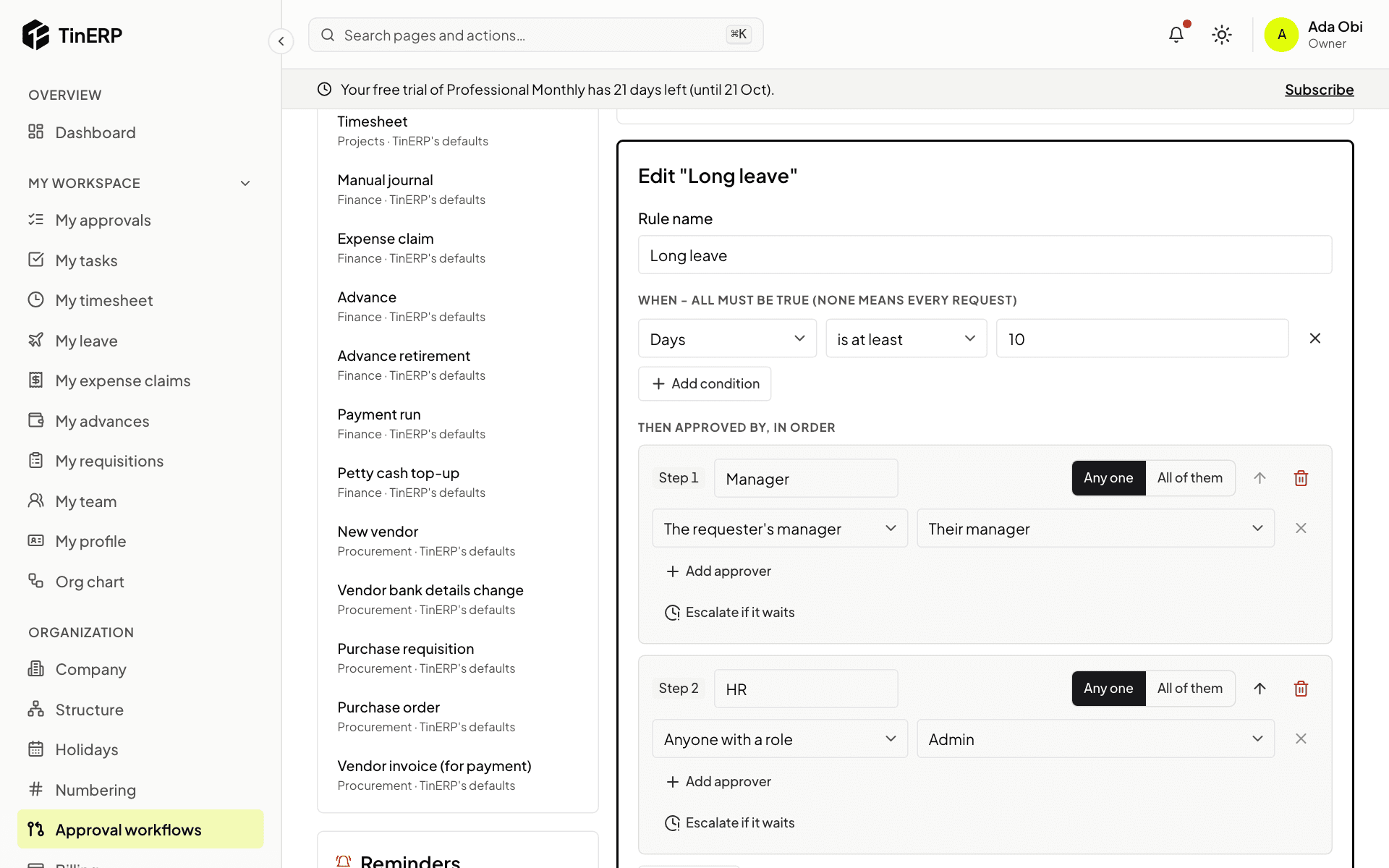
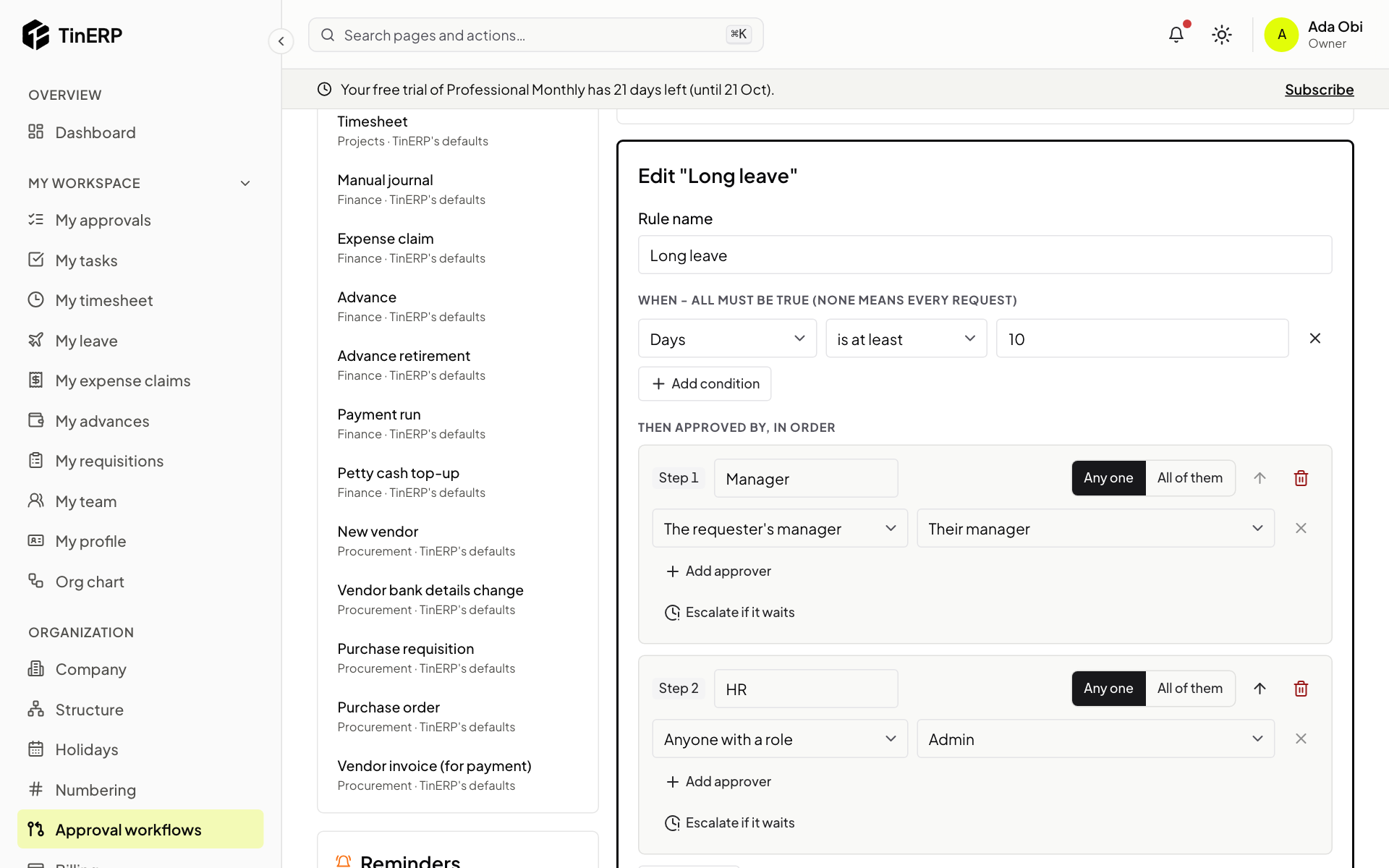
Select Add rule (1), or the pencil on a rule. Give it a name, then set:
When - the conditions, which must all be true, such as Days is at least 10. No conditions means every request.
Then approved by, in order - the steps. Each step's approvers can be the requester's manager (or their manager's manager), the head of their department, anyone with a role, or named people, and the step needs Any one or All of them. Select Save rule.
Full size
Editing the Long leave rule: Days is at least 10, then the manager, then anyone with the Admin role Tip: A rule with no steps approves requests automatically - for example expense claims under a small amount.
- 3
Keep approvals moving
Under a step, Escalate if it waits adds more people if nobody decides within a number of working days - usually the manager's manager. Any one of them can then decide.
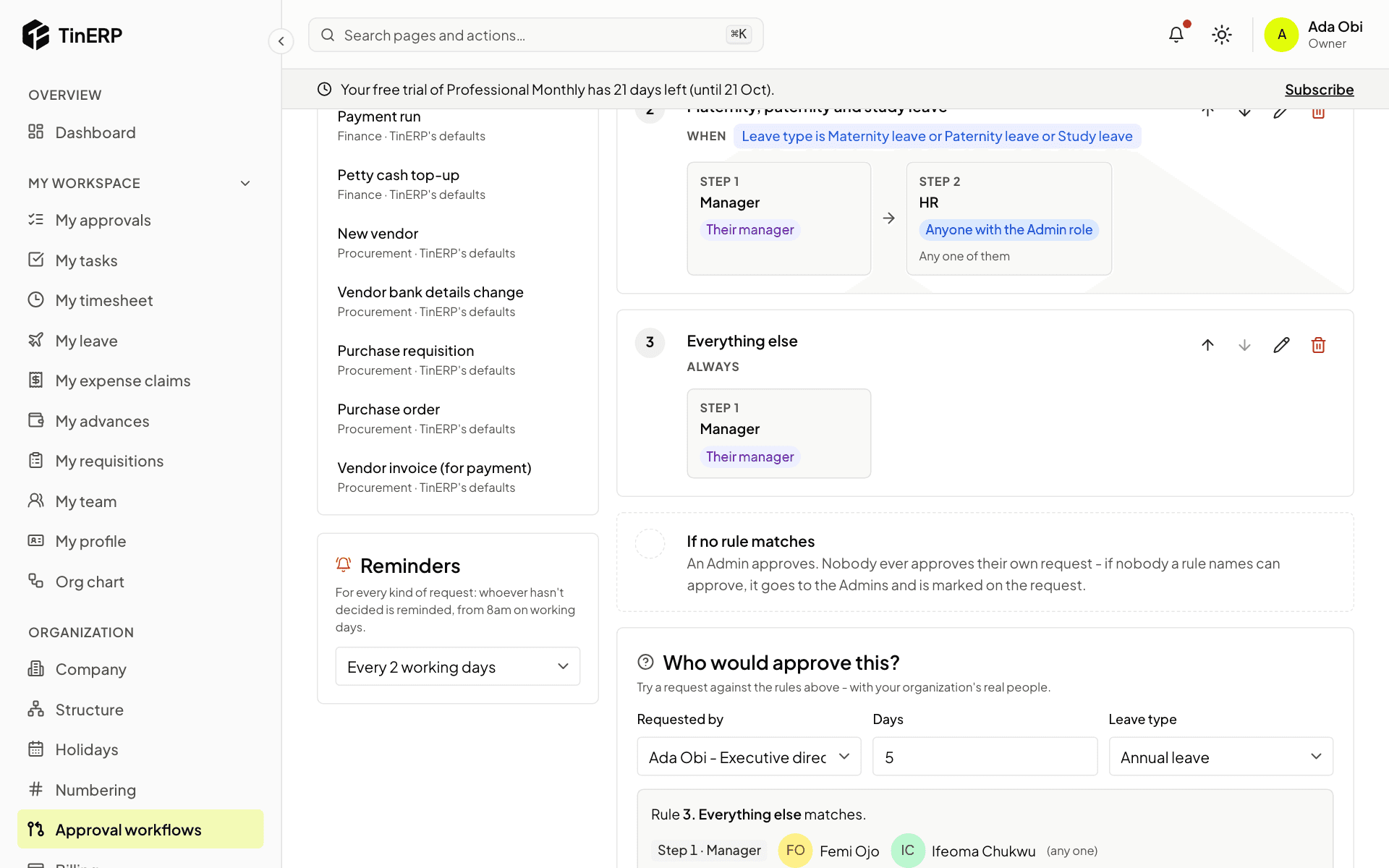
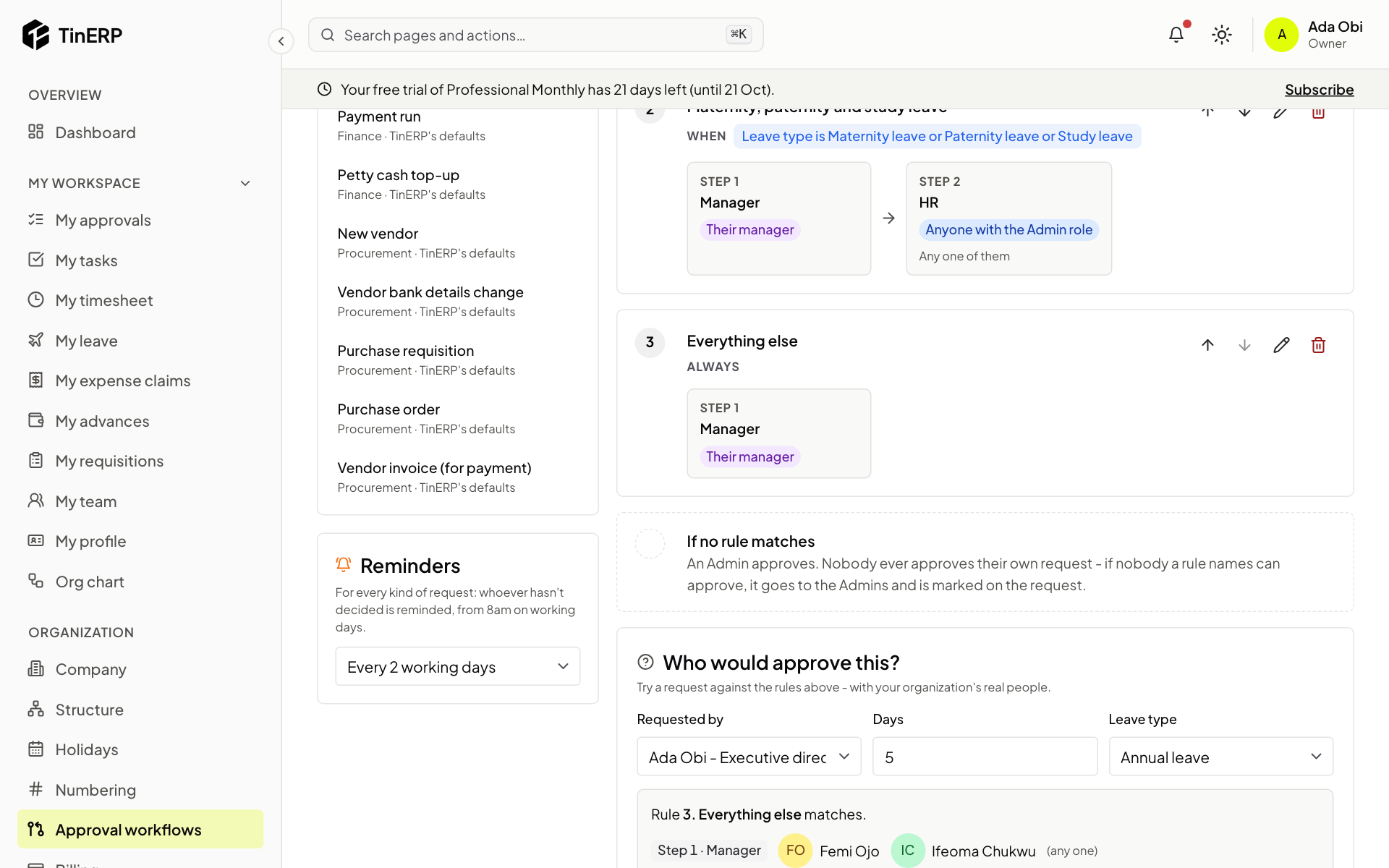
Reminders, on the left, apply to every kind of request: whoever hasn't decided is reminded every few working days, from 8am.
- 4
Try it before you rely on it
Scroll to Who would approve this?. Choose who is asking and fill in the request's details. TinERP shows which rule matches and the real people each step would go to. Nothing is saved.
Full size
The rest of the leave rules, the Reminders setting and Who would approve this?
Questions
Do my changes affect requests already waiting?
No. A request keeps the steps it started with; new requests use the new rules.
Can someone approve their own request?
Never. If a rule would send a request to the person who asked, they're left out. If nobody is left, it goes to the Admins and is marked on the request.
What happens when an approver is away?
They set Out of office in My account and choose someone to decide for them. You can also add escalation to a step.
How do I go back to TinERP's rules?
Select Use the defaults for that kind of request. Requests already waiting keep their steps.