Get quotations
A request for quotation (RFQ) asks several vendors to price the same lines. Your organization may require quotations above an amount.
- 1
Send the request
In To order, tick the lines and select Request quotations - or start one in Procurement → Quotations (RFQs). Give it a deadline, where to deliver, any instructions, and the vendors to invite. You can also set how quotations are weighed: price, delivery and quality.
Send to vendors emails each one. Vendors without an email are marked, so you can send it another way.
- 2
Record the quotations
As each quotation arrives, record it against the vendor: their reference, the date, how long it's valid, delivery days, payment terms, and a price for each line. Mark a vendor Won't quote if they decline.
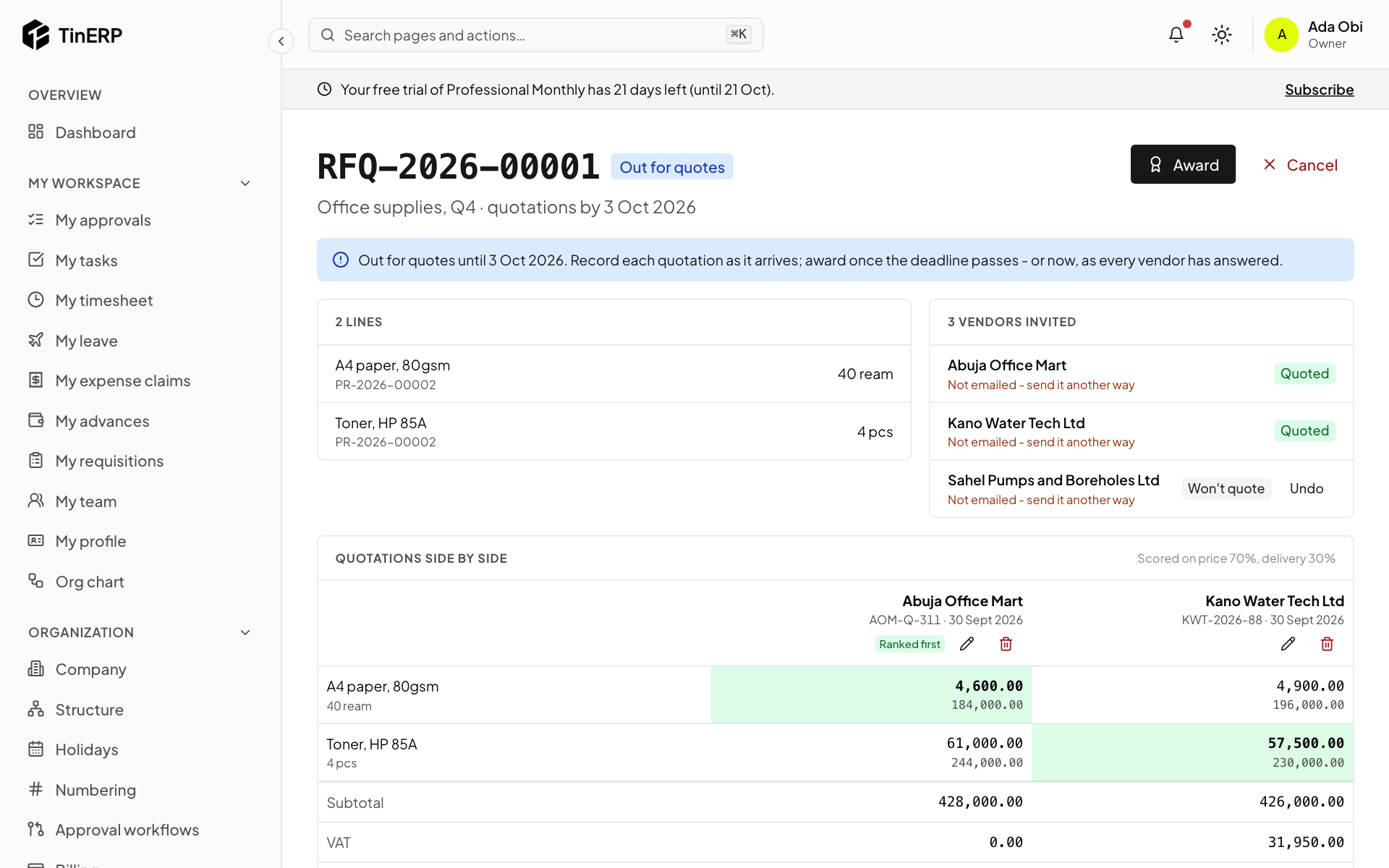
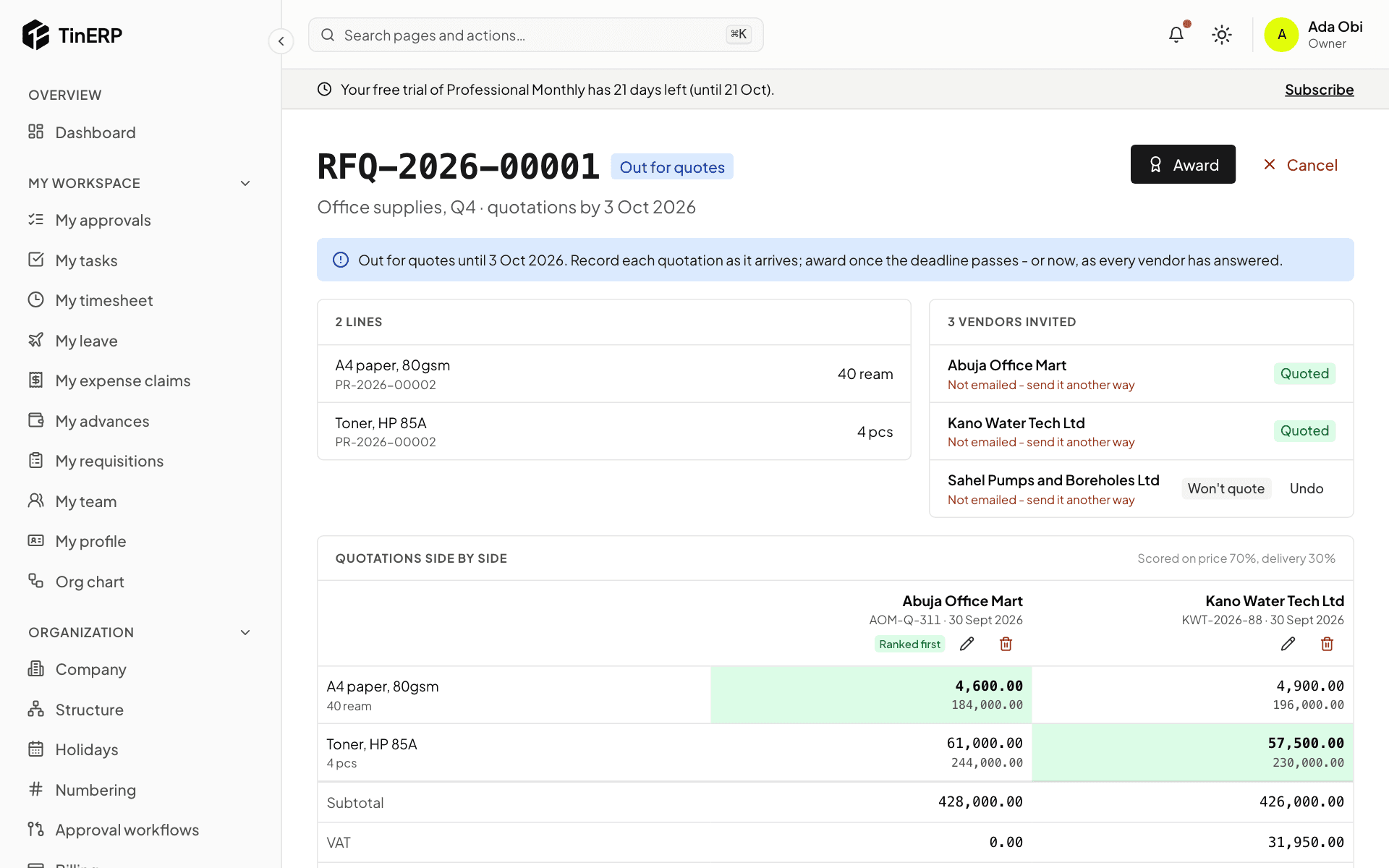
Quotations side by side compares them, with the lowest price for each line highlighted and the best overall Ranked first.
Full size
An RFQ with two quotations side by side and one vendor that won't quote - 3
Award it
Once the deadline has passed - or every vendor has answered - select Award. Each line goes to one quotation; you can split lines between vendors. A line that doesn't go to its lowest price needs a reason. Award and create orders makes one draft order per vendor, at the quoted prices.