Follow progress and hours
Hours come from timesheets: approved ones, and - where you choose - those still waiting for approval.
- 1
Start from the overview
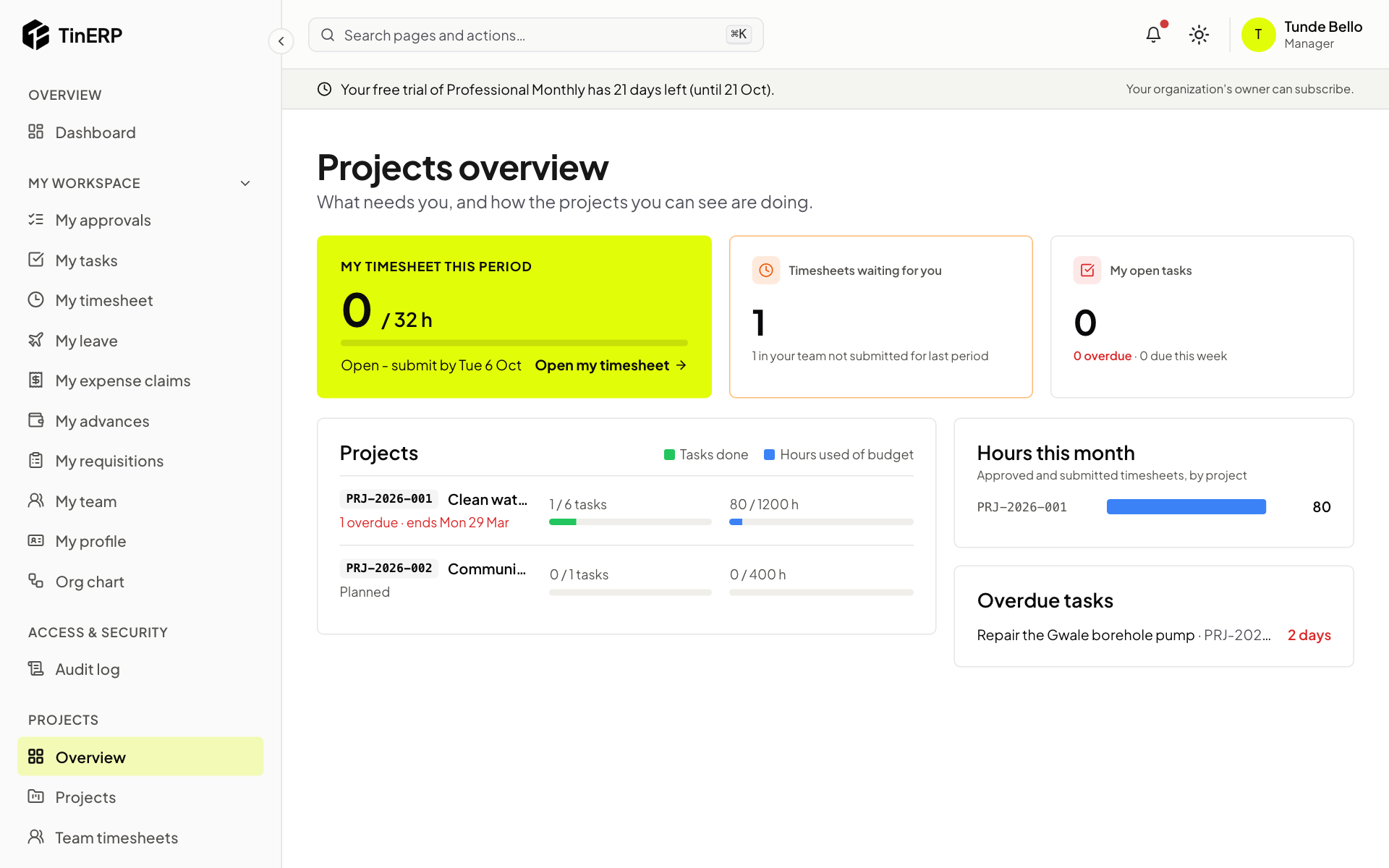
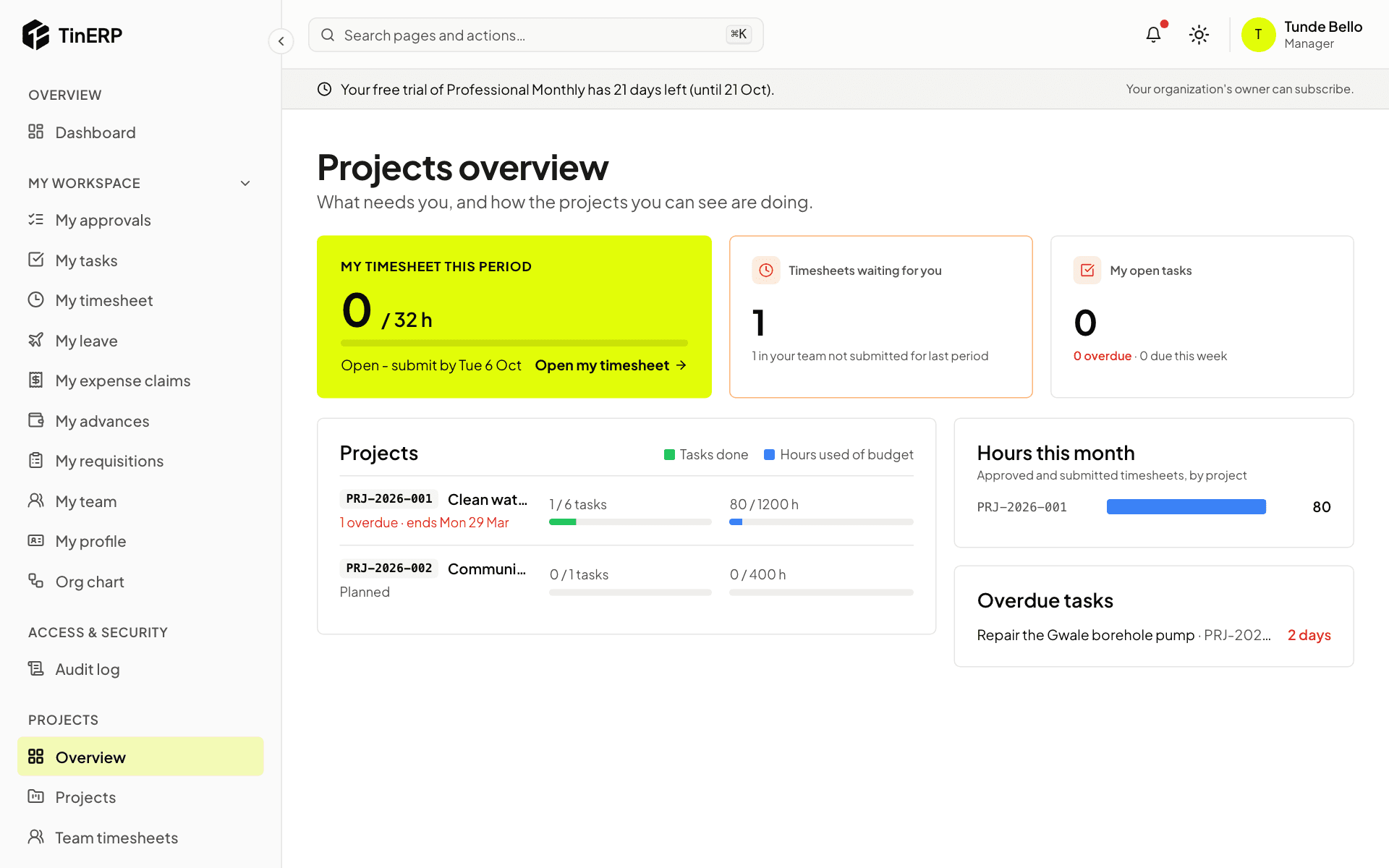
Projects → Overview shows your timesheet this period, timesheets waiting for you, your open tasks, and each open project's tasks done and hours used of budget - red above 90%. Hours this month and overdue tasks are alongside.
Full size
The Projects overview: my timesheet, timesheets waiting, projects with tasks done and hours used of budget - 2
A project's hours
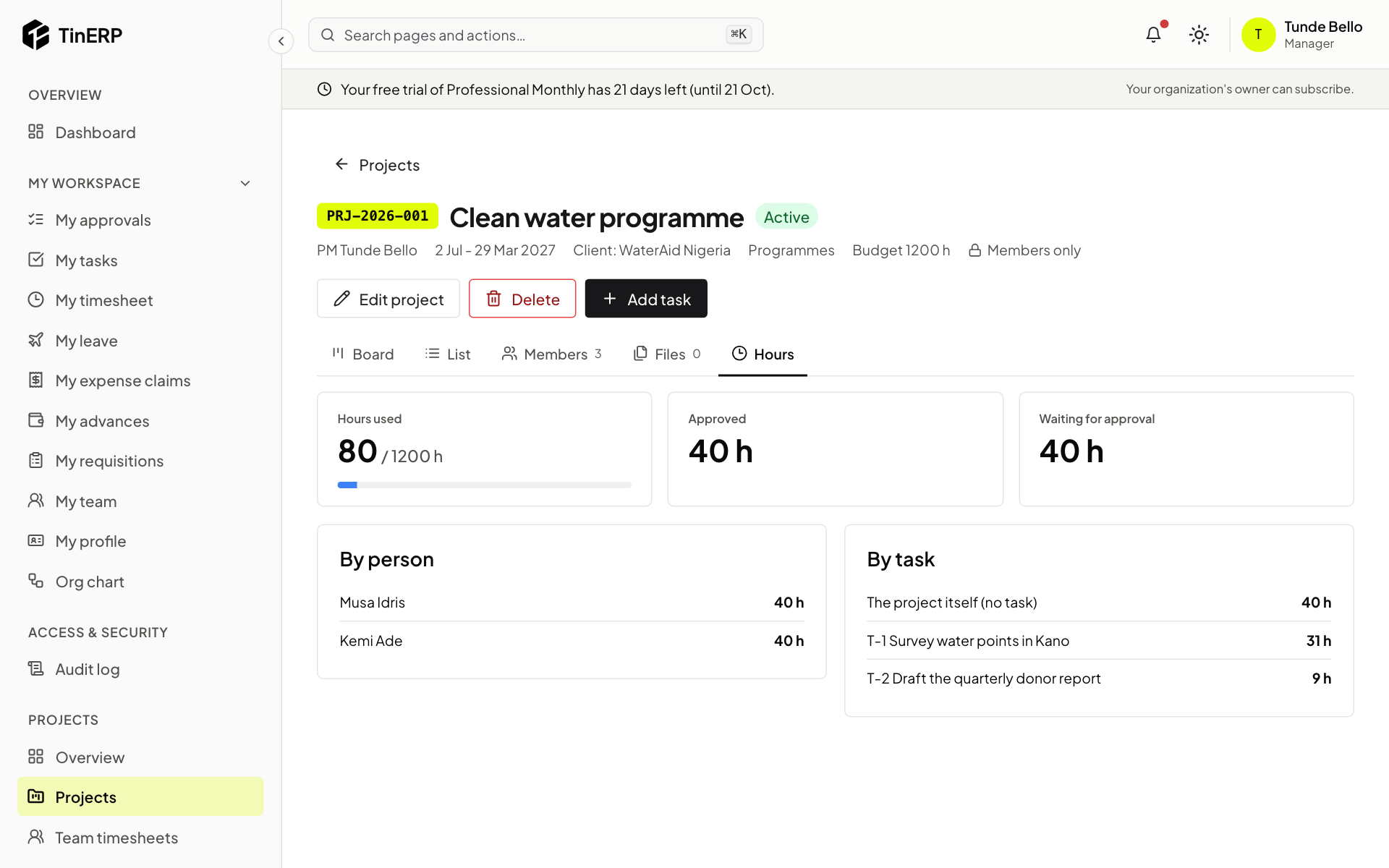
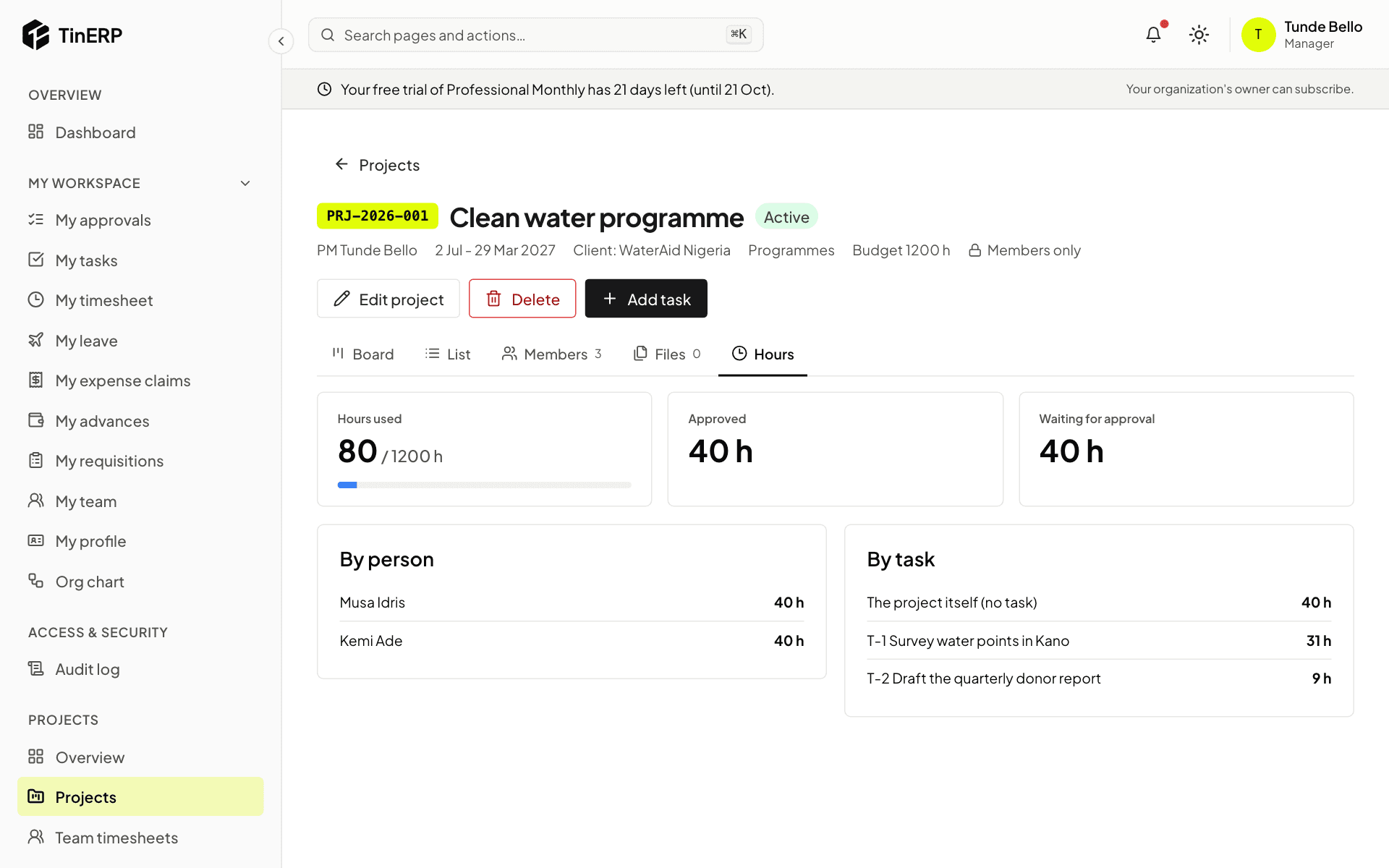
On a project, Hours shows approved and waiting hours against its budget, by person and by task.
Full size
The Hours tab of the Clean water programme - 3
Reports
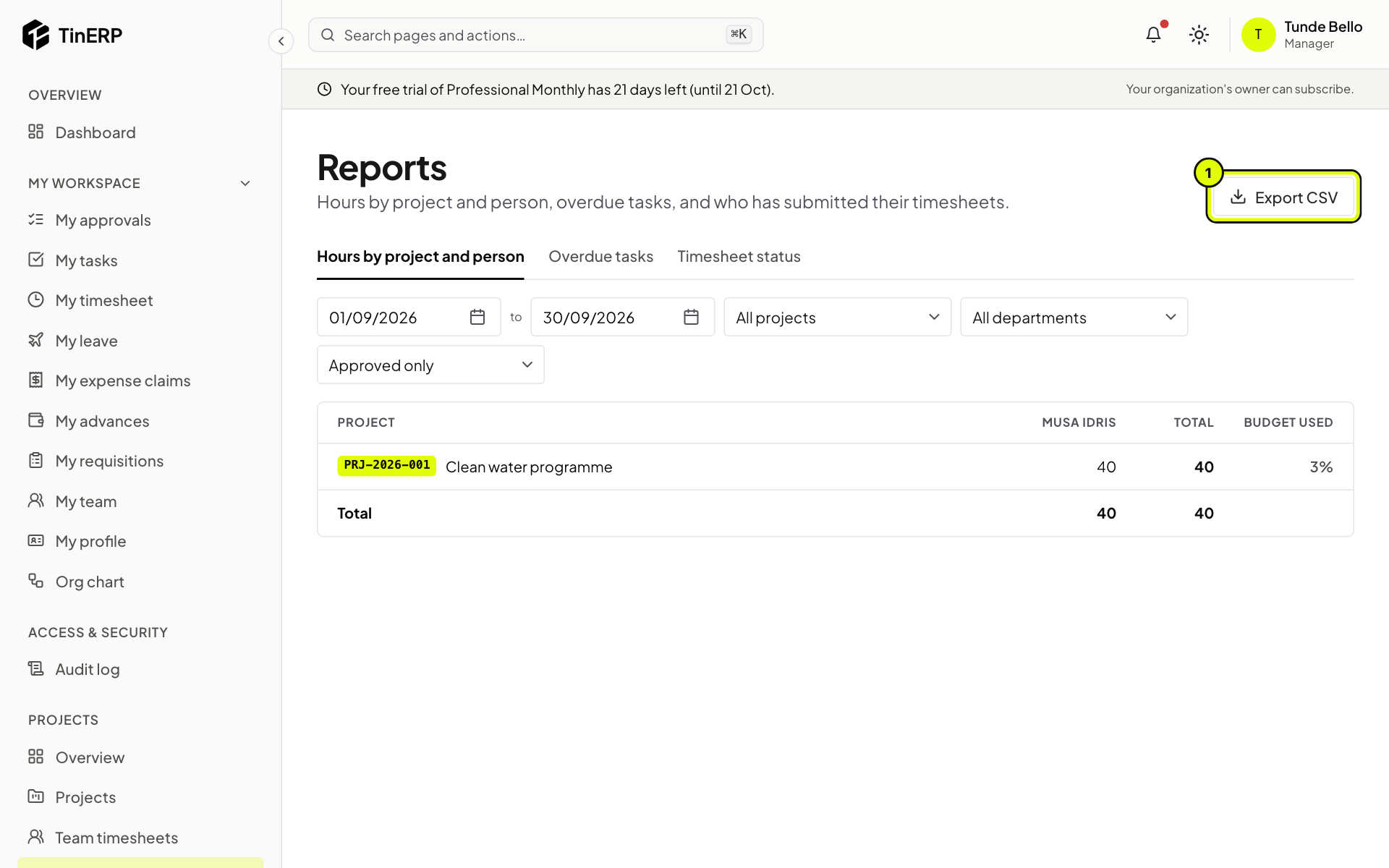
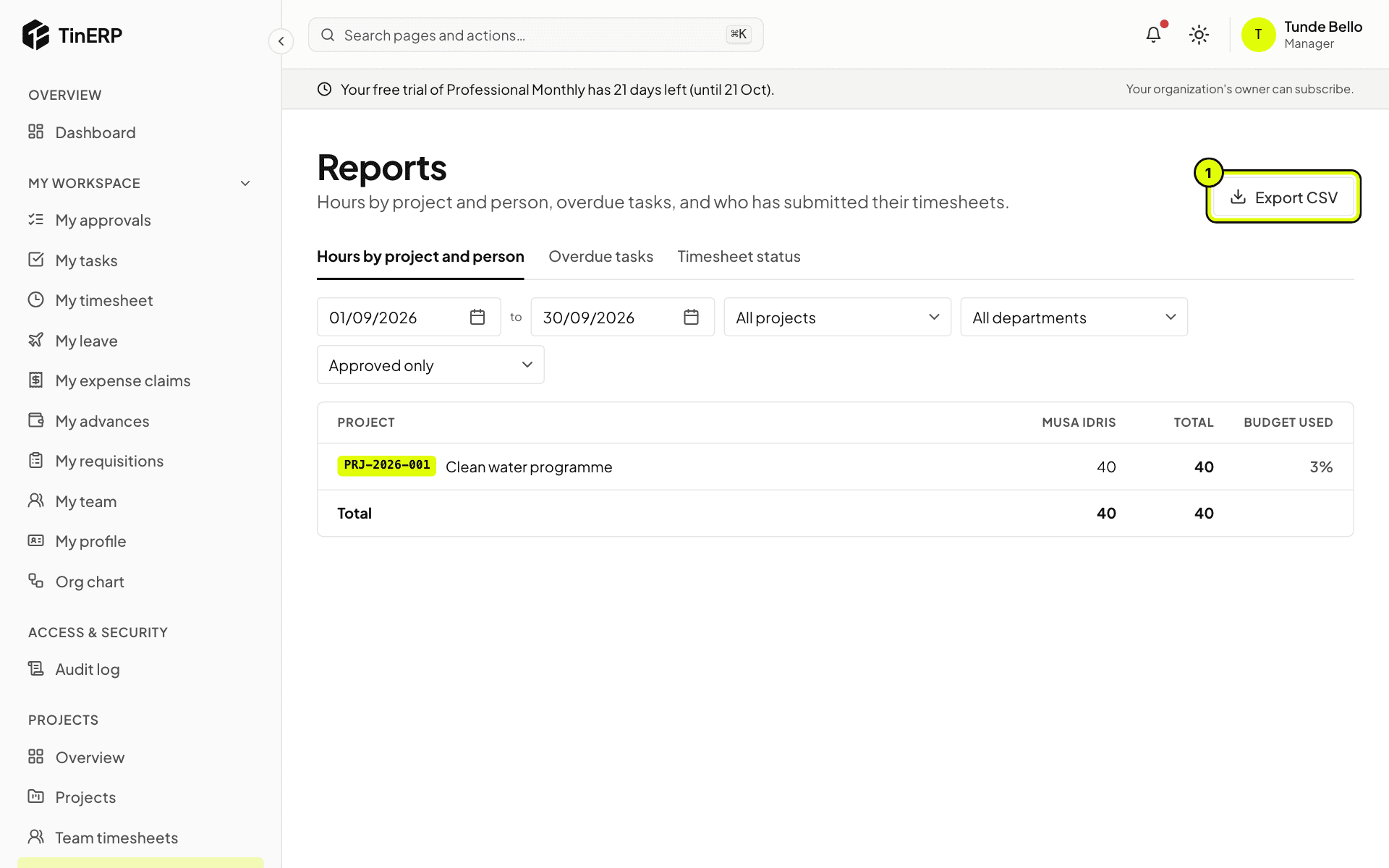
Go to Projects → Reports. Hours by project and person covers any dates - approved only, or with those waiting - with each project's budget used. Export CSV (1) downloads it.
Overdue tasks lists them by project and assignee. Timesheet status shows who has submitted each period, and who is missing once the deadline has passed.
Full size
Projects reports: hours by project and person, with Export CSV marked 1