
The org chart
The org chart is built from each employee's manager, and from positions if your organization uses them. Everyone can see it.
- 1
Explore it
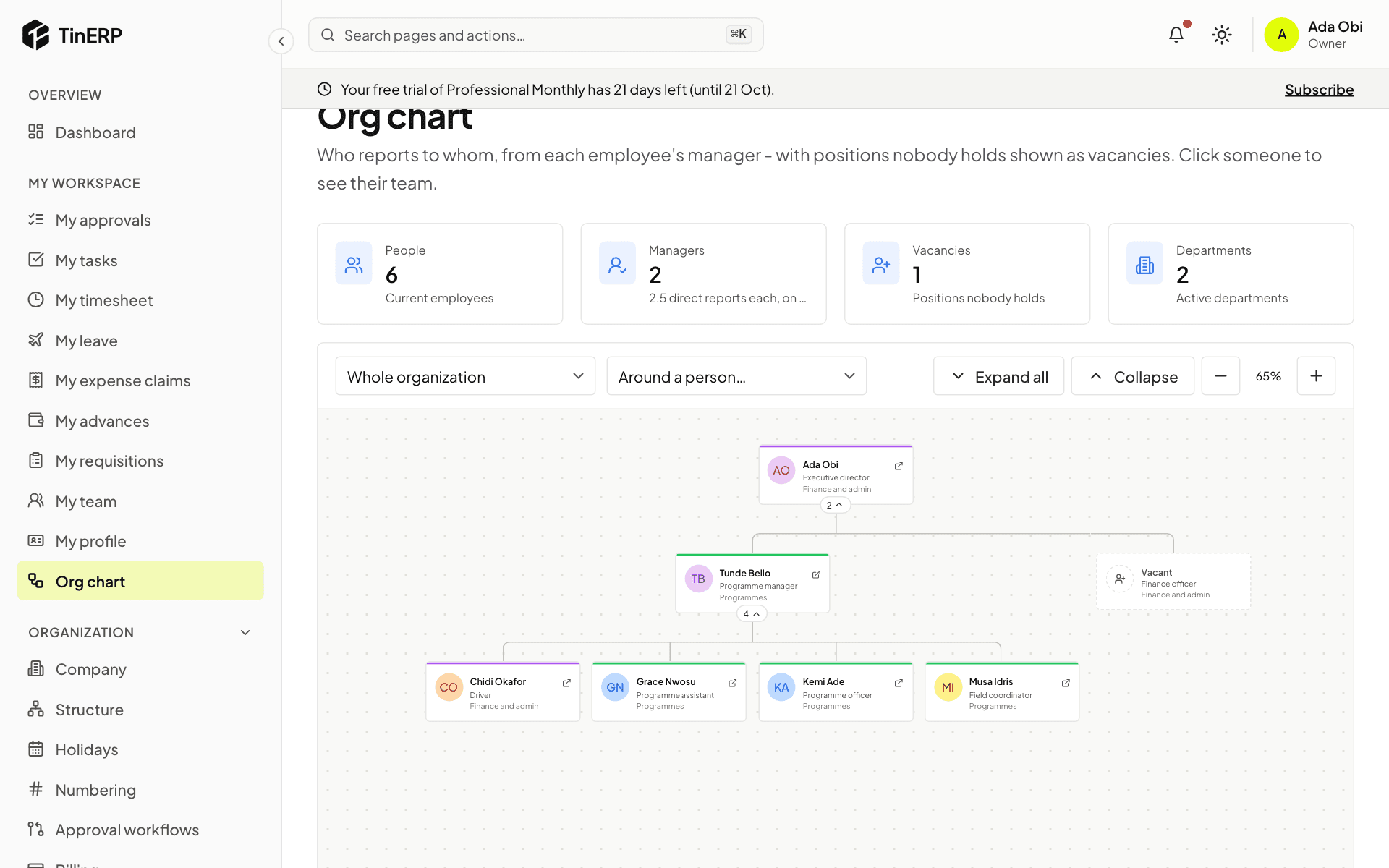
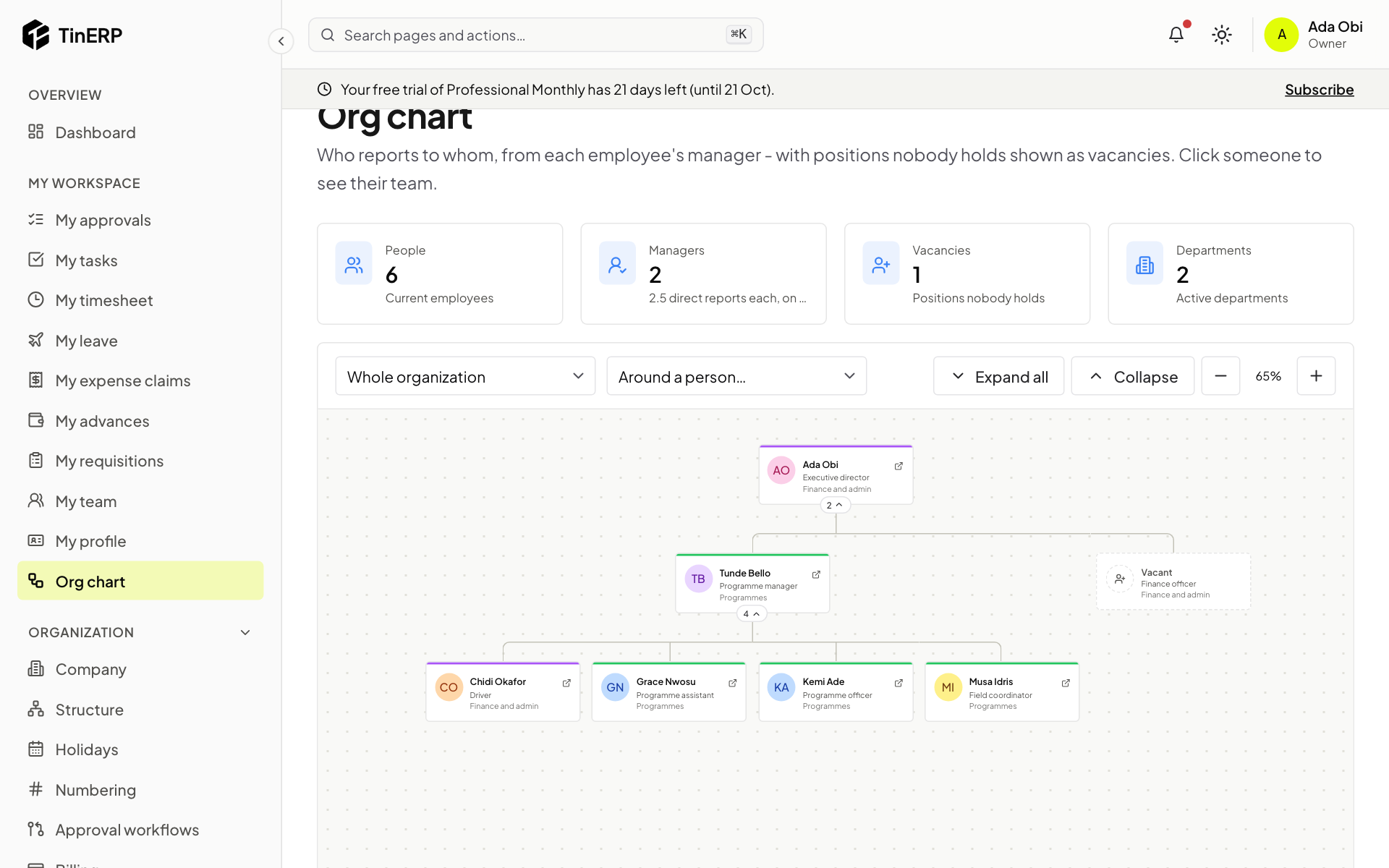
Go to My workspace → Org chart. Each box shows a person's name, job and department; the number under it is how many people report to them - select it to open or close their team. Expand all opens everything; zoom with + and −.
Choose a department at the top, or Around a person for someone's manager and team. Boxes marked Vacant are positions nobody holds.
Full size
The org chart fully expanded, with a vacant Finance officer position
Questions
Someone is in the wrong place on the chart.
The chart follows the manager on their employee record. HR corrects it with Record a change.