Set up Finance
Before you start, check Organization → Company → Preferences: Finance keeps its books in the base currency and uses the fiscal year start from there, and both are hard to change later.
- 1
Set Finance up
Go to Finance → Chart of accounts. The first time, it asks three things:
What kind of organization is this? Business, or Not-for-profit (NGO) - an NGO gets funds and grants, and statements by fund. Which reporting framework? IFRS for SMEs for most small and medium organizations, IFRS Accounting Standards for public-interest entities, or Another framework your accountant has approved. Start from the ready-made chart (recommended - reviewed for Nigerian organizations) or a blank one.
Select Set up Finance. TinERP creates the chart of accounts and this financial year's twelve months - and for an NGO, the General fund.
- 2
Check your accounting policies
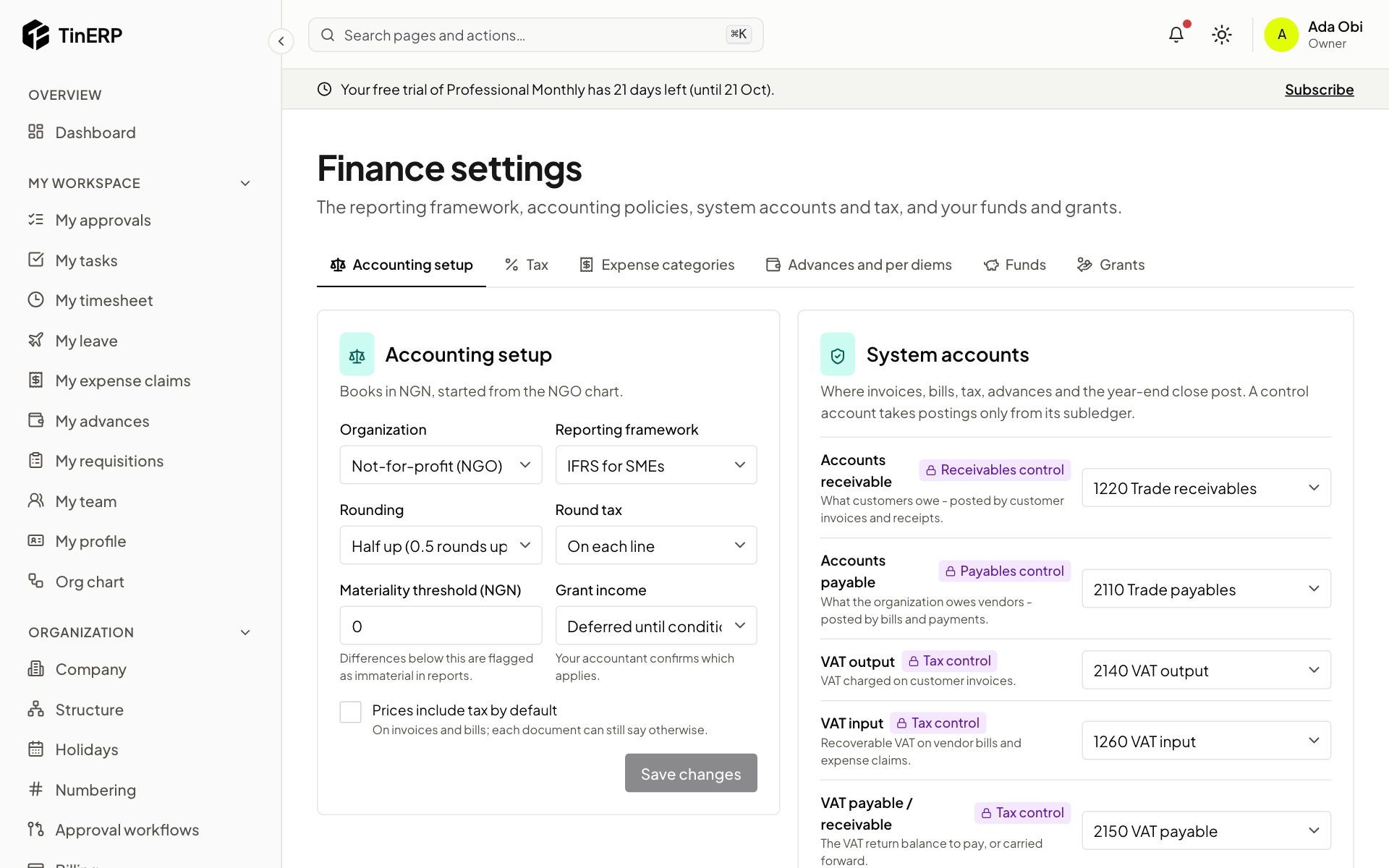
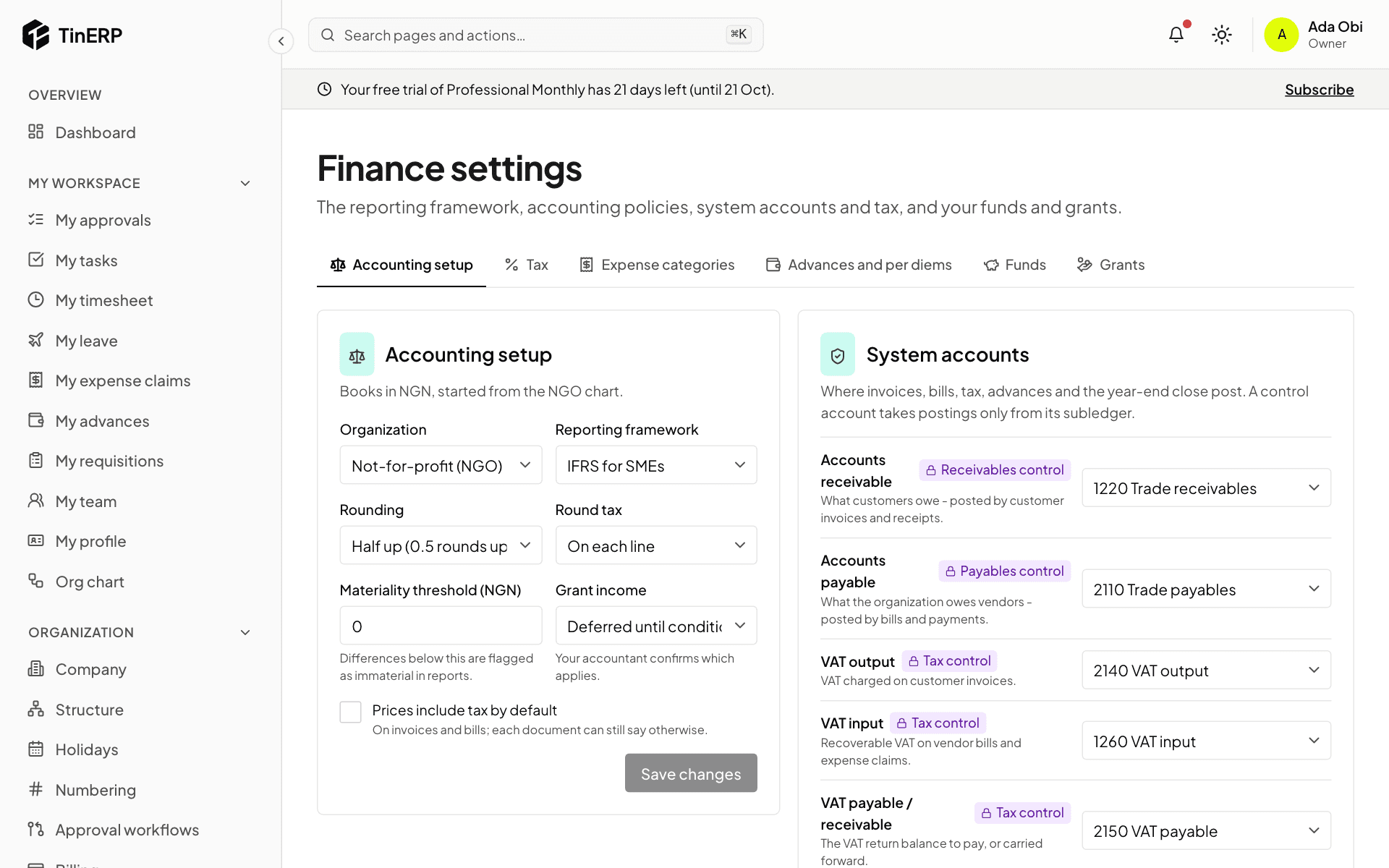
Go to Finance → Finance settings. Accounting setup holds the framework, rounding, how tax is rounded (on each line or the document), the materiality threshold, whether prices include tax by default and - for NGOs - when grant income is recognised. Your accountant confirms these.
System accounts are where invoices, bills, tax, advances and the year-end close post. The ready-made chart fills them all in. Every change asks for a reason, kept in the audit log.
Full size
Finance settings: Accounting setup and the system accounts - 3
Set your tax status and check the rates
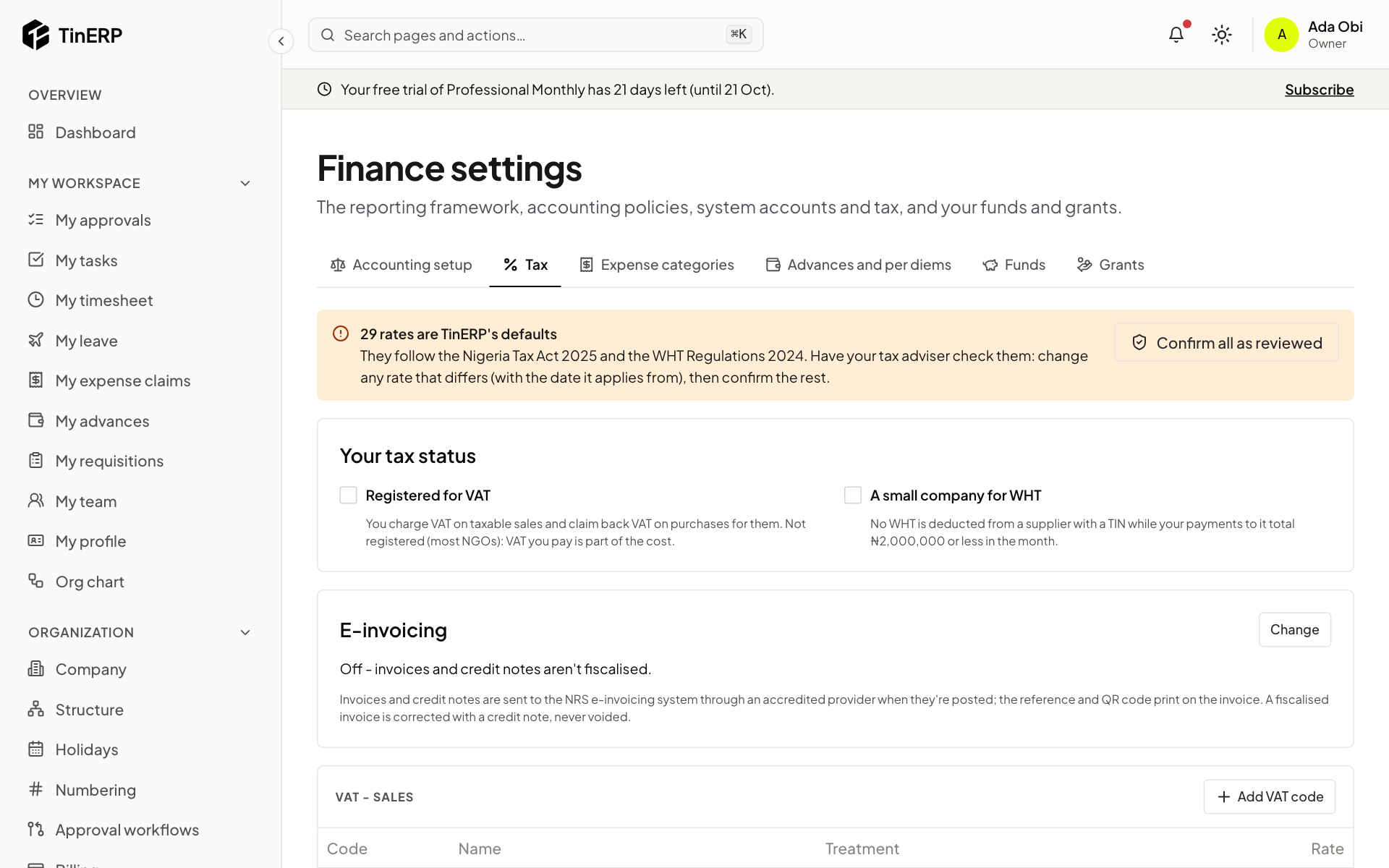
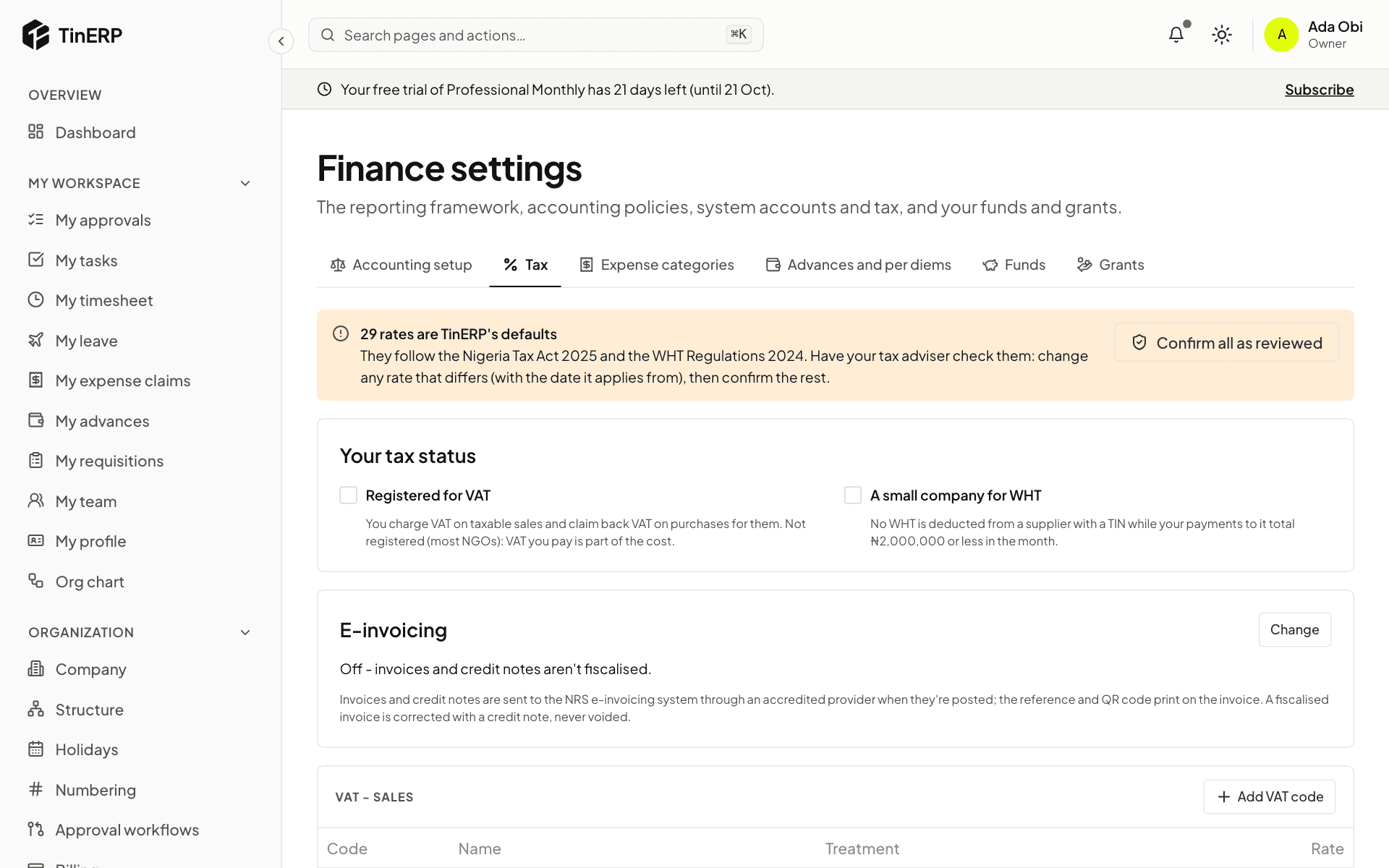
Under Tax, tick Registered for VAT if you are - then you charge VAT on taxable sales and claim it back on purchases. Most NGOs aren't: VAT they pay is part of the cost. Tick A small company for WHT if it applies.
TinERP comes with Nigeria's VAT codes and WHT rates. Have your tax adviser check them, change any that differ (with the date the new rate applies from), then Confirm all as reviewed.
Full size
Finance settings → Tax: the default rates to review, your tax status and e-invoicing - 4
NGOs: add your funds and grants
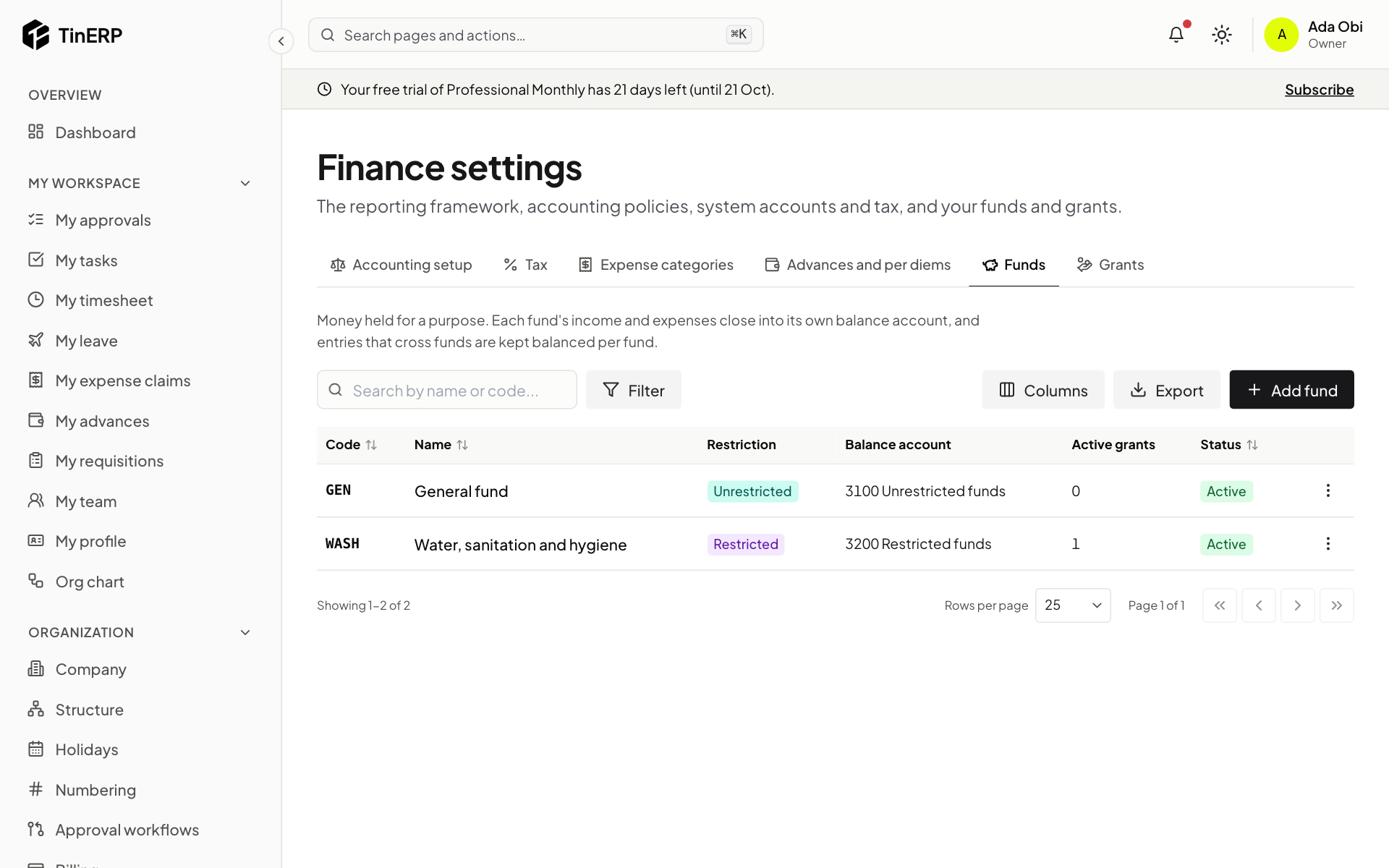
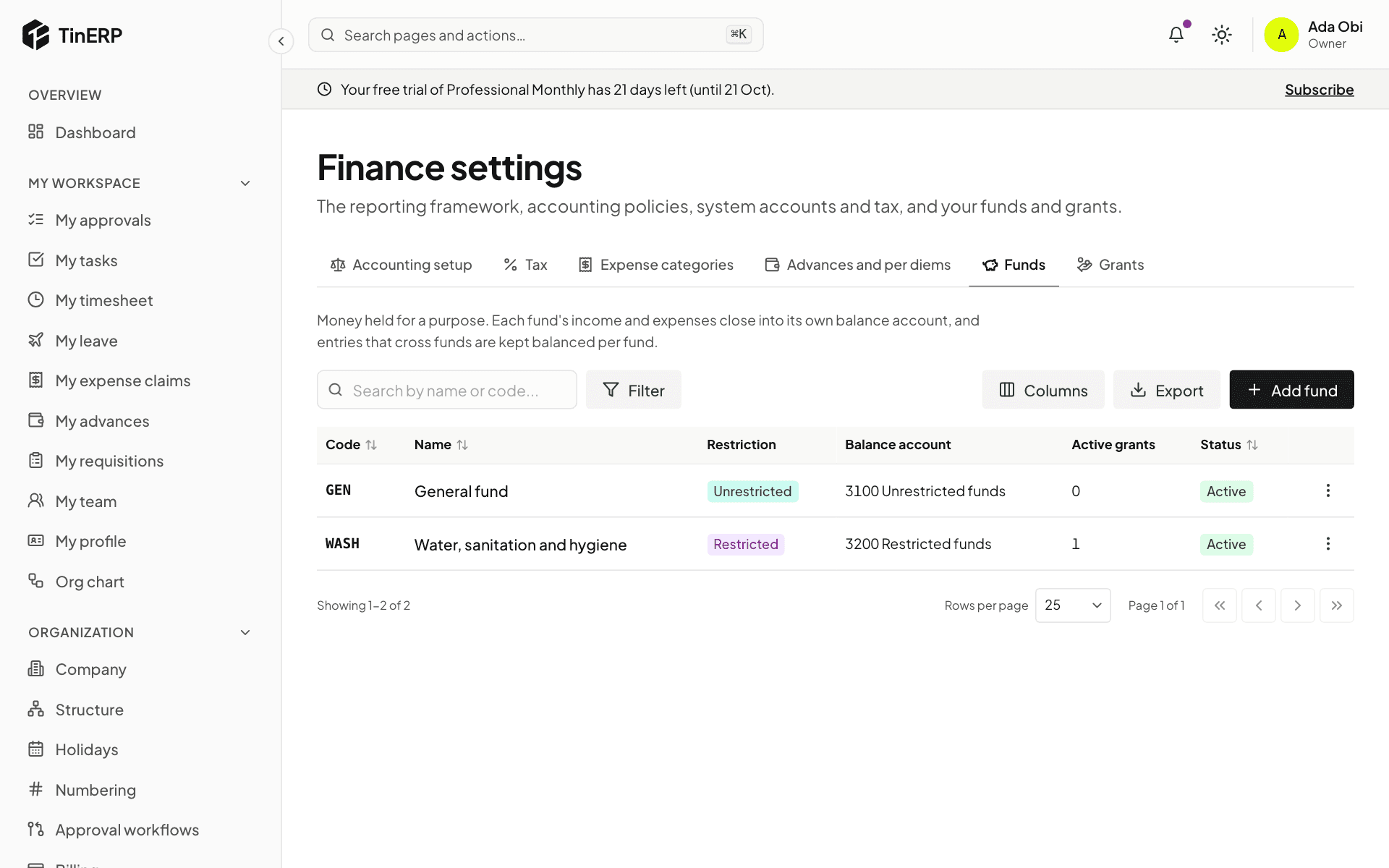
Under Funds, add each pot of money held for a purpose: restricted (a donor limits what it's spent on), unrestricted or endowment, each with the equity account its balance is kept in.
Under Grants, add each donor award: the donor, reference, the fund it belongs to, the amount in the award's own currency, and its dates. Tagging spending with the grant is what makes donor reports come straight from the books.
Full size
Finance settings → Funds: the General fund and a restricted WASH fund - 5
Check the periods
Go to Finance → Periods. Your financial year is there as twelve open months. Open the next year before its first month starts - nothing can be posted into a year that doesn't exist yet.
Tip: Bringing in balances from an old system? That's next - see Opening balances.