
Run leave for everyone
People book their own leave in My leave, and their manager decides. HR → Leave is where HR sees everyone and steps in.
- 1
See everyone's leave
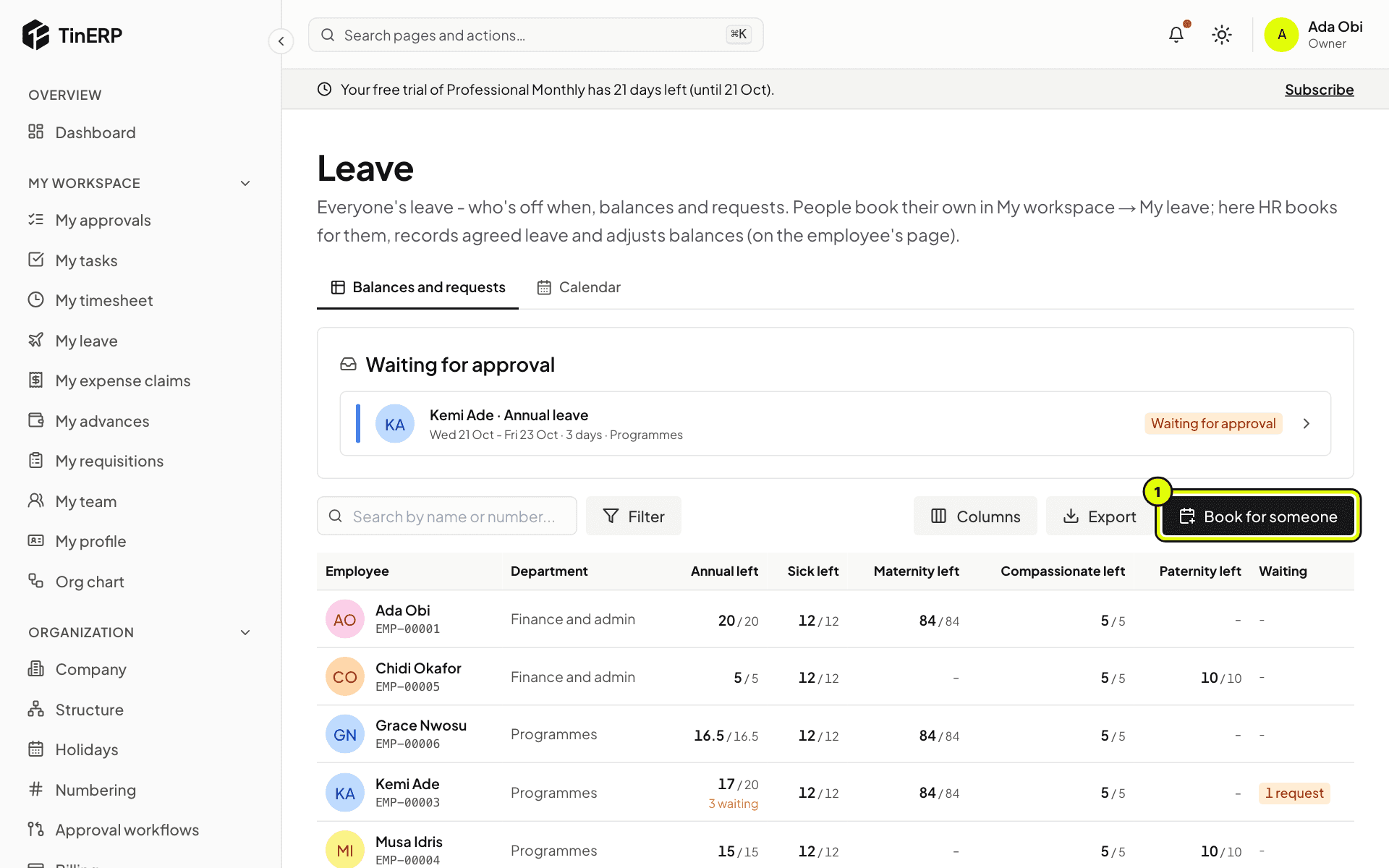
Go to HR → Leave. Waiting for approval lists the requests not yet decided. The table shows every employee's days left of each leave type and what's waiting. Search, filter by department, or Export it.
Full size
HR → Leave: the request waiting for approval, everyone's balances, and Book for someone marked 1 - 2
Book for someone
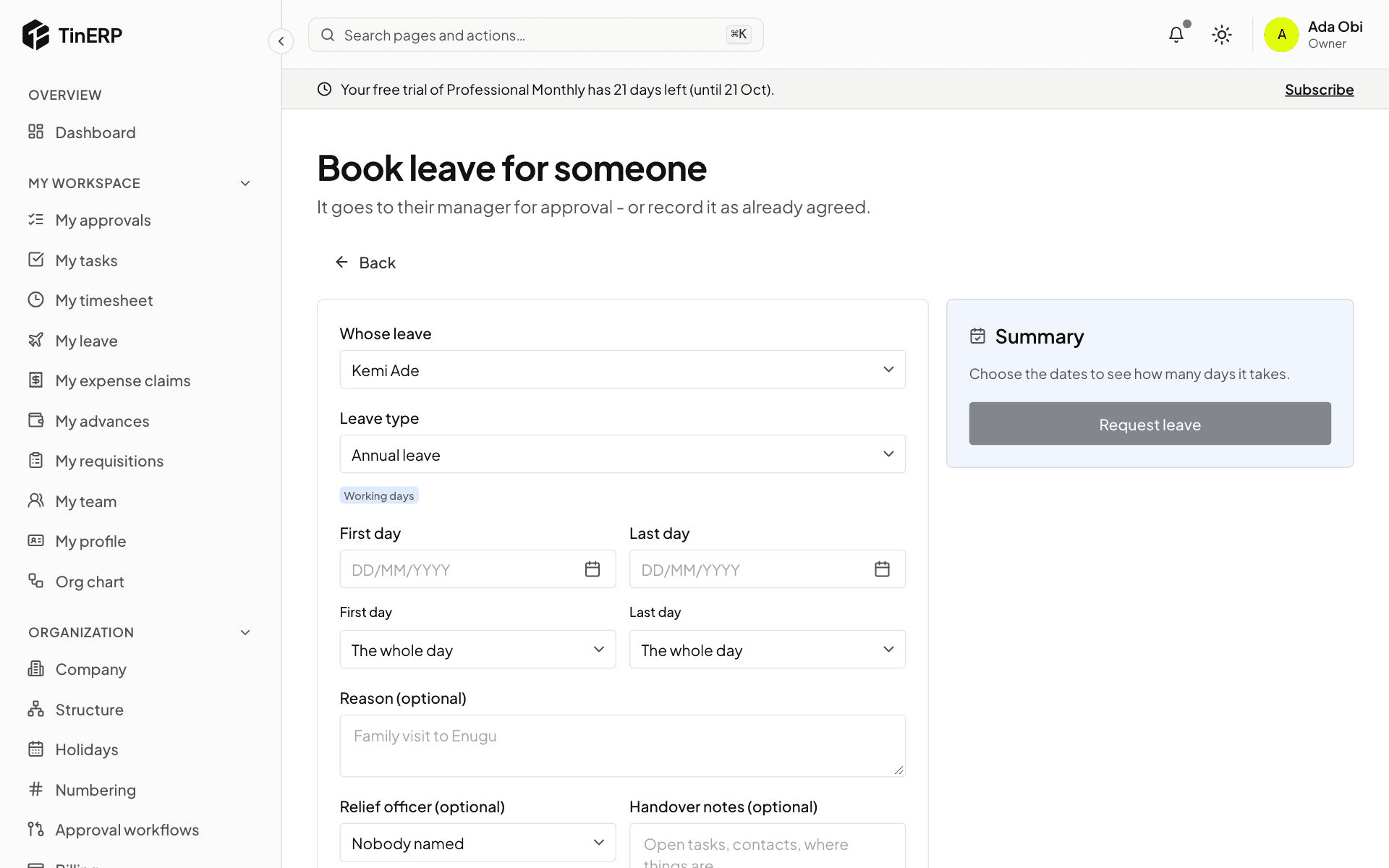
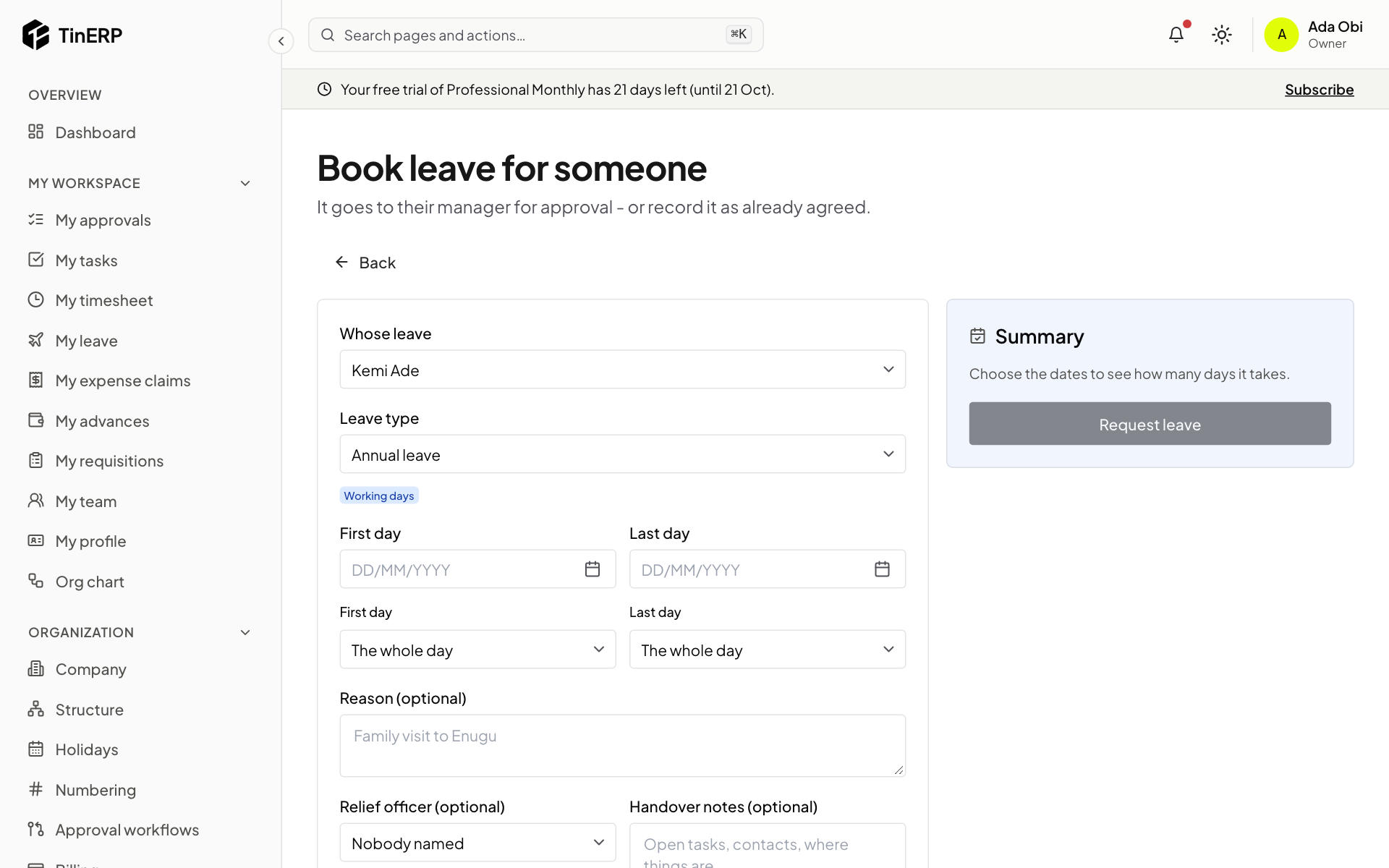
Select Book for someone (1) - for people who don't sign in, such as drivers. Choose whose leave it is, the type and the dates; it goes to their manager for approval.
For leave already agreed - sick leave recorded afterwards, for example - tick Record as already approved. It skips the approval, and the request says so.
Full size
The Book leave form for someone else, with Whose leave and Record as already approved - 3
See the calendar
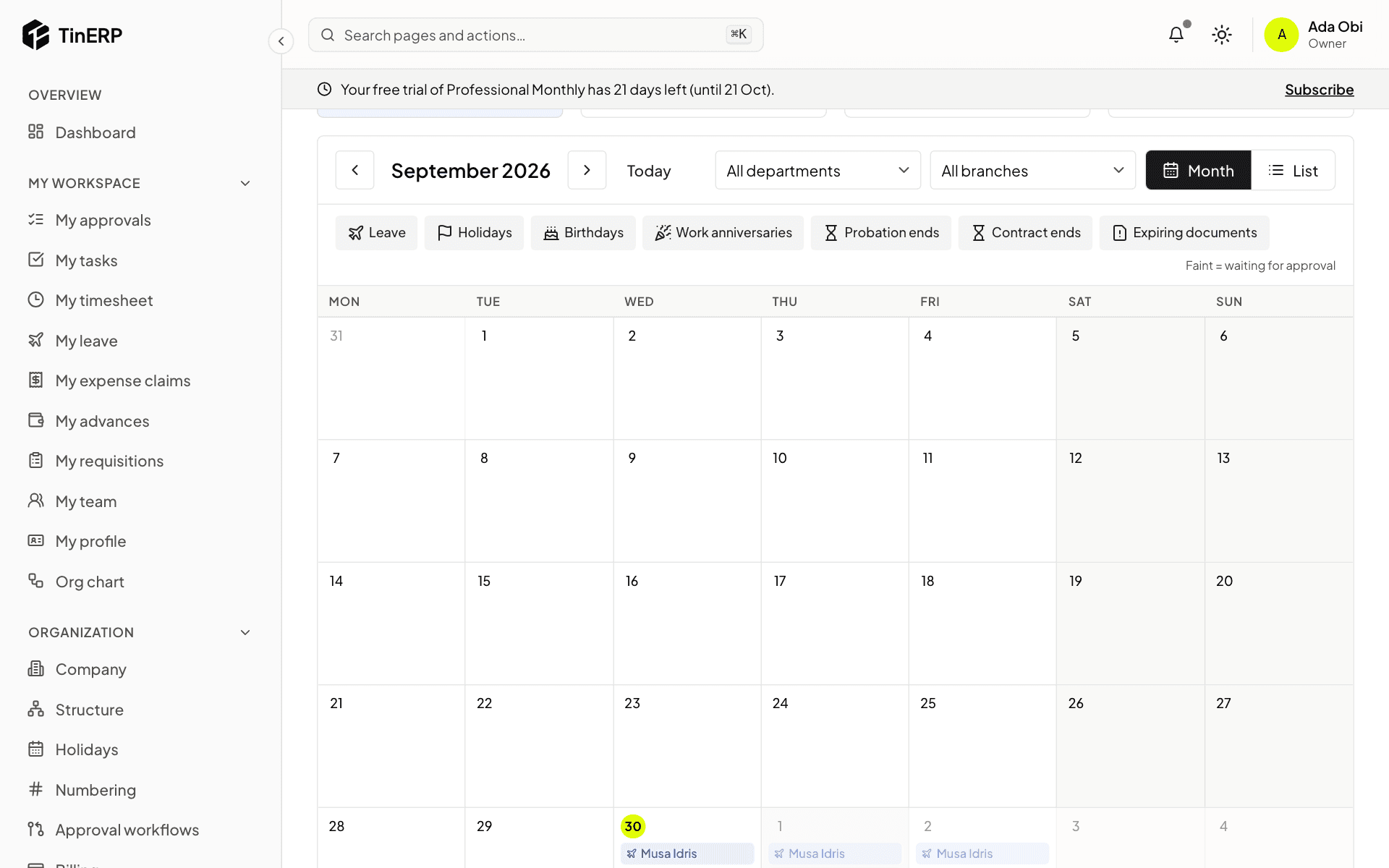
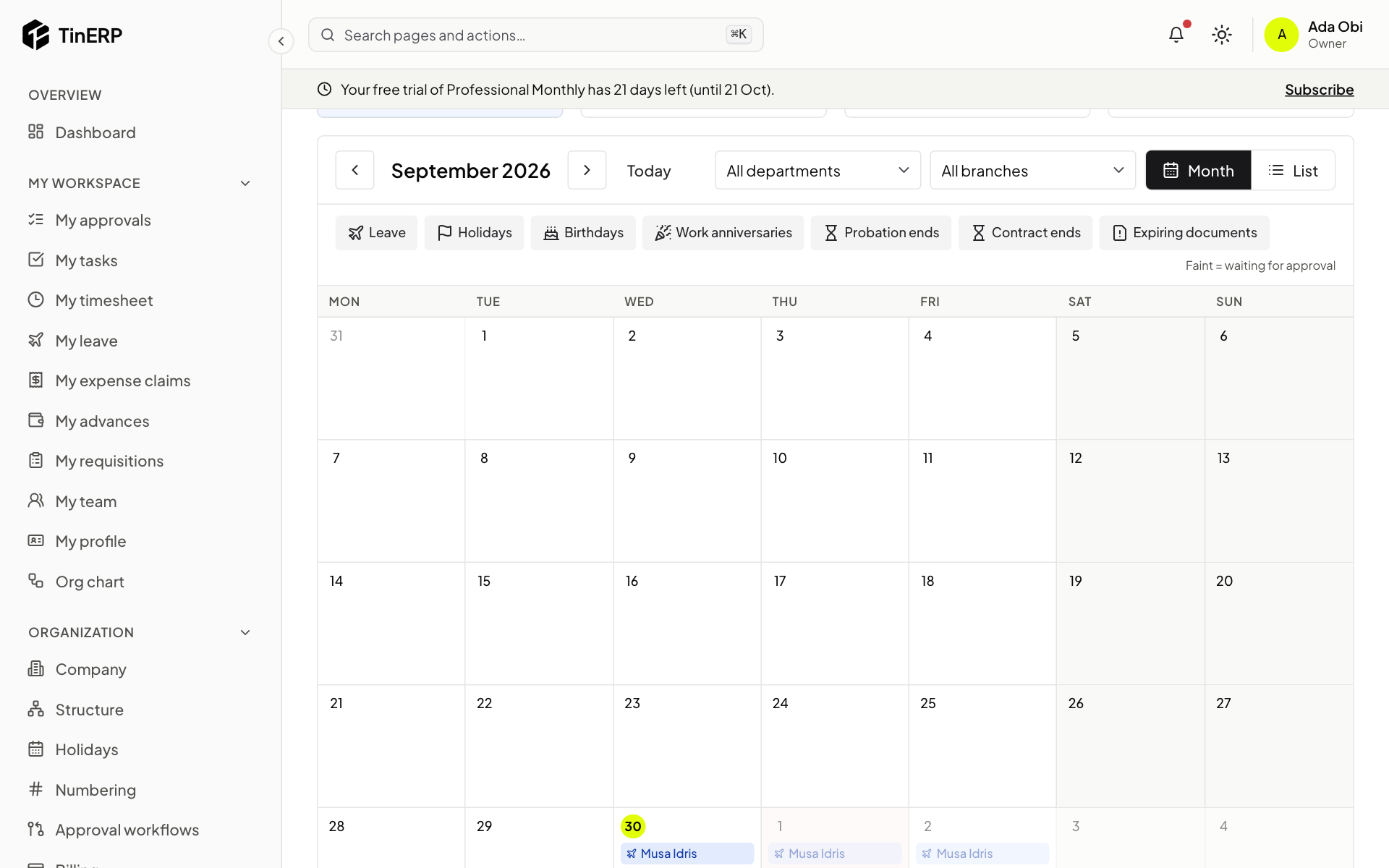
Select Calendar. Besides leave, holidays, birthdays people chose to share and work anniversaries, HR also sees probation ends, contract ends and - with the sensitive-details permission - documents about to expire.
Full size
The HR leave calendar for the month
Questions
Can approved leave be cancelled?
Yes, until it starts - from the request. The days go back to the person's balance.