The audit log
TinERP records what your team does: sign-ins, changes with their old and new values, approvals and billing actions. Nobody can edit or delete the record.
- 1
Find what happened
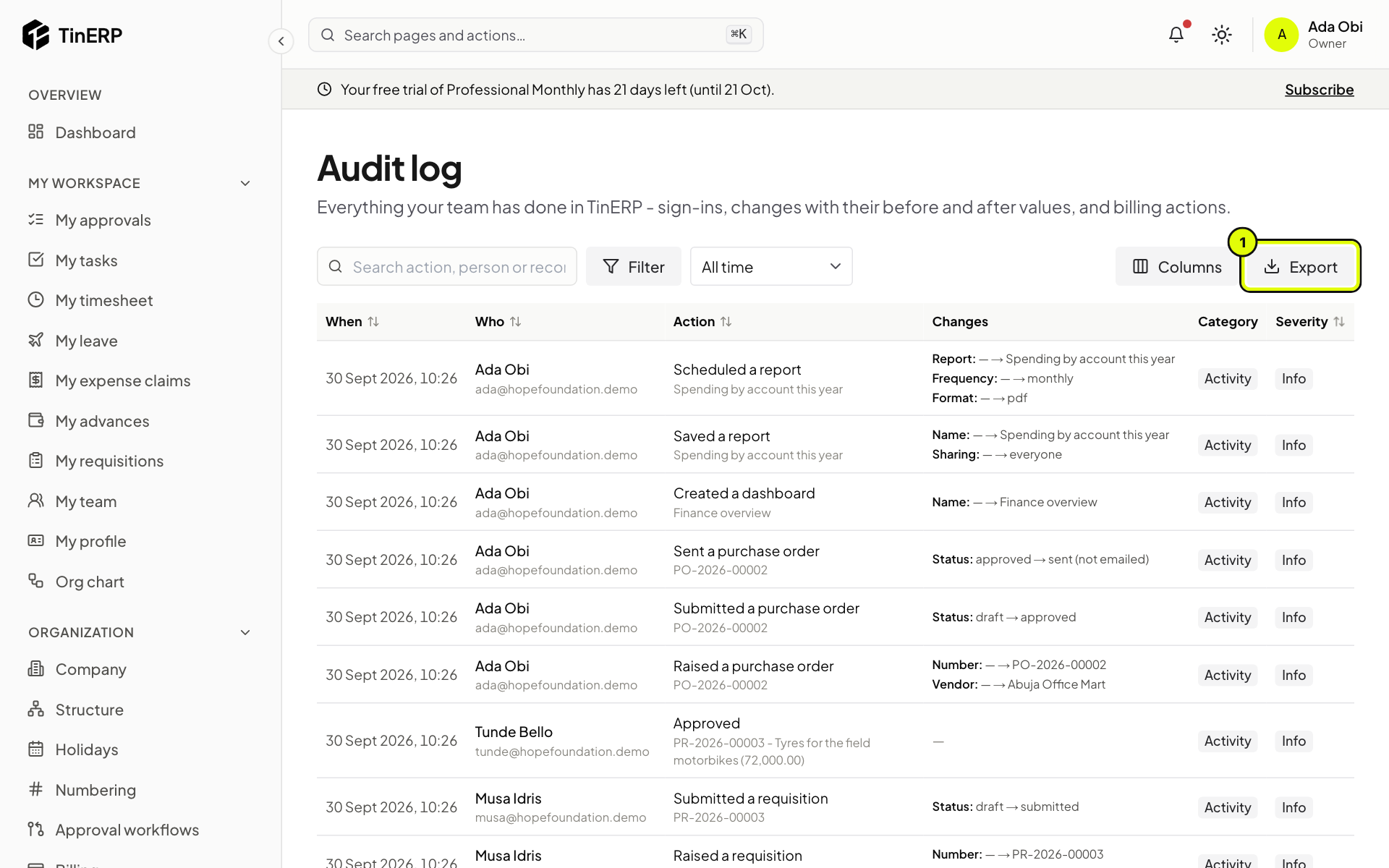
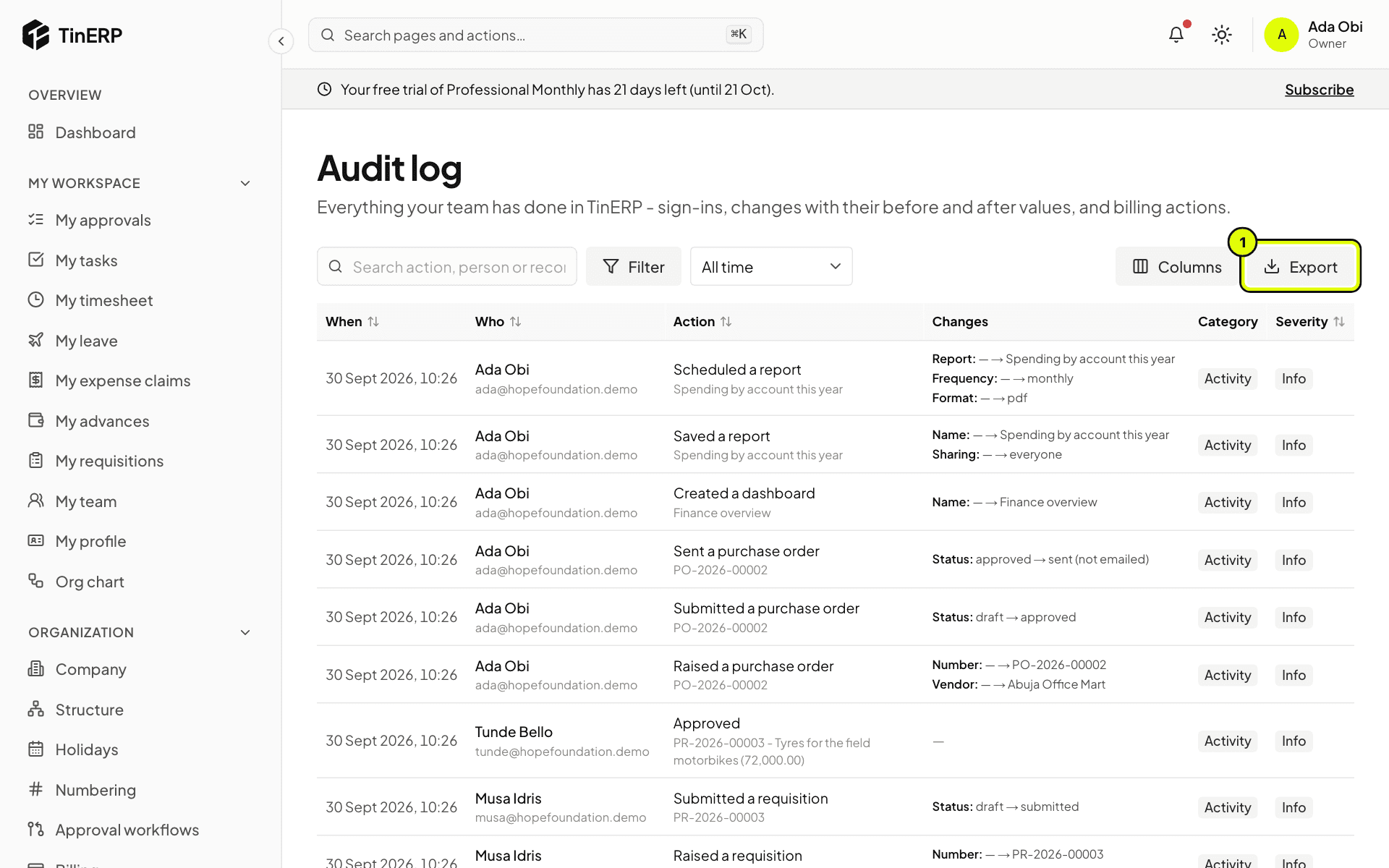
Go to Access & security → Audit log. Search for a person, an action or a record, filter by category or severity, and choose a period. Changes shows each field that changed, old → new.
Export (1) downloads what you've filtered as a CSV file - for your auditors, for example.
Full size
The Audit log with recent activity, the changes column and Export marked 1 Tip: Sensitive values - ID numbers, bank details, dates of birth - are recorded as changed, never shown.