Buying, from request to payment
Here's one real purchase in the Hope Foundation demo - spare parts for a borehole pump - through every step, with who does each. The detail of each step is in its own guide.
- 1
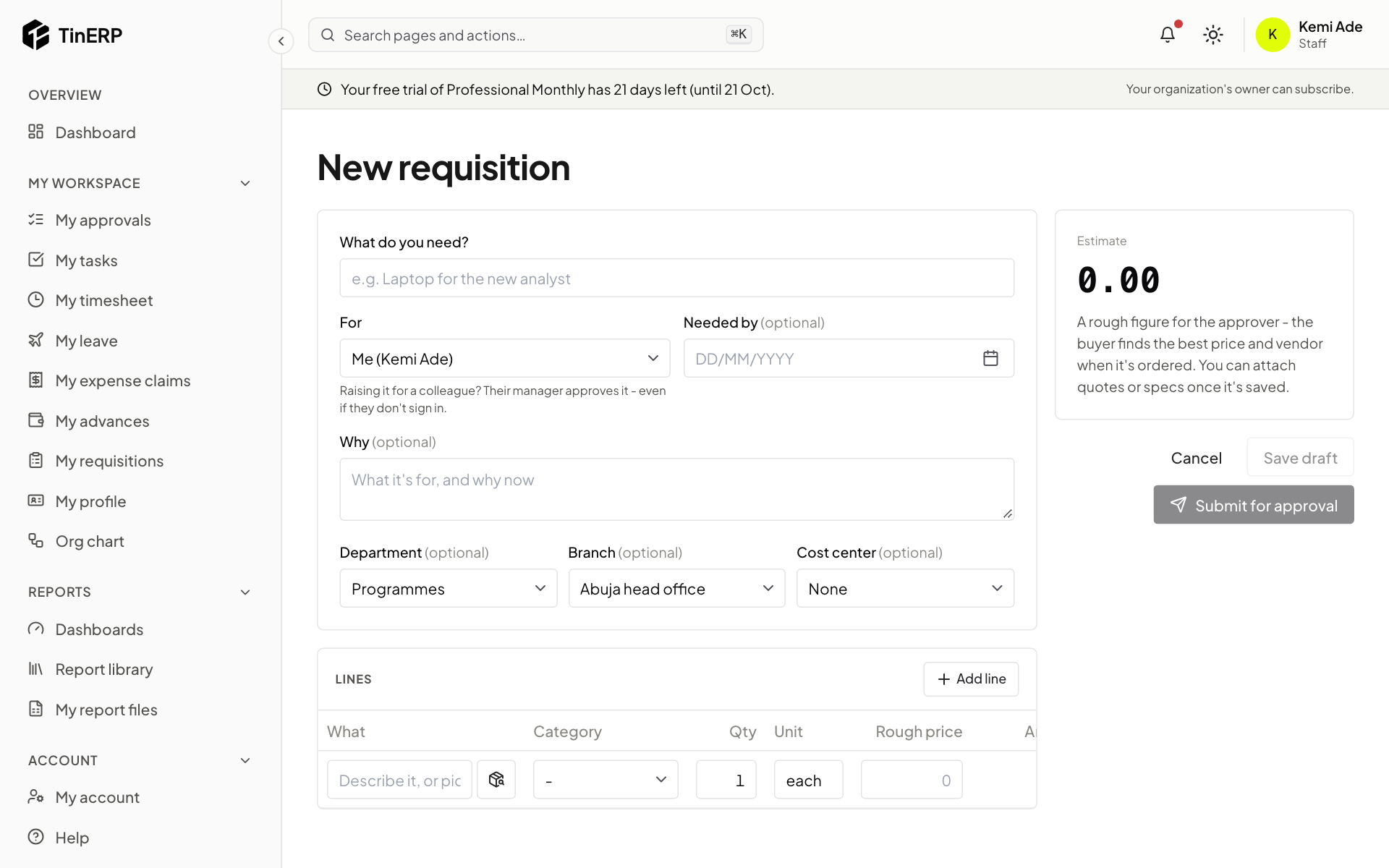
1. Kemi asks for the parts
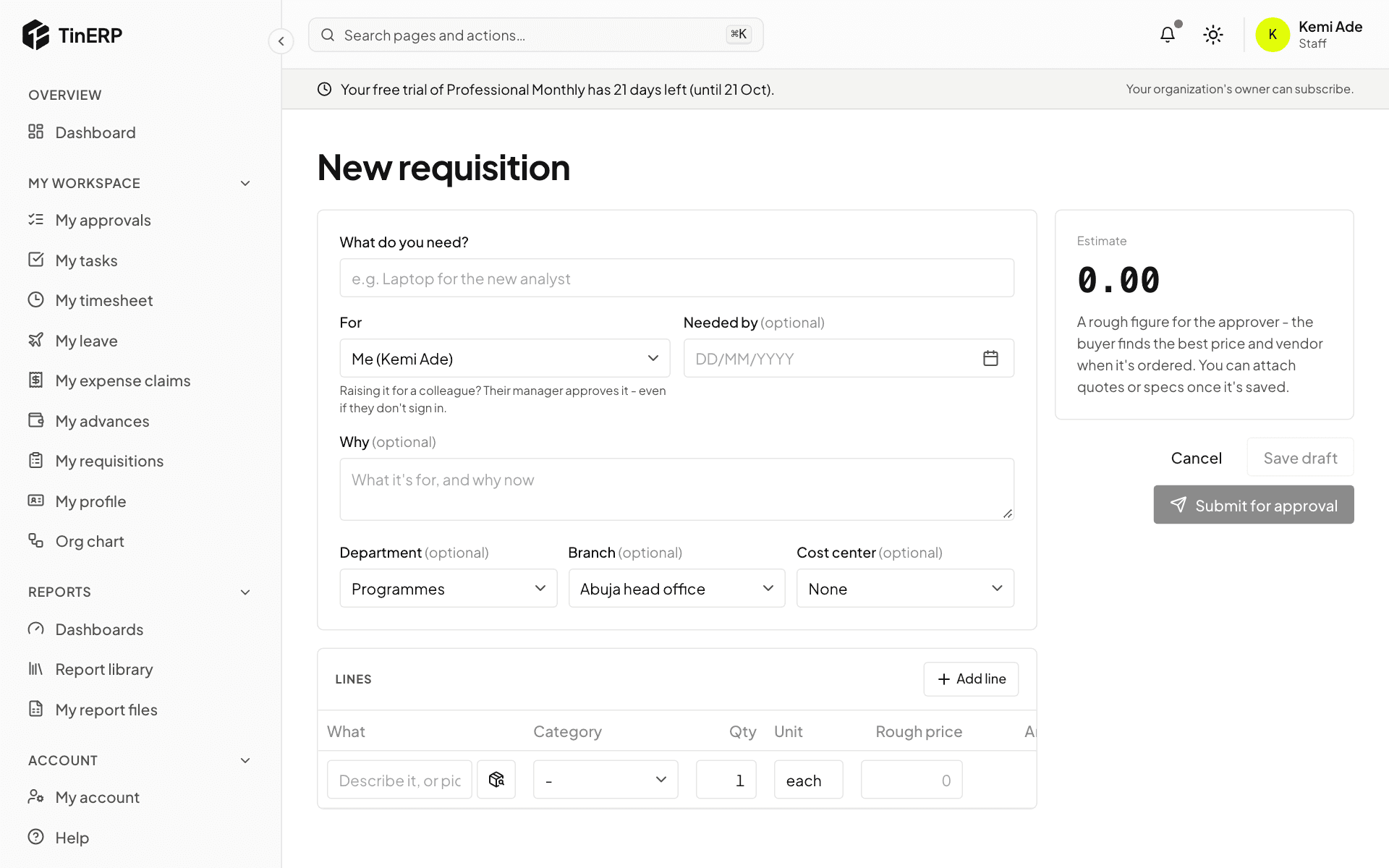
Kemi, a programme officer, raises a requisition in My workspace → My requisitions: what's needed, why, by when, and a rough price for each part. She submits it for approval.
Full size
The New requisition form - 2
2. Tunde approves it
Tunde, her manager, sees it in My approvals and approves it. The lines now wait in Procurement → To order.
- 3
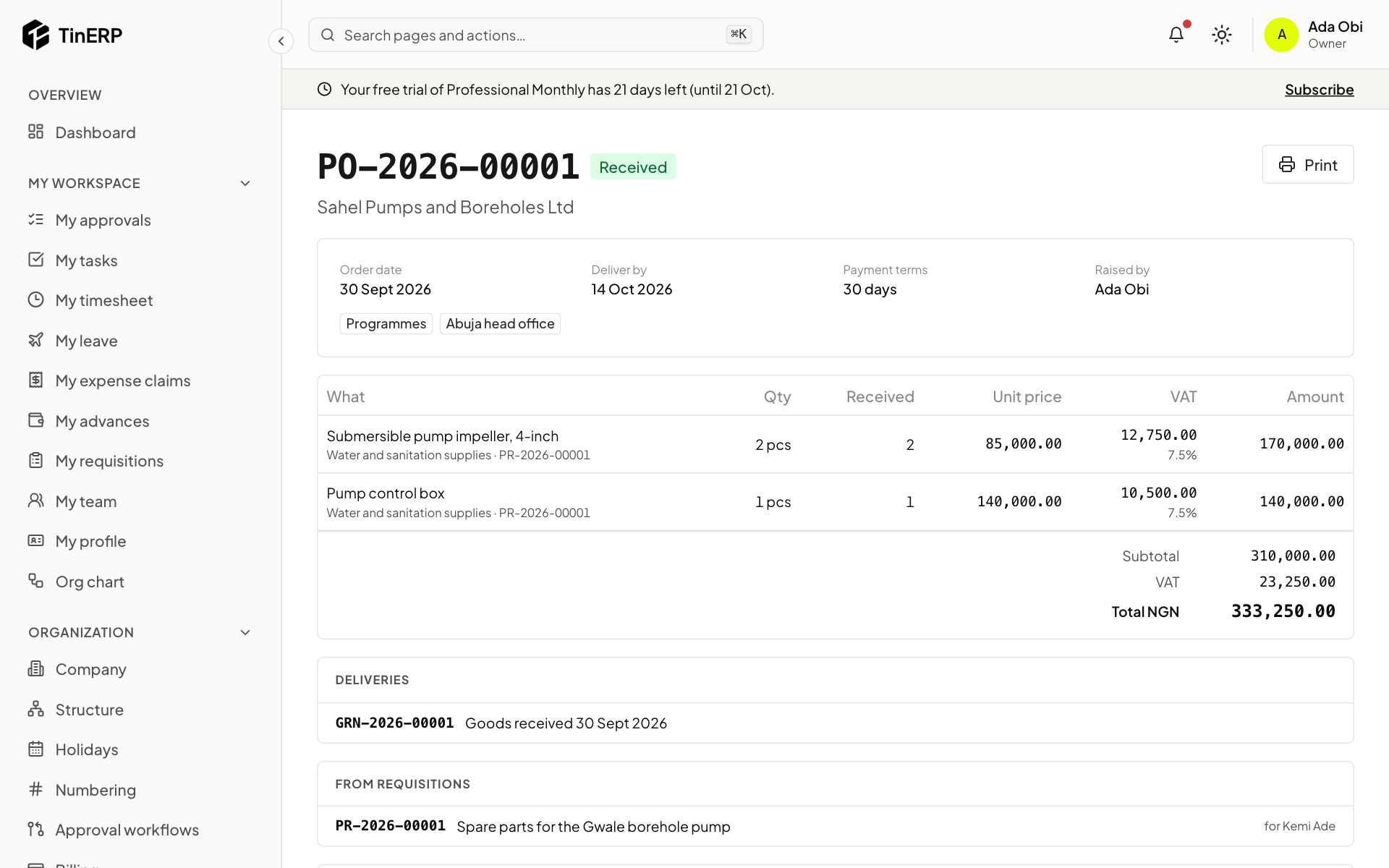
3. Ada orders them
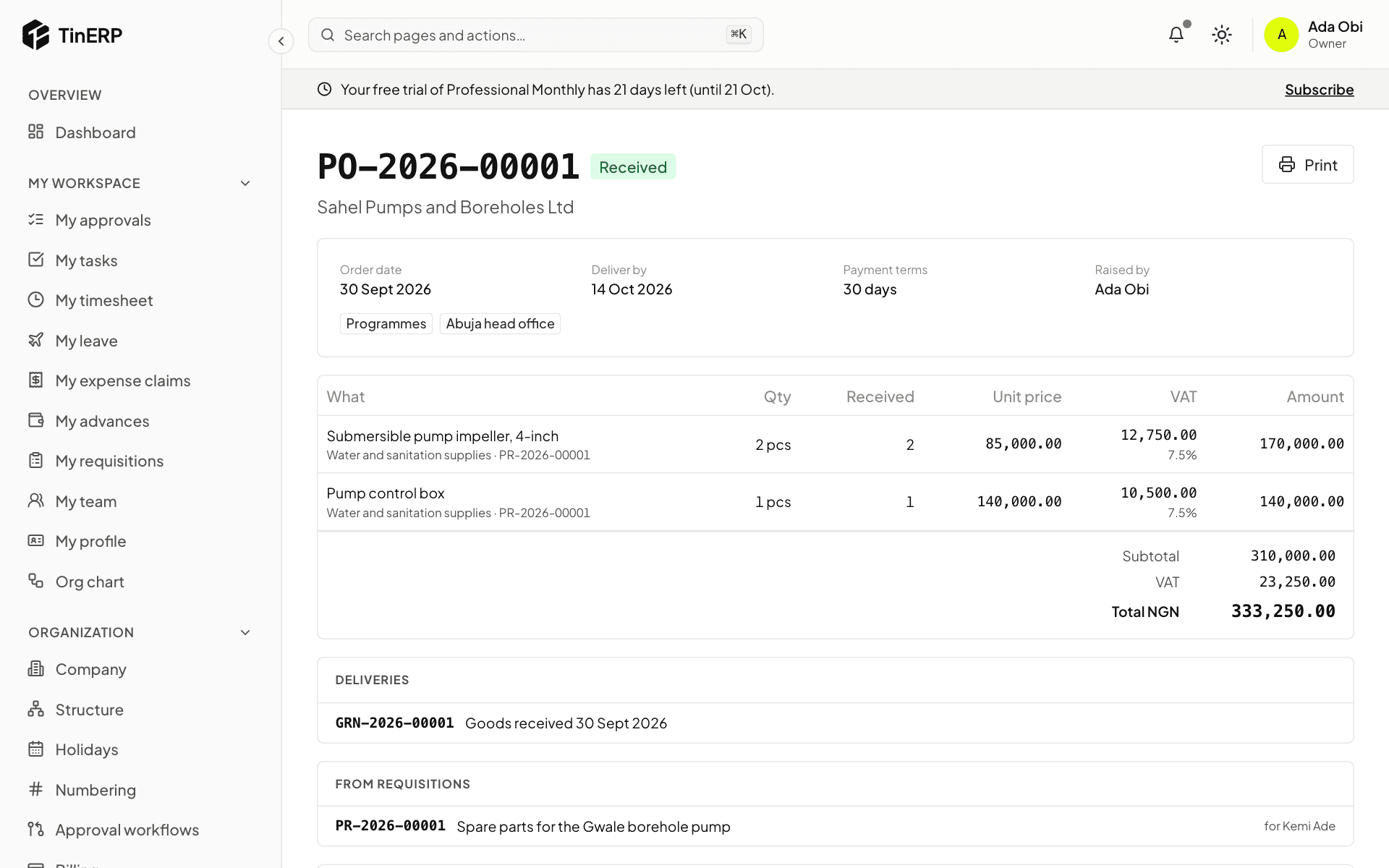
Ada, the buyer, ticks the lines in To order, chooses Sahel Pumps - an approved vendor - and creates the order. It's under ₦1,000,000, so it's approved at once; she sends it to the vendor. (For a larger or contested purchase, she'd get quotations first.)
Full size
The purchase order for the pump parts - 4
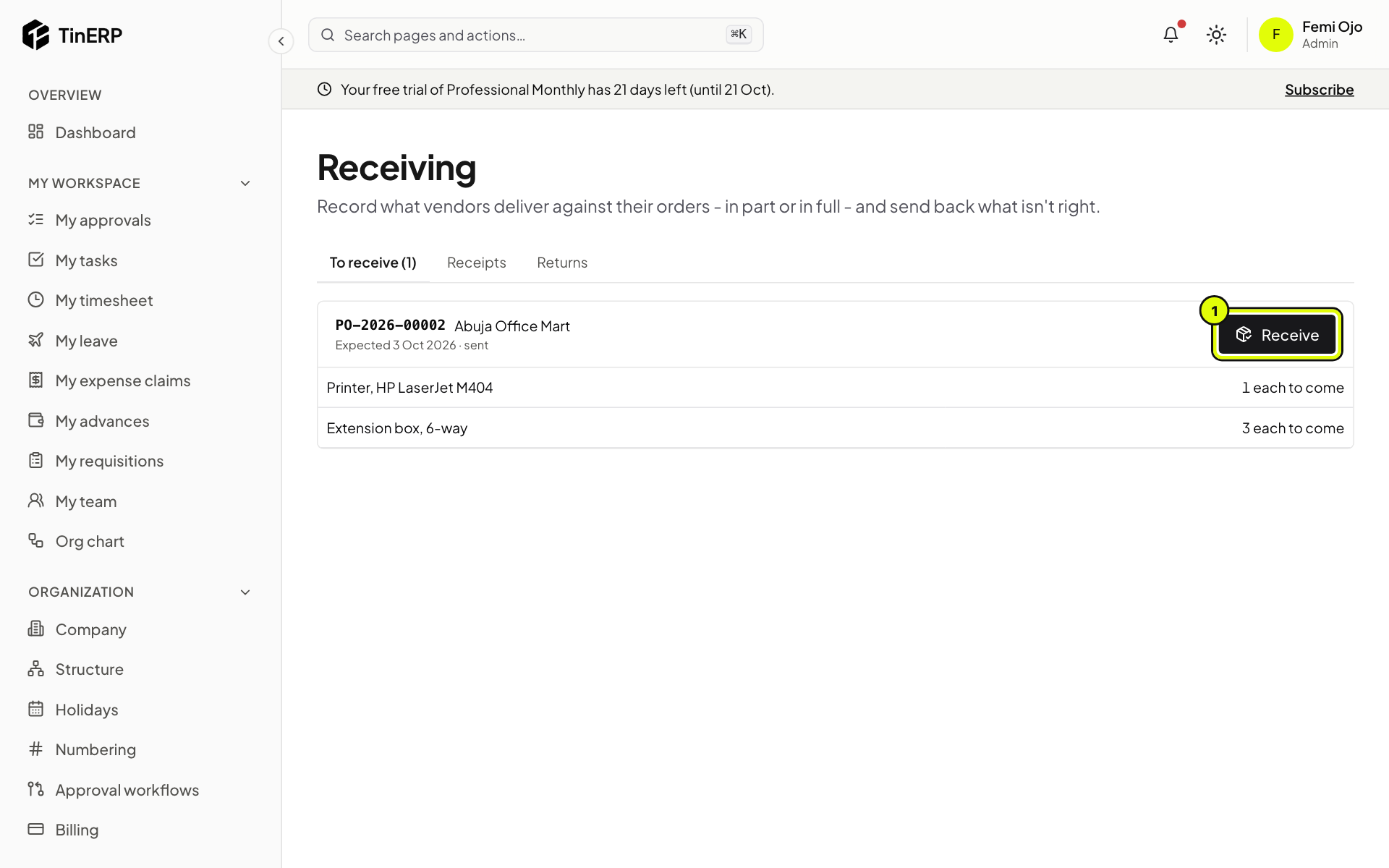
4. Femi receives the delivery
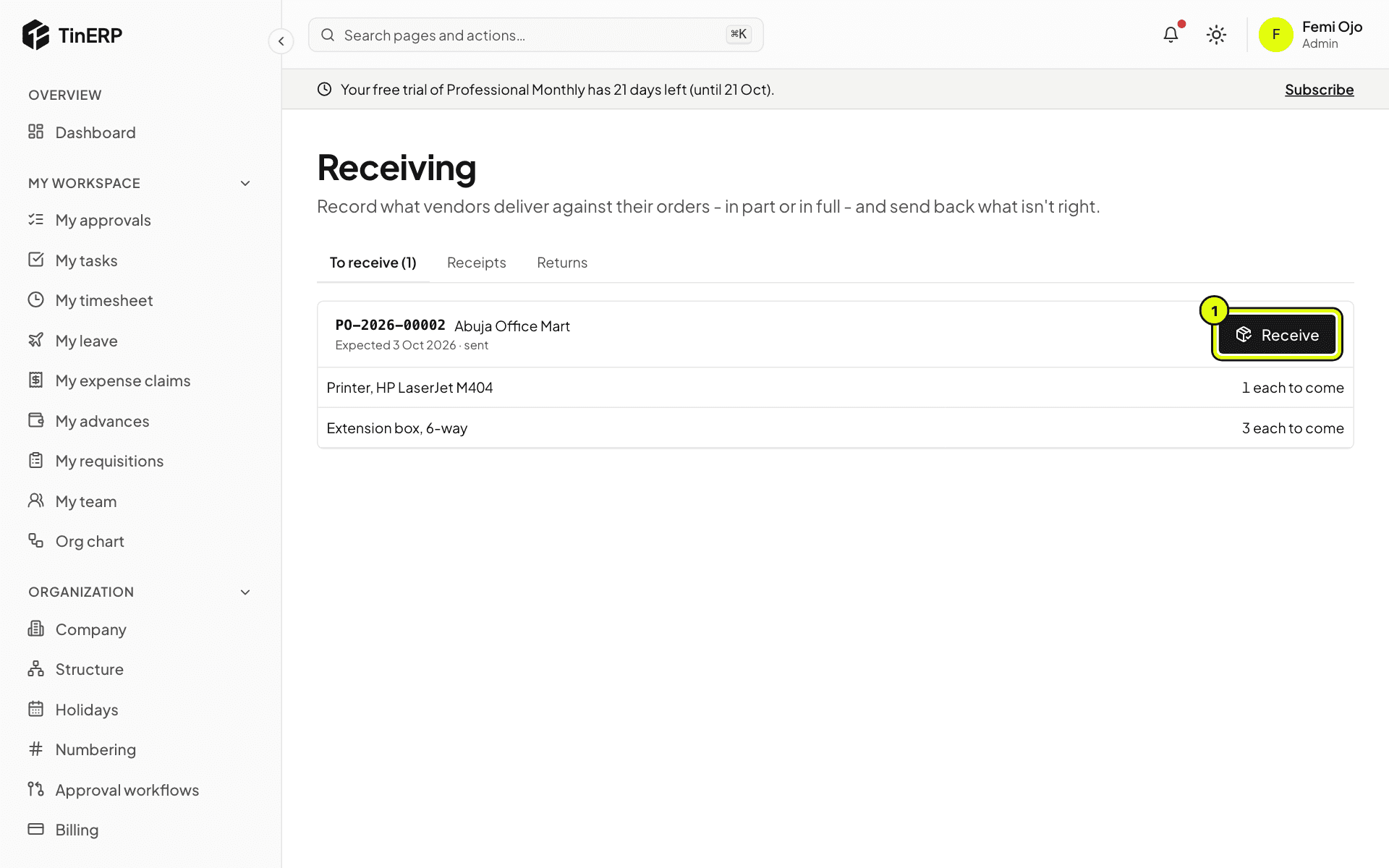
When the parts arrive, Femi, the store keeper, records them in Procurement → Receiving with the vendor's delivery note. Ada raised the order, so she couldn't receive it herself.
Full size
Receiving - 5
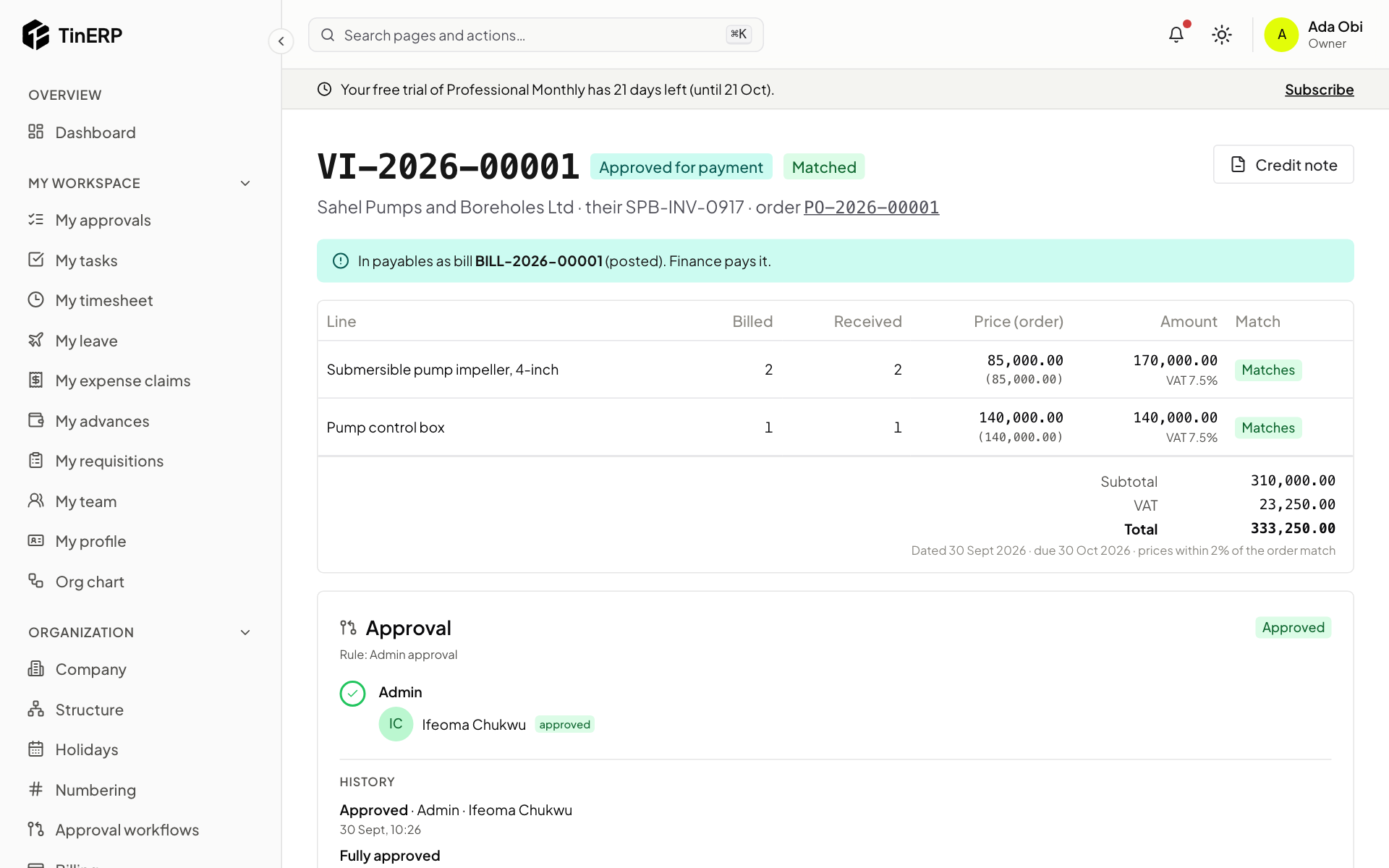
5. The invoice is matched and approved
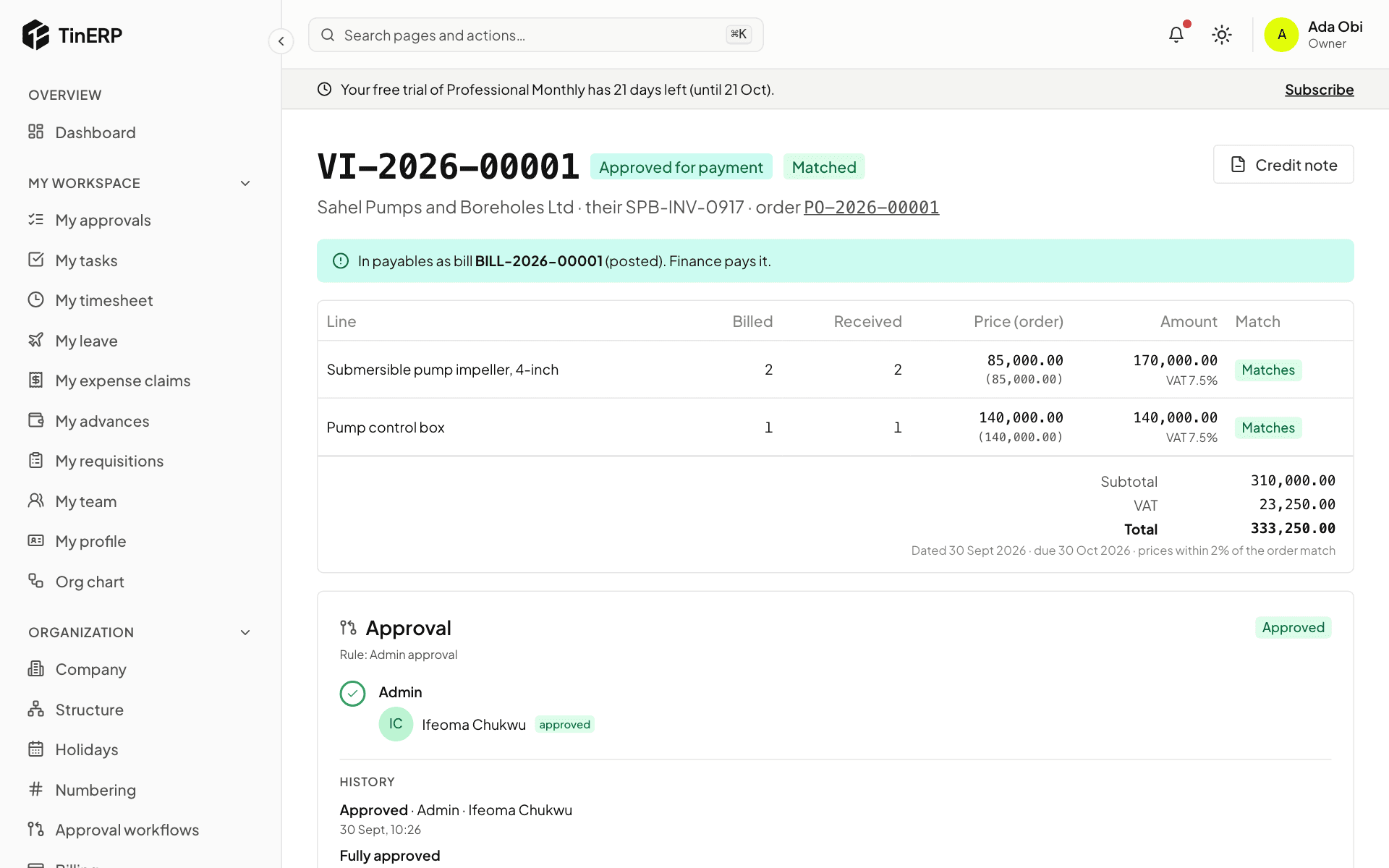
Sahel's invoice arrives. Ada enters it against the order; it matches what was ordered and received. Ifeoma, in finance, approves it for payment - neither Ada (who submitted it) nor Femi (who received the goods) could. It becomes a bill in Finance.
Full size
The matched vendor invoice, approved and passed to payables - 6
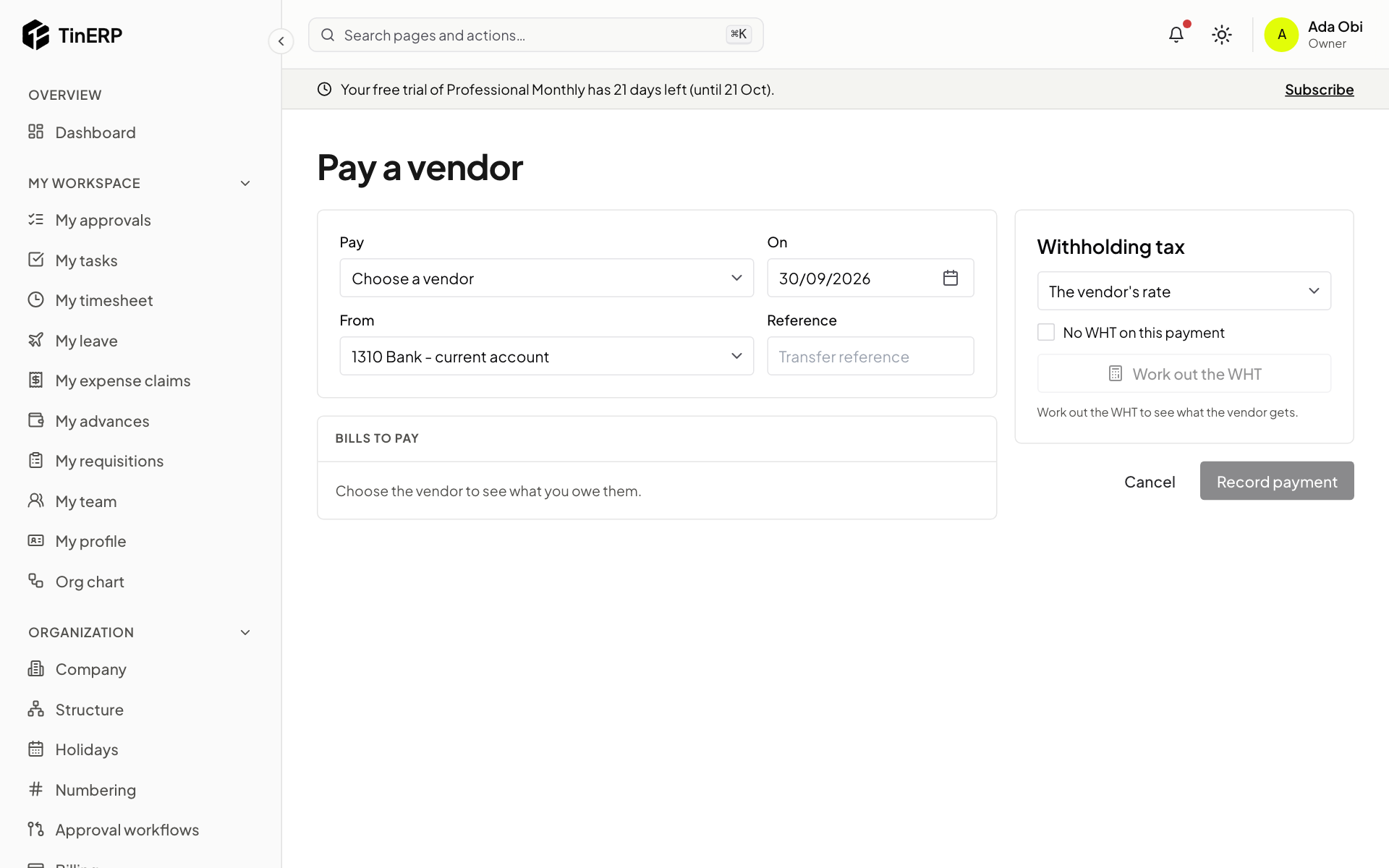
6. Finance pays
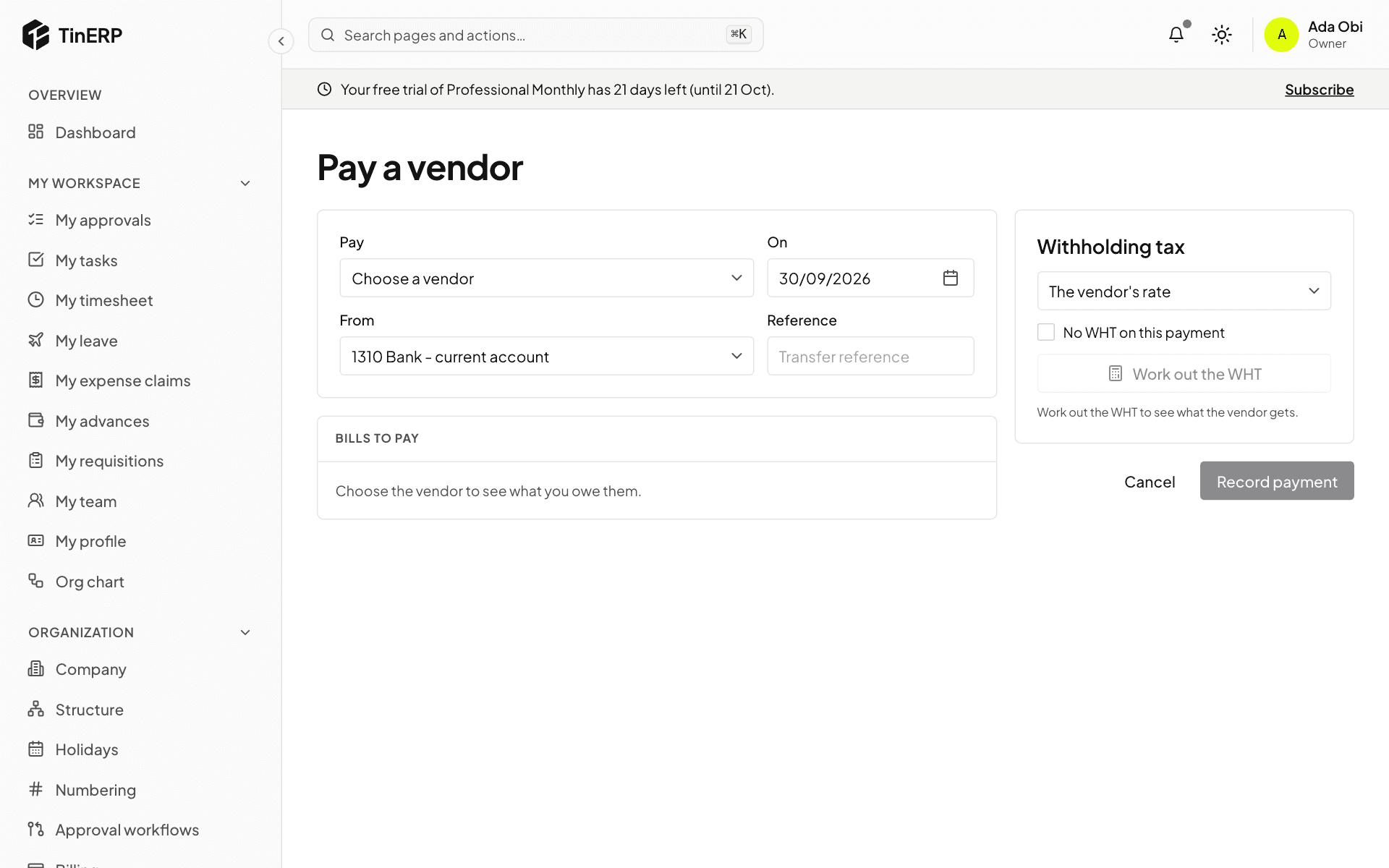
Ifeoma pays the bill in Finance → Payments - or in the next payment run - with WHT worked out. The vendor invoice shows paid, and the cost sits against the programme's budget and grant.
Full size
Pay a vendor