Notifications
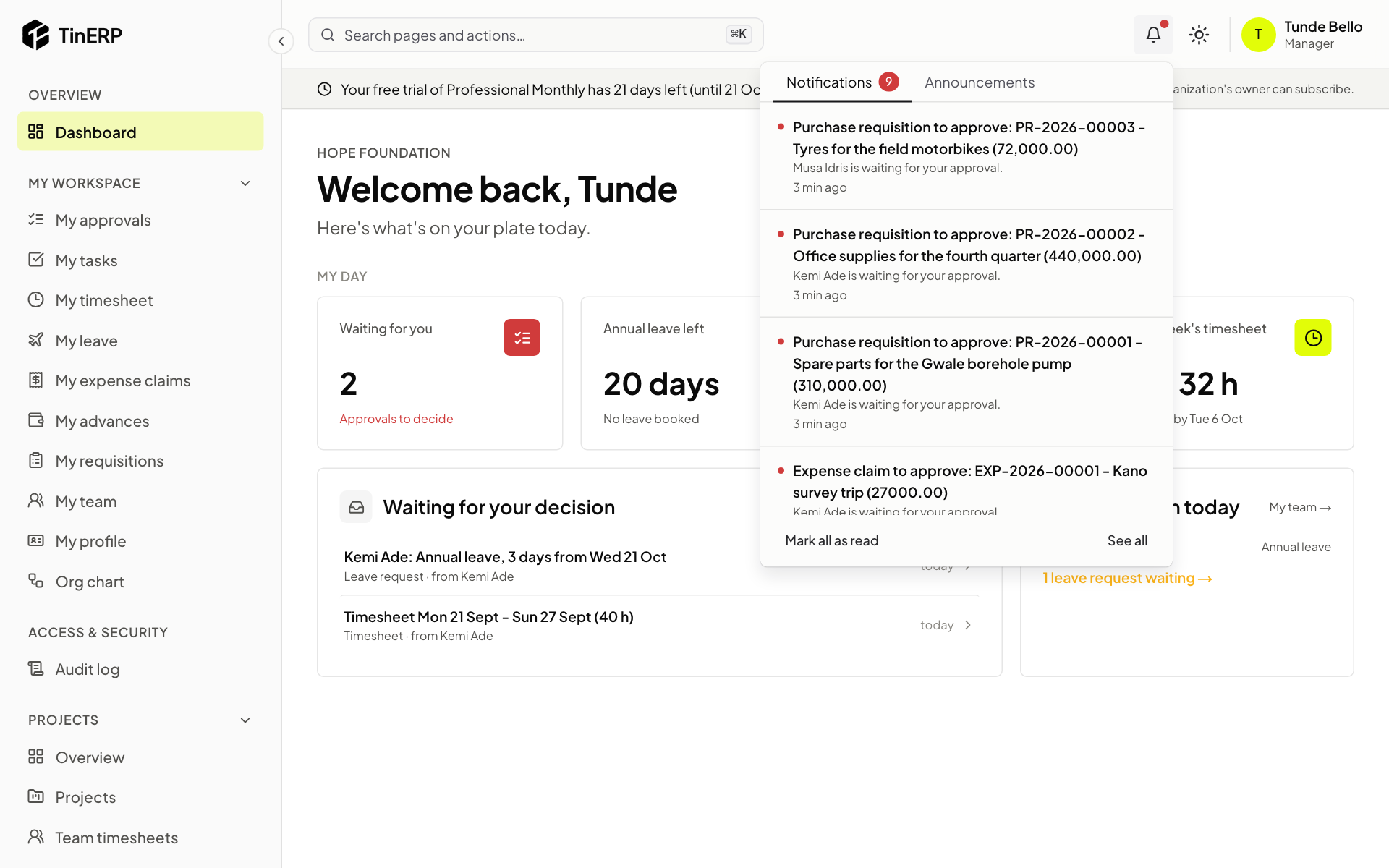
The bell at the top shows a dot when something new arrives.
- 1
Read and act
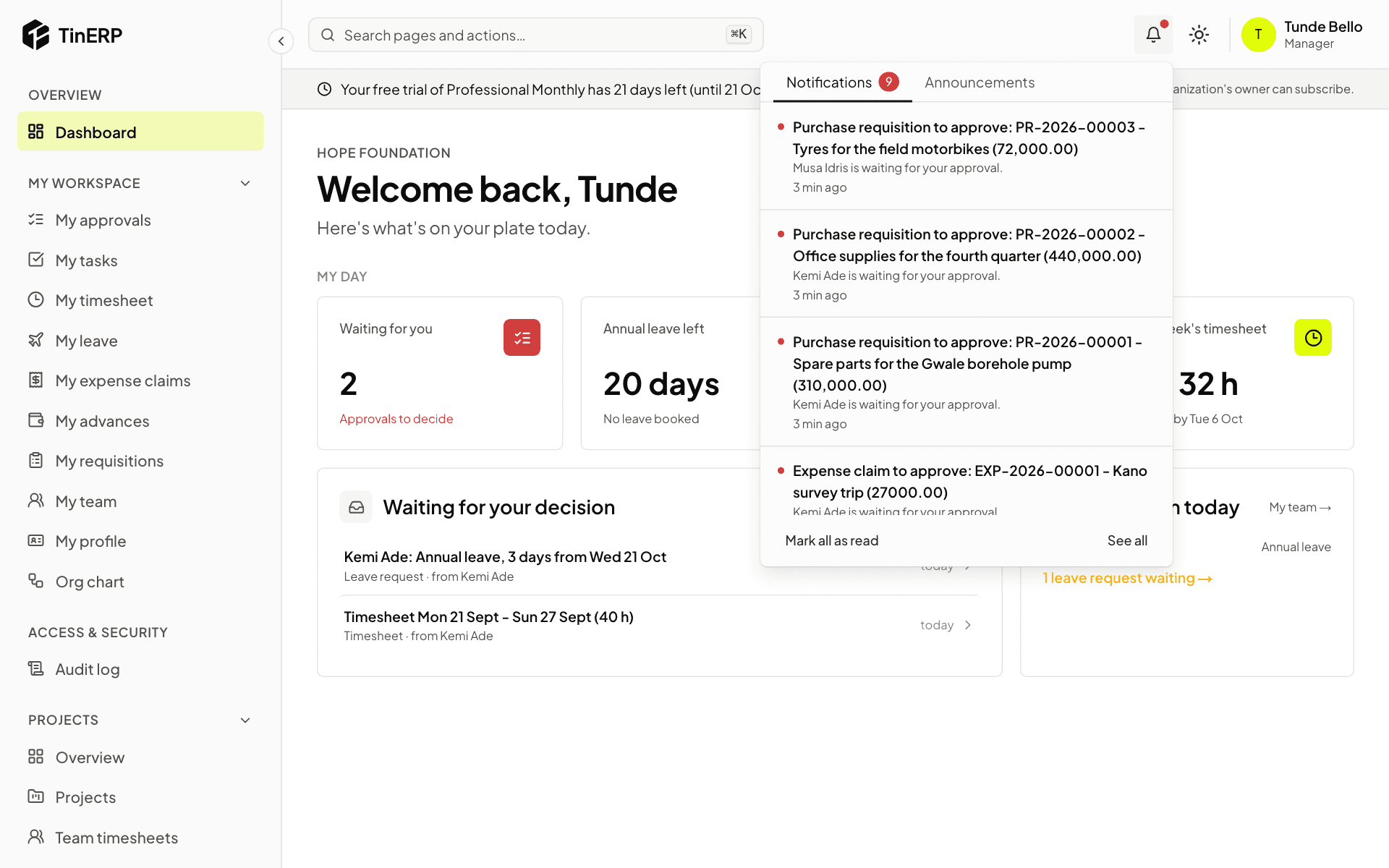
Select the bell. Notifications lists what's happened for you - select one to open it. Announcements are news from TinERP.
Select Mark all as read to clear the dot. You choose which notifications also come by email in My account.
Full size
The notifications panel open, with a leave request waiting for approval