
Set up leave
TinERP starts you with the usual leave types - annual, sick, maternity, paternity, compassionate, study, examination and unpaid - with allowances within the Labour Act's minimums. Check them against your own policy and change what's different.
- 1
Choose your leave year
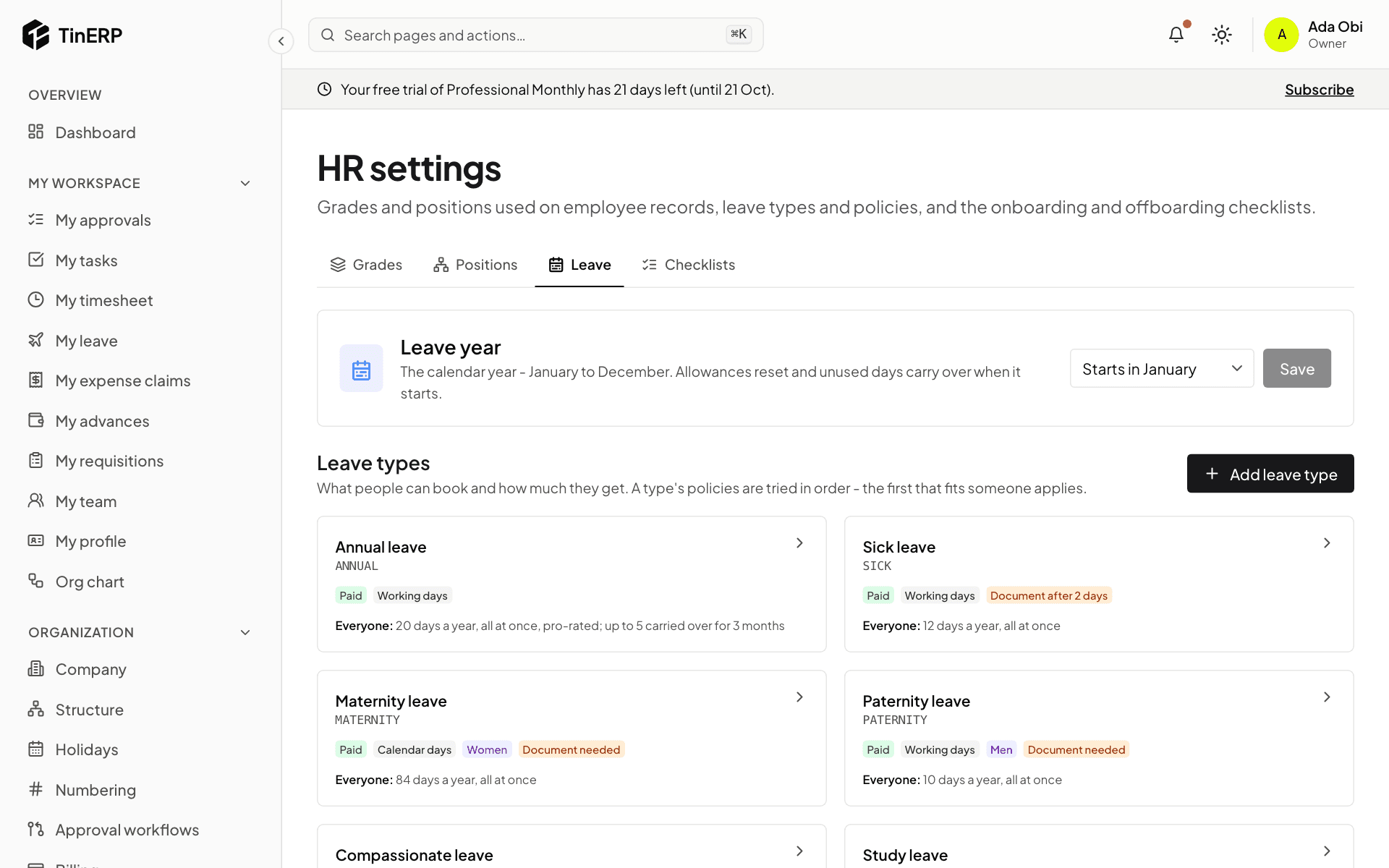
Go to HR → HR settings → Leave. Under Leave year, choose the month it starts - January for the calendar year - and Save. Allowances start again, and unused days carry over, when a new leave year begins.
Full size
HR settings → Leave: the leave year and the leave types as cards - 2
Review your leave types
Each card shows a leave type: paid or unpaid, whether it counts working or calendar days, who it's for, whether a document is needed, and its allowance in words. Select a card to change it, or Add leave type.
Turn off Has an allowance for leave that's approved and recorded but not counted, such as study or unpaid leave.
- 3
Set the allowance with policies
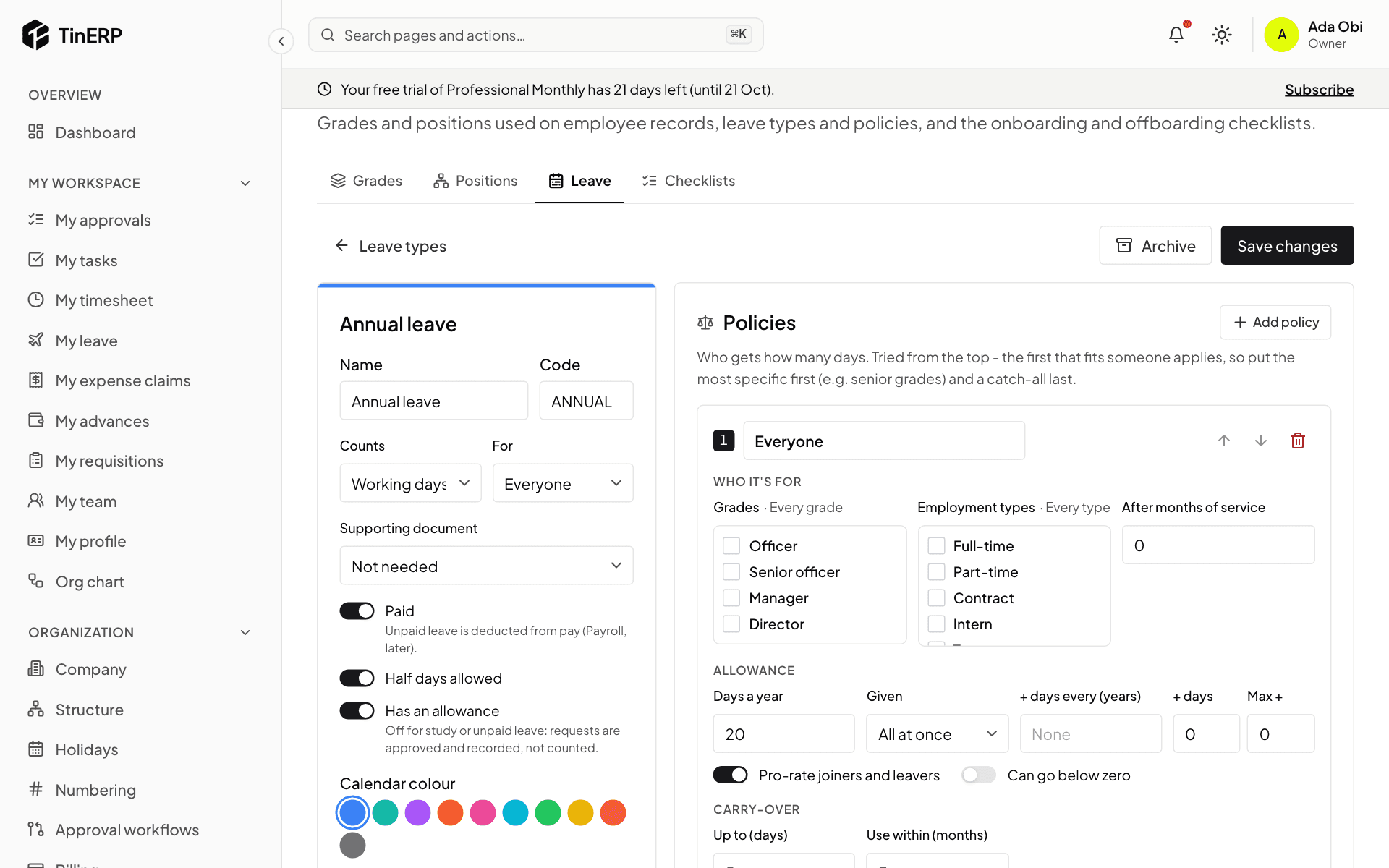
A leave type's policies decide how many days people get. Each says who it's for (grades, employment types, months of service), the days a year, whether they're given all at once or earned month by month, extra days for long service, and how many unused days carry over and for how long.
Turn on Pro-rate joiners and leavers so people who start or leave during the year get their share. Policies are tried in order and the first that fits a person applies - so put the most specific first, for example managers, then everyone. Select Save changes.
Full size
Editing Annual leave: its policy with days a year, pro-rating and carry-over - 4
Enter opening balances
If people have days left from before TinERP, add them on each employee's page: in the Leave card select Adjust, add the days and give a reason such as "Opening balance".
Questions
Who approves leave?
By default the person's manager - and for 10 days or more, and for maternity, paternity and study leave, an Admin as well. Change it in Organization → Approval workflows; many organizations switch the second step to their HR role.
How do I stop a leave type being used?
Open it and select Archive. Nobody can book it any more; past leave and balances are kept, and you can restore it.