The chart of accounts
The chart of accounts is the list of every account the books use, grouped under headers by type: assets, liabilities, equity (funds for NGOs), income and expenses.
- 1
Read the chart
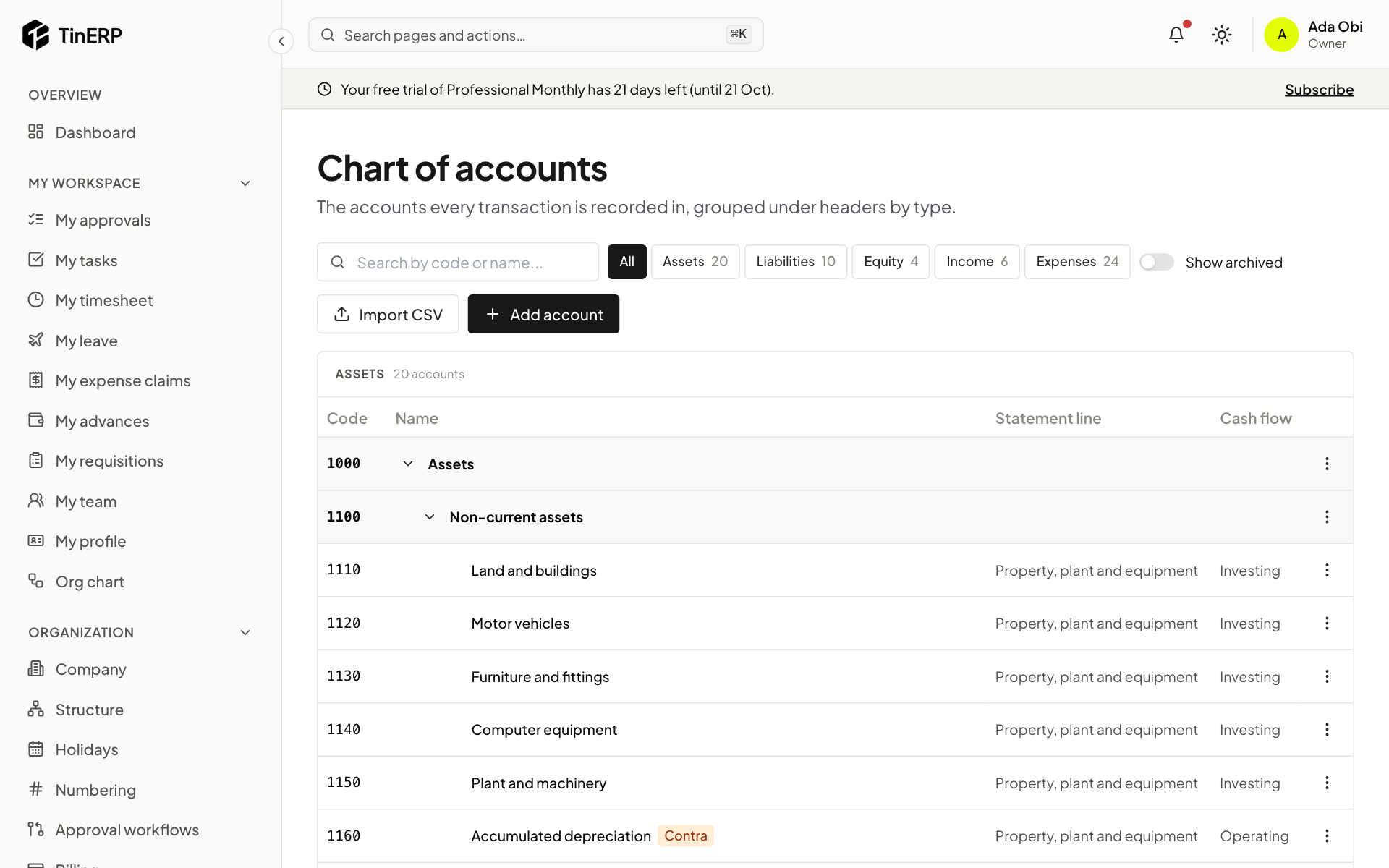
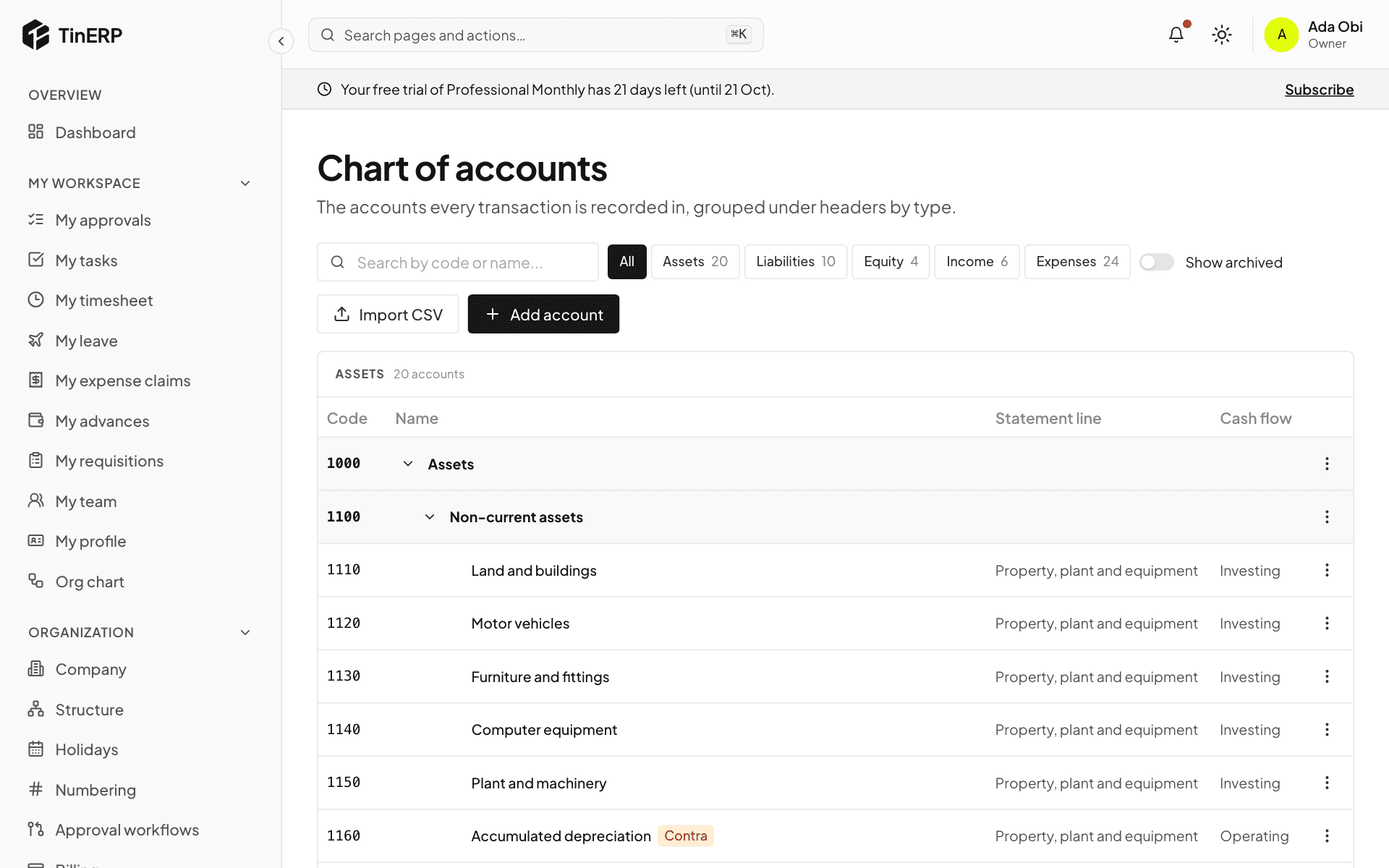
Go to Finance → Chart of accounts. Codes group accounts: 1xxx assets, 2xxx liabilities, 3xxx equity or funds, 4xxx income, 5xxx-6xxx expenses. Headers group other accounts and are never posted to.
Badges show how an account behaves: a control account takes postings only from its own documents; a Contra account's balance is the opposite of its type (accumulated depreciation). Each account shows its Statement line and Cash flow category. Select an account's name to open its ledger.
Full size
The chart of accounts: assets under headers, with statement lines and cash flow categories - 2
Add or change an account
Select Add account, or use a header's menu to add one under it. Give it a code in the chart's numbering, a name, its type and the header it sits under, whether journals may post to it, and where it goes in the statements.
Dimensions on its lines make reports useful: for each of department, branch and cost center (and fund and grant for NGOs), choose Required, Optional or Not allowed. With department required on salaries, you can see payroll by department.
Accounts are never deleted: use the menu to Archive one. You can't archive a system account, or a header with active accounts under it.
- 3
Import a chart
Import CSV adds many accounts at once - for example your old system's chart. Every row is checked first; if any is wrong, nothing is imported and you're told which rows to fix.