
How Finance works
Finance keeps your organization's books: its accounts, what it's owed and owes, its bank and cash, its taxes, budgets, funds and grants - and the financial statements that come out of them. If you don't have a finance background, these ideas are all you need to follow the rest of this chapter.
- 1
The ideas behind it
Double entry. Every transaction is recorded in at least two accounts, and the debits always equal the credits. Paying ₦50,000 rent: Rent is debited, Bank is credited. TinERP won't post anything that doesn't balance.
Journals. Each transaction is a journal entry. Invoices, bills, payments, claims and advances all create journals behind the scenes; you write journals yourself only for adjustments.
Posted means final. A posted journal is never edited or deleted. A mistake is corrected with a reversal linked to the original, so the history stays - auditors require it.
Periods. Books are kept by month. A closed month can't change, so figures already reported don't quietly move.
Control accounts agree with their detail. Trade receivables always equals the unpaid customer invoices; Trade payables the unpaid bills; the same for VAT, WHT and employee advances. Only their own documents post to them.
Full size
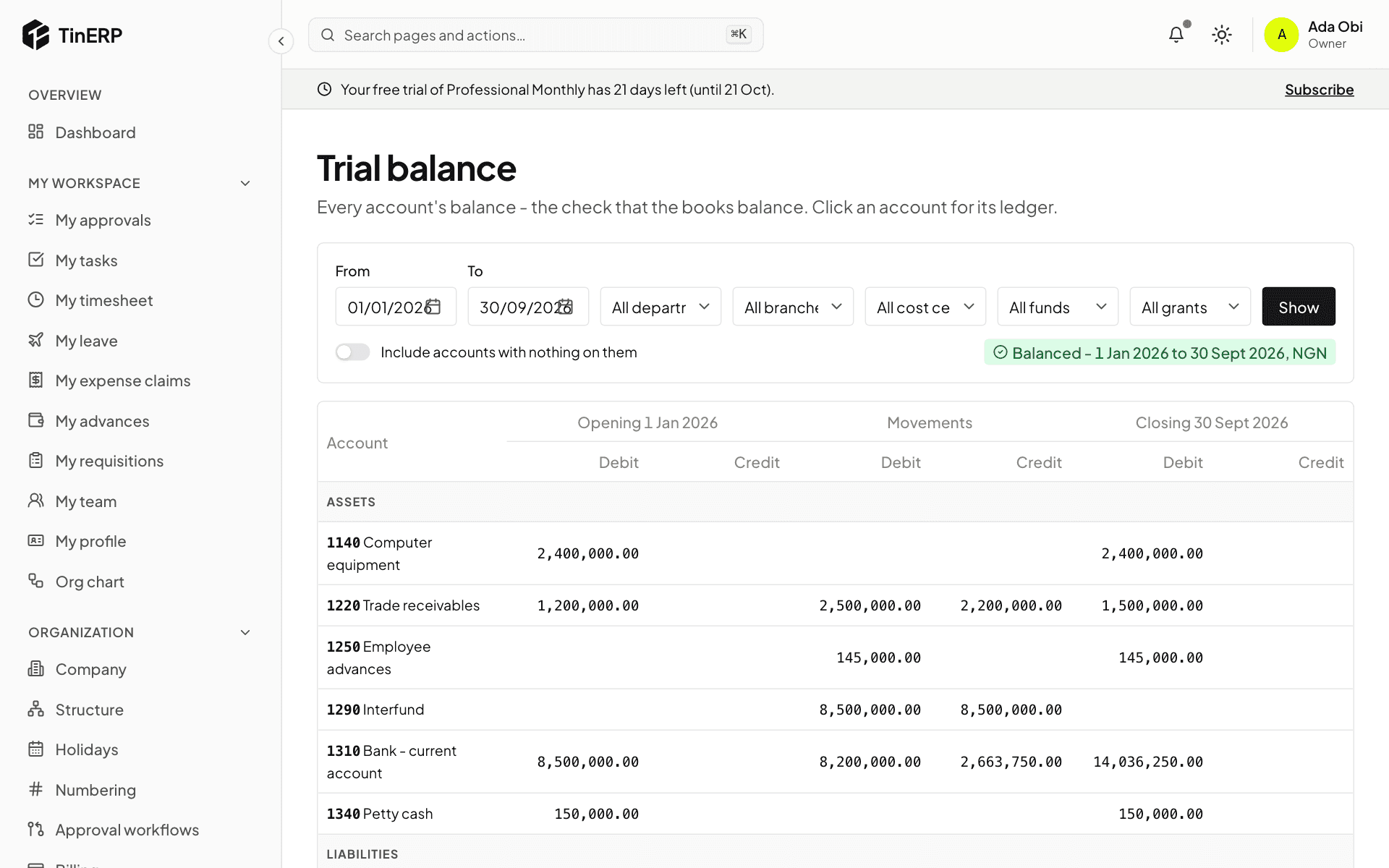
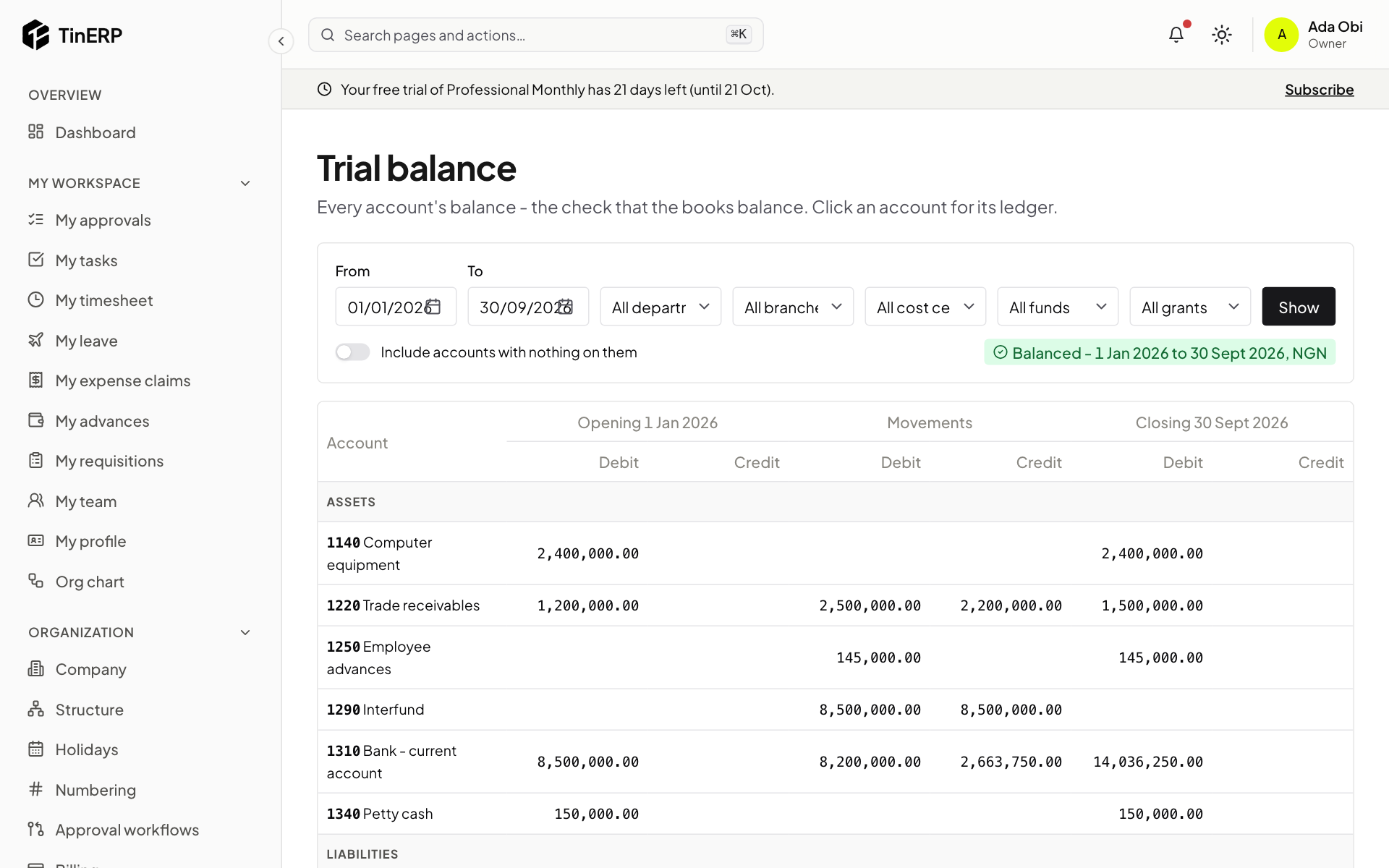
The trial balance from 1 January, balanced, with each account's opening balance, movements and closing balance - 2
Who does what
Finance has its own permissions, so a team can split the work - for example one person enters bills, another pays them. The Admin role has them all except Reopen closed periods, which no role has until you give it.
Most organizations add roles such as an Accountant (the ledger, journals, invoices, bills) and a Finance manager (approvals, periods, budgets), and give Pay expense claims and Pay and settle advances to whoever pays people. See Roles and permissions.
Everyone else meets Finance through My expense claims and My advances, and managers through their approvals.
- 3
Where everything is
The Finance menu holds it all: Journals, Banking, sales (Sales invoices, Receipts, Customers, Aged receivables), purchases (Bills, Payments, Payment runs, Vendors (finance), Aged payables), Tax returns, Expense claims and Advances, Budgets and Budget vs actual, Prepayments and deferrals, Recurring journals, the reports (Financial statements, Trial balance), and the setup (Opening balances, Chart of accounts, Periods, Finance settings).
Questions
Finance says it isn't set up yet.
Someone who can manage accounting setup does it once, from Finance → Chart of accounts - see Set up Finance. Until then the other Finance pages explain it rather than working.